防沉迷!不准玩微信!让deepseek帮我们戒掉Mac上的微信诱惑,连续使用60秒就全屏警告!
·
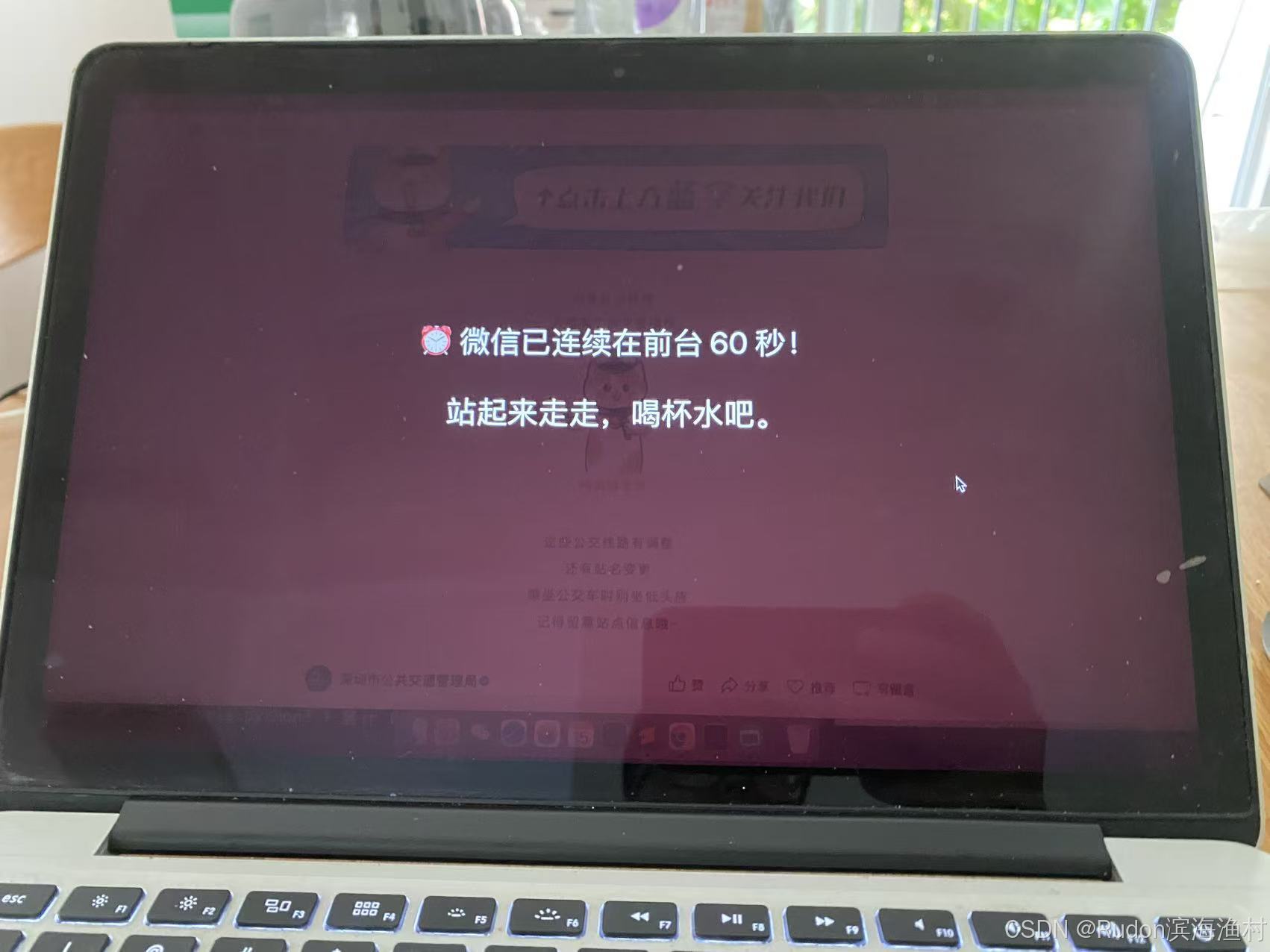
效果图
在Macbook上连续使用微信 / 微信视频 / 微信公众号 超过1分钟,就全屏警告!
写在前面
要有电脑编程的基础意识,稍微懂一点就行!
AI很强大~拯救了我的注意力涣散难题~
本方法需要下载保存两个文件和设置开机自启,不然效果达不到。
怎么问Deepseek?
能不能帮我解决我的网瘾问题,设计一个python脚本,在 macOS 上可以运行,简单的判断微信这个软件是否正在长时间使用,如果在前台连续看了 1 分钟,就弹出全屏提示来告诉我。警告持续15秒。
注意:很不容易,既要让deepseek解决macos的python环境问题,还要教我们编写出python主脚本,又要让dp教我们怎么开机自启。有任何问题,直接复制咨询dp!
完整脚本和思路
步骤
两个文件
nano /Users/mac/Scripts/wechat_monitor.py
#!/usr/bin/env python3
import time
import signal
import threading
from AppKit import (
    NSWorkspace,
    NSApplication,
    NSScreen,
    NSWindow,
    NSColor,
    NSTextField,
    NSFont,
)
from Foundation import (
    NSMakeRect,
    NSObject,
)
from PyObjCTools import AppHelper

WECHAT_BUNDLE_ID = "com.tencent.xinWeChat"
MAX_DURATION = 60   # 连续 60 秒就提醒
ALERT_SECONDS = 15  # 提醒停留 15 秒
LOG_PATH = "/tmp/wechat_monitor.log"


class AlertWindow(NSObject):
    window = None
    is_showing = False

    def show(self):
        if self.is_showing:
            return
        self.is_showing = True

        screen = NSScreen.mainScreen()
        frame = screen.frame()

        self.window = NSWindow.alloc().initWithContentRect_styleMask_backing_defer_(
            frame, 0, 2, False
        )
        self.window.setLevel_(1000)
        self.window.setOpaque_(True)
        self.window.setBackgroundColor_(
            NSColor.colorWithDeviceRed_green_blue_alpha_(0.1, 0.0, 0.0, 0.95)
        )
        self.window.setHasShadow_(False)

        label = NSTextField.alloc().initWithFrame_(
            NSMakeRect(0, frame.size.height / 2 - 100, frame.size.width, 200)
        )
        label.setStringValue_("⏰ 微信已连续在前台 60 秒!\n\n站起来走走,喝杯水吧。")
        label.setFont_(NSFont.systemFontOfSize_(36))
        label.setTextColor_(NSColor.whiteColor())
        label.setAlignment_(2)
        label.setBezeled_(False)
        label.setDrawsBackground_(False)
        label.setEditable_(False)
        label.setSelectable_(False)

        self.window.contentView().addSubview_(label)
        self.window.makeKeyAndOrderFront_(None)
        NSApplication.sharedApplication().activateIgnoringOtherApps_(True)

        threading.Timer(ALERT_SECONDS, self.close).start()

    def close(self):
        if self.window:
            self.window.orderOut_(None)
            self.window = None
        self.is_showing = False


class Monitor(NSObject):
    def start(self):
        threading.Thread(target=self._loop, daemon=True).start()

    def _loop(self):
        accumulated = 0
        alert = AlertWindow.alloc().init()

        with open(LOG_PATH, "a") as f:
            while True:
                front_app = NSWorkspace.sharedWorkspace().frontmostApplication()
                bid = front_app.bundleIdentifier() if front_app else None

                line = f"{time.strftime('%H:%M:%S')} | {bid} | 累计 {accumulated}s"
                print(line, flush=True)
                f.write(line + "\n")
                f.flush()

                if bid == WECHAT_BUNDLE_ID:
                    accumulated += 1
                    if accumulated >= MAX_DURATION:
                        print(">>> 触发提醒!", flush=True)
                        AppHelper.callAfter(alert.show)
                        accumulated = 0
                else:
                    accumulated = 0

                time.sleep(1.0)


def handle_sigint(signum, frame):
    print("\n收到 Ctrl+C,正在退出...", flush=True)
    # 停止 Cocoa 事件循环,主线程的 app.run() 会返回
    NSApplication.sharedApplication().stop_(None)


if __name__ == "__main__":
    app = NSApplication.sharedApplication()
    app.setActivationPolicy_(1)

    # 注册 Ctrl+C 处理
    signal.signal(signal.SIGINT, handle_sigint)

    monitor = Monitor.alloc().init()
    monitor.start()

    app.run()
    print("已退出。", flush=True)
开机自启文件
nano ~/Library/LaunchAgents/com.mac.wechatmonitor.plist
<?xml version="1.0" encoding="UTF-8"?>
<!DOCTYPE plist PUBLIC "-//Apple//DTD PLIST 1.0//EN"
  "http://www.apple.com/DTDs/PropertyList-1.0.dtd">
<plist version="1.0">
<dict>
    <key>Label</key>
    <string>com.mac.wechatmonitor</string>

    <key>ProgramArguments</key>
    <array>
        <string>/usr/bin/python3</string>
        <string>/Users/mac/Scripts/wechat_monitor.py</string>
    </array>

    <key>RunAtLoad</key>
    <true/>

    <key>KeepAlive</key>
    <true/>

    <key>StandardOutPath</key>
    <string>/tmp/wechat_monitor.out.log</string>

    <key>StandardErrorPath</key>
    <string>/tmp/wechat_monitor.err.log</string>
</dict>
</plist>
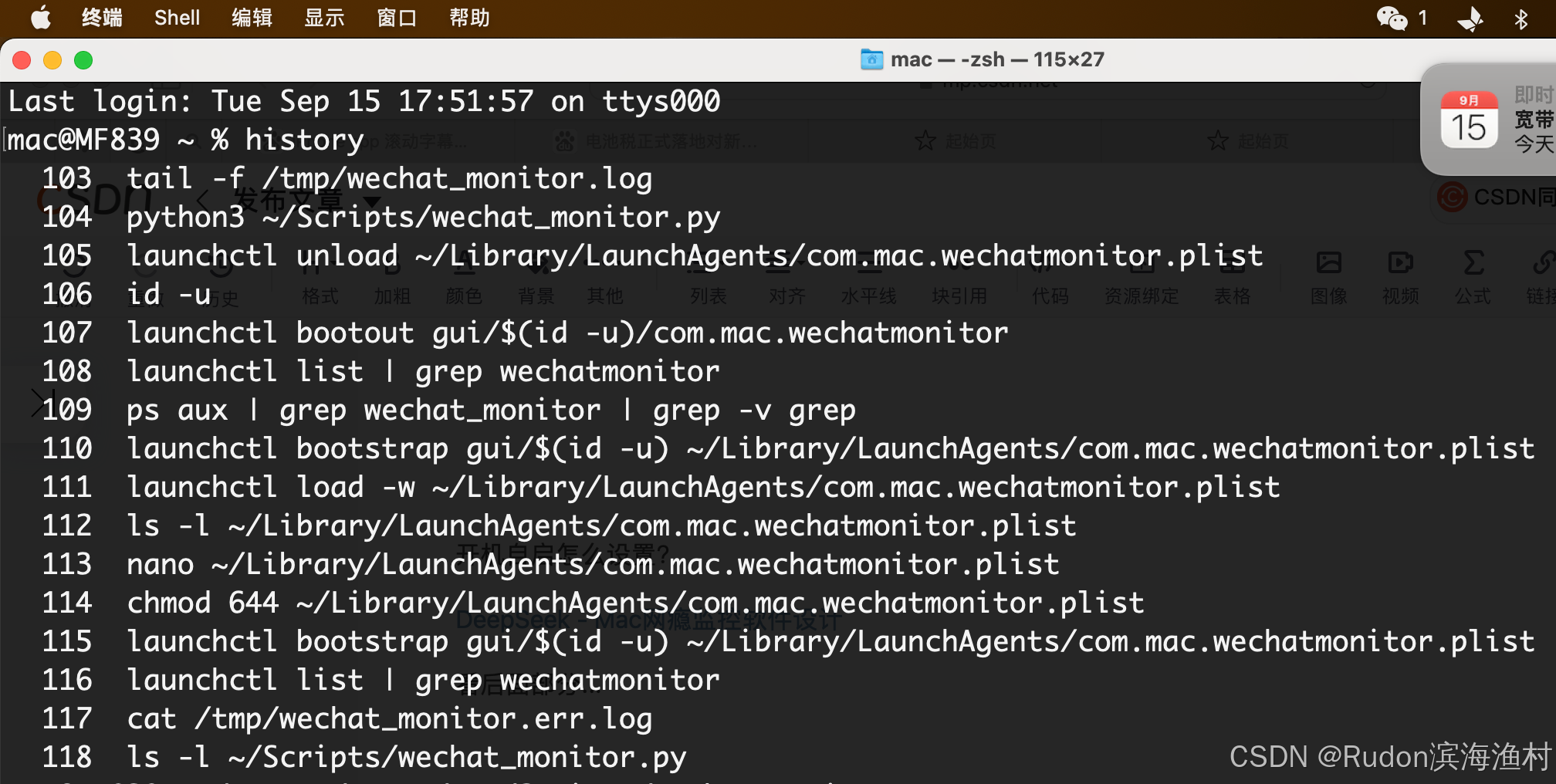
开机自启怎么设置?
看后面部分...

欢迎加入DeepSeek 技术社区。在这里,你可以找到志同道合的朋友,共同探索AI技术的奥秘。
更多推荐

 0
0 0
0- 0


 已为社区贡献1条内容

所有评论(0)