Spring-ai项目-deepseek-5-对话历史
·
为了把对话历史存起来,我需要写一个保存对话id的api和一个查询对话历史的api
新建接口ChatHistoryRepository
package com.springai.deepseek.repository;

import java.util.List;

public interface ChatHistoryRepository {

    /**
     * 保存对话 ID
     * @param type 业务类型,如:chat、service、pdf
     * @param chatId 保存对话 ID
     */
    void save(String type, String chatId);
    /**
     * 获取 对话 ID列表
     * @param type 业务类型,如:chat、service、pdf
     * @return 对话 ID列表
     */
    List<String> getChatIds(String type);
}
新建类InMemoryChatHistoryRepository
新建类InMemoryChatHistoryRepository实现接口ChatHistoryRepository
package com.springai.deepseek.repository;

import org.springframework.stereotype.Component;

import java.util.*;

@Component
public class InMemoryChatHistoryRepository implements ChatHistoryRepository{
    /**
     * 存储聊天对话 ID 的映射关系。
     * Key: 类型标识(type)
     * Value: 该类型下所有聊天对话 ID 的集合(自动去重)
     */
    private final Map<String, Set<String>> chatHistory= new HashMap<>();
    /**
     * 保存指定类型的聊天对话 ID。
     * 如果该类型下已存在此 chatId,则不会重复添加(Set 自动去重)。
     *
     * @param type 聊天对话的类型标识,用于分类管理不同的聊天对话
     * @param chatId 要保存的聊天对话唯一标识符
     */
    @Override
    public void save(String type, String chatId) {
        Set<String> chatIds = chatHistory.computeIfAbsent(type,k -> new HashSet<>());
        chatIds.add(chatId);
    }

    /**
     * 获取指定类型下的所有聊天对话 ID 列表。
     * 如果该类型不存在,则返回空列表。
     *
     * @param type 聊天对话的类型标识
     * @return 该类型下所有聊天对话 ID 的列表,按插入顺序排列;如果类型不存在则返回空列表
     */
    @Override
    public List<String> getChatIds(String type) {
        Set<String> set = chatHistory.getOrDefault(type, Set.of());
        return set.stream().toList();
    }
}
保存对话
修改ChatController的/chat,增加保存对话的代码
package com.springai.deepseek.controller;

import com.springai.deepseek.repository.ChatHistoryRepository;
import lombok.RequiredArgsConstructor;
import org.springframework.ai.chat.client.ChatClient;
import org.springframework.ai.chat.memory.ChatMemory;
import org.springframework.web.bind.annotation.RequestMapping;
import org.springframework.web.bind.annotation.RestController;
import reactor.core.publisher.Flux;

@RequiredArgsConstructor
@RestController
@RequestMapping("/ai")
public class ChatController {
    private final ChatClient chatClient;
    private final ChatHistoryRepository chatHistoryRepository;

    /**
     * 阻塞式对话,必须等AI思考得出完整回答才响应
     * @param prompt
     * @return
     */
    @RequestMapping("/callChat")
    public String callChat(String prompt){
        return chatClient.prompt()
                .user(prompt)
                .call()
                .content();
    }
    /**
     * 流式对话,实时返回 AI 的回答内容
     * @param prompt 用户输入的提示词或问题
     * @param chatId 会保存对话,下次请求会带上 chatId,会从上次的对话继续,
     * @return Flux<String> 流式响应的字符串序列,包含 AI 生成的回答内容
     */
    // 指定响应内容类型为 HTML 格式,字符编码为 UTF-8,这里没指定的话会响应看不懂的乱码
    @RequestMapping(value = "/chat", produces = "text/html;charset=utf-8")
    public Flux<String> streamChat(String prompt, String chatId){
        // 保存对话
        chatHistoryRepository.save("chat", chatId);
        return chatClient.prompt()
                .user(prompt)
                // 指定对话 ID
                .advisors(advisorSpec -> advisorSpec.param(ChatMemory.CONVERSATION_ID, chatId))
                .stream()
                .content();
    }
}
查询对话列表和详情
新建MessageVO用于给前端返回对话记录
package com.springai.deepseek.entity.vo;

import lombok.Data;
import lombok.NoArgsConstructor;
import org.springframework.ai.chat.messages.Message;

@NoArgsConstructor
@Data
public class MessageVO {
    private String role;
    private String content;
    public MessageVO(Message  message) {
        this.role = message.getMessageType().getValue();
        this.content = message.getText();
    }
}
新建ChatHistoryController查询对话列表和详情
package com.springai.deepseek.controller;

import com.springai.deepseek.entity.vo.MessageVO;
import com.springai.deepseek.repository.ChatHistoryRepository;
import lombok.RequiredArgsConstructor;
import org.springframework.ai.chat.memory.ChatMemory;
import org.springframework.ai.chat.messages.Message;
import org.springframework.web.bind.annotation.GetMapping;
import org.springframework.web.bind.annotation.PathVariable;
import org.springframework.web.bind.annotation.RequestMapping;
import org.springframework.web.bind.annotation.RestController;

import java.util.List;

/**
 * 聊天对话历史控制器。
 * 提供 RESTful API 接口,用于管理和查询聊天对话历史记录。
 */
@RequiredArgsConstructor
@RestController
@RequestMapping("/ai/history")
public class ChatHistoryController {
    /**
     * 聊天历史仓储组件,用于存储和检索聊天对话数据。
     */
    private final ChatHistoryRepository chatHistoryRepository;
    /**
     * 聊天记忆组件,用于存储和检索完整的对话消息内容。
     */
    private final ChatMemory chatMemory;

    /**
     * 获取指定类型下的所有聊天对话 ID 列表。
     *
     * @param type 聊天对话的类型标识,从 URL 路径中提取
     * @return 该类型下所有聊天对话 ID 的列表;如果类型不存在则返回空列表
     */
    @GetMapping("/{type}")
    public List<String> getChatIds(@PathVariable String type){
        return chatHistoryRepository.getChatIds(type);
    }

    /**
     * 获取指定类型和 ID 的聊天对话历史记录。
     *
     * @param type 聊天对话的类型标识,从 URL 路径中提取
     * @param chatId 聊天对话的 ID,从 URL 路径中提取
     * @return 该类型和 ID 的聊天对话历史记录;如果类型或 ID 不存在则返回空列表
     */
    @GetMapping("/{type}/{chatId}")
    public List<MessageVO> getChatHistory(@PathVariable String type, @PathVariable String chatId){
        List<Message> messages = chatMemory.get(chatId);
        return messages.stream().map(MessageVO::new).toList();
    }
}
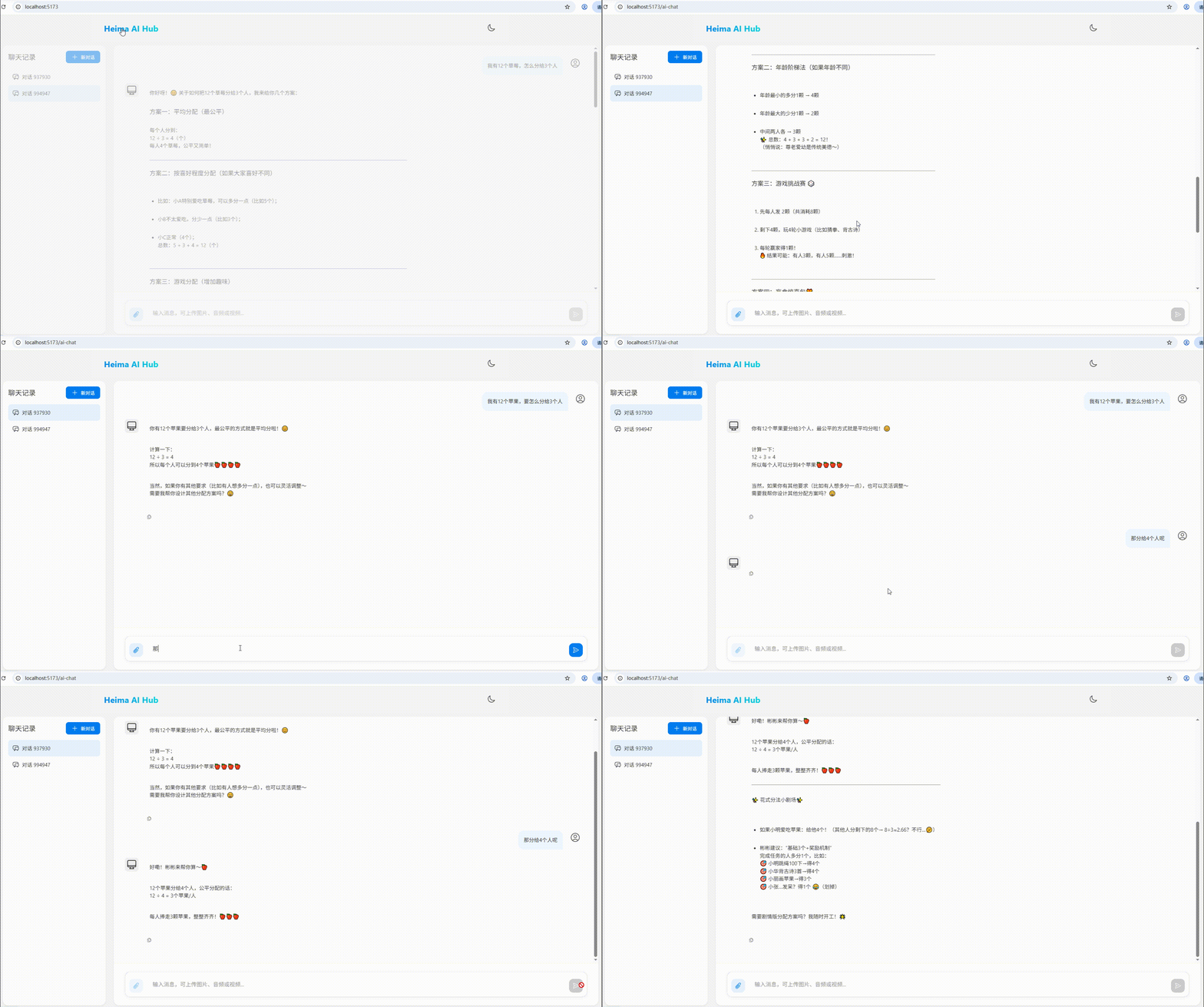
尝试对话
重启项目 ,再跟AI对话就有对话列表和历史的效果了
资源下载
后端源码下载
这个聊天机器人到目前为止的所有后端源码已上传,各位可以自行下载
通过网盘分享的文件:spring-ai-deepseek-chat.rar
链接: https://pan.baidu.com/s/1H3jq-26_TSVU2dvPPtuLXQ?pwd=2fxf 提取码: 2fxf
也可扫码获取网盘文件

前端资源下载
通过百度网盘分享的文件:spring-ai-nginx.zip
链接:https://pan.baidu.com/s/1SIdpVZJeZXWKmtzHGkdUTA?pwd=i91o
复制这段内容打开「百度网盘APP 即可获取」
前端资源使用
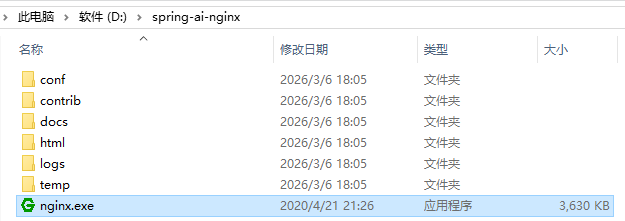
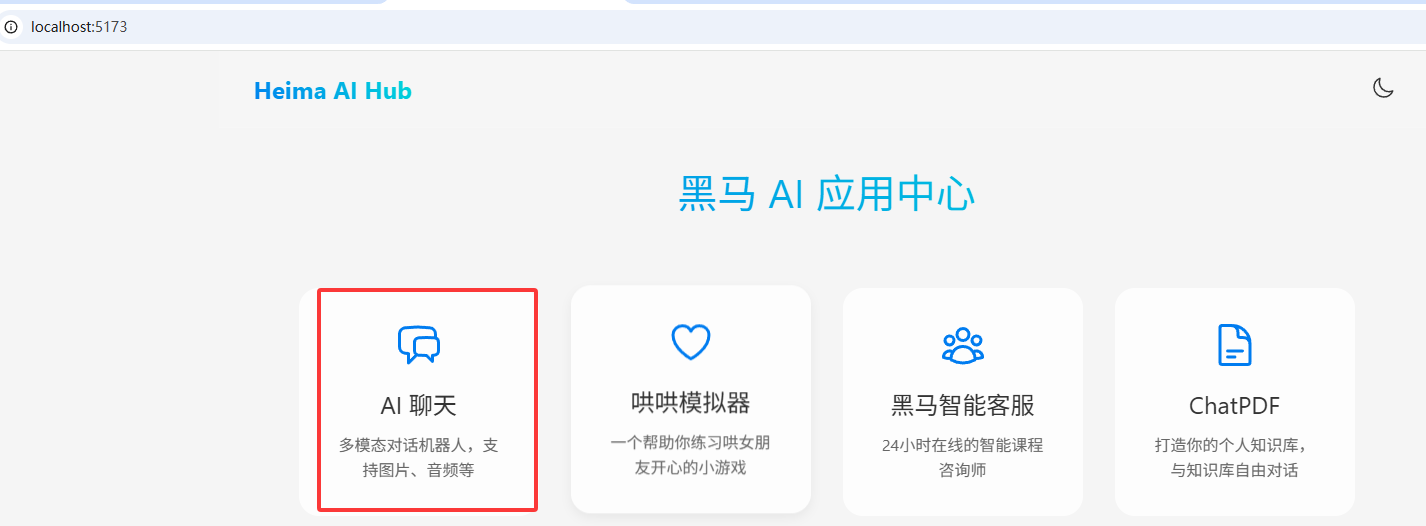
下载后解压到无中文的路径下,运行nginx .exe

欢迎加入DeepSeek 技术社区。在这里,你可以找到志同道合的朋友,共同探索AI技术的奥秘。
更多推荐
 5
5 0
0- 0


 已为社区贡献2条内容

所有评论(0)