OpenClaw怎么接入Deepseek?
·
前端小王hs:
清华大学出版社《后台管理实践——Vue.js+Express.js》、《Nest入门与实践》作者
网络工程师 前端工程师 项目经理 阿里云社区博客专家

email: 337674757@qq.com
vx: 文章最下方有vx链接
资料/交流群: vx备注openclaw
抖音:小王的AI开发课
🔥🔥🔥公众号:玩转龙虾实验室
OpenClaw怎么接入Deepseek?
原由
在默认况下,OpenClaw并没有提供deepseek给我们选择,所以前面我们选择了Qwen,如下图所示: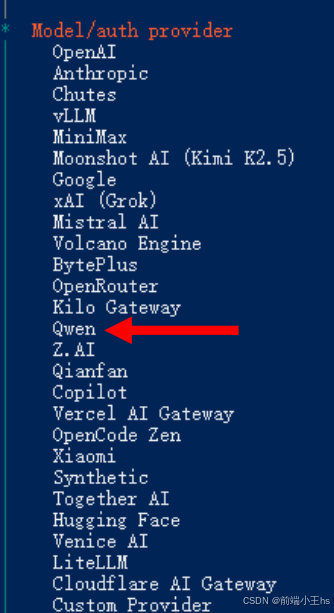
这一节,我们就来介绍怎么通过修改配置项,添加deepseek
deepseek开放平台配置
确保余额充足
deepseek开放平台必须要有余额,入口如下图: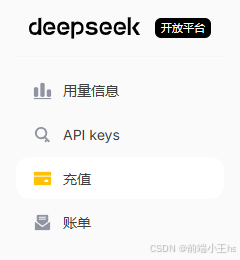
添加API keys
API keys是用于让OpenClaw连接模型用的,在API keys中选择创建API key,并保存Key,如下图所示: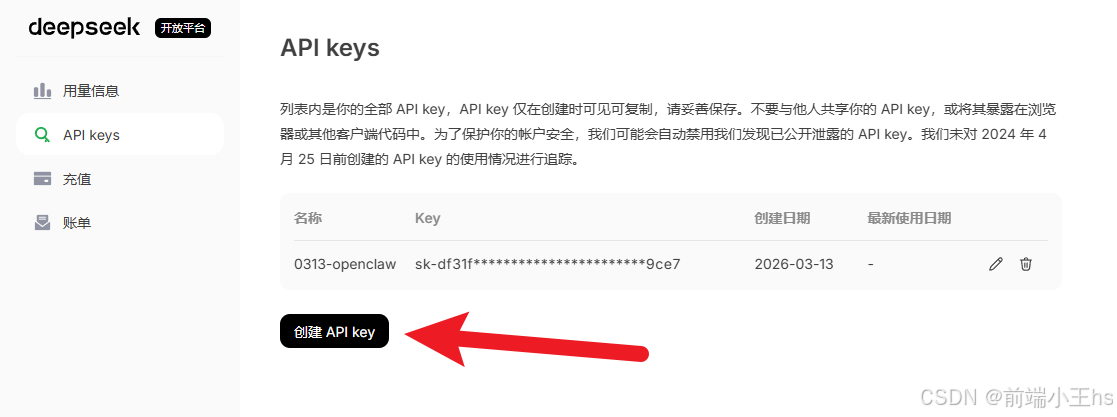
OpenClaw配置
找到.openclaw.json,该文件通常位于系统盘下的用户
openclaw.json
在openclaw.json下找到models和agent,代码如下:
 "models": {
    "providers": {
      "qwen-portal": {
        "baseUrl": "https://portal.qwen.ai/v1",
        "apiKey": "qwen-oauth",
        "api": "openai-completions",
        "models": [
          {
            "id": "coder-model",
            "name": "Qwen Coder",
            "reasoning": false,
            "input": [
              "text"
            ],
            "cost": {
              "input": 0,
              "output": 0,
              "cacheRead": 0,
              "cacheWrite": 0
            },
            "contextWindow": 128000,
            "maxTokens": 8192
          },
          {
            "id": "vision-model",
            "name": "Qwen Vision",
            "reasoning": false,
            "input": [
              "text",
              "image"
            ],
            "cost": {
              "input": 0,
              "output": 0,
              "cacheRead": 0,
              "cacheWrite": 0
            },
            "contextWindow": 128000,
            "maxTokens": 8192
          }
        ]
      }
    }
  },
  "agents": {
    "defaults": {
      "model": {
        "primary": "qwen-portal/coder-model"
      },
      "models": {
        "qwen-portal/coder-model": {
          "alias": "qwen"
        },
        "qwen-portal/vision-model": {}
      },
      "workspace": "C:\\Users\\Administrator\\.openclaw\\workspace",
      "compaction": {
        "mode": "safeguard"
      },
      "maxConcurrent": 4,
      "subagents": {
        "maxConcurrent": 8
      }
    }
  },
上图是由于教程2026.3.8最新windows安装龙虾openclaw步骤配置阶段配置的Qwen模型,现在需要在此基础上,添加deepseek的相关配置,代码如下:
  "models": {
    "providers": {
      "qwen-portal": {
        "baseUrl": "https://portal.qwen.ai/v1",
        "apiKey": "qwen-oauth",
        "api": "openai-completions",
        "models": [
          {
            "id": "coder-model",
            "name": "Qwen Coder",
            "reasoning": false,
            "input": [
              "text"
            ],
            "cost": {
              "input": 0,
              "output": 0,
              "cacheRead": 0,
              "cacheWrite": 0
            },
            "contextWindow": 128000,
            "maxTokens": 8192
          },
          {
            "id": "vision-model",
            "name": "Qwen Vision",
            "reasoning": false,
            "input": [
              "text",
              "image"
            ],
            "cost": {
              "input": 0,
              "output": 0,
              "cacheRead": 0,
              "cacheWrite": 0
            },
            "contextWindow": 128000,
            "maxTokens": 8192
          }
        ]
      },
      // 添加了deepseek配置,注意这里的apikey,是在前述第二步添加的key
      "deepseek": {
        "baseUrl": "https://api.deepseek.com",
        "apiKey": "sk-*****你创建的API keys",
        "api": "openai-completions",
        "models": [
          {
            "id": "deepseek-chat",
            "name": "DeepSeek Chat",
            "reasoning": false,
            "input": [
              "text"
            ],
            "cost": {
              "input": 0,
              "output": 0,
              "cacheRead": 0,
              "cacheWrite": 0
            },
            "contextWindow": 128000,
            "maxTokens": 8192
          },
          {
            "id": "deepseek-reasoner",
            "name": "DeepSeek R1",
            "reasoning": true,
            "input": [
              "text"
            ],
            "cost": {
              "input": 0,
              "output": 0,
              "cacheRead": 0,
              "cacheWrite": 0
            },
            "contextWindow": 64000,
            "maxTokens": 8192
          }
        ]
      }
    }
  },
  "agents": {
    "defaults": {
      "model": {
        "primary": "deepseek/deepseek-chat"
      },
      "models": {
        "qwen-portal/coder-model": {
          "alias": "qwen"
        },
        "qwen-portal/vision-model": {},
        // 添加deepseek的模型
        "deepseek/deepseek-chat": {
          "alias": "deepseek-chat"
        },
        "deepseek/deepseek-reasoner": {
          "alias": "deepseek-r1"
        }
      },
      "workspace": "C:\\Users\\Administrator\\.openclaw\\workspace",
      "compaction": {
        "mode": "safeguard"
      },
      "maxConcurrent": 4,
      "subagents": {
        "maxConcurrent": 8
      }
    }
  },
测试模型是否导入
在powershell输入命令如下:
openclaw models list
成功出现deepseek相关模型,如下图所示: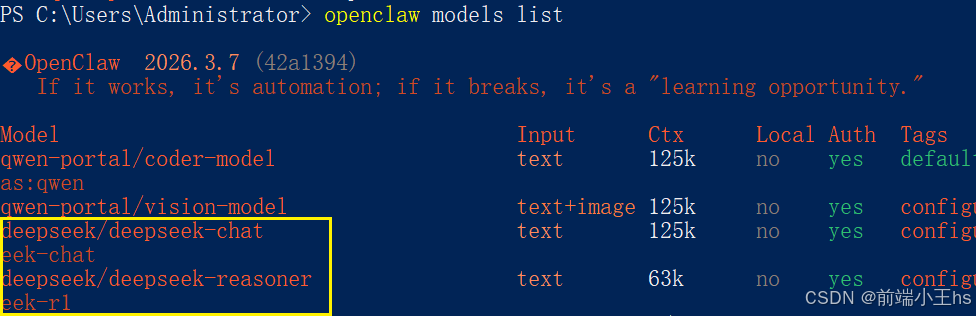
切换主模型
切换Qwen模型为deepseek模型,命令如下:
openclaw models set deepseek/deepseek-chat
切换成功如下图所示: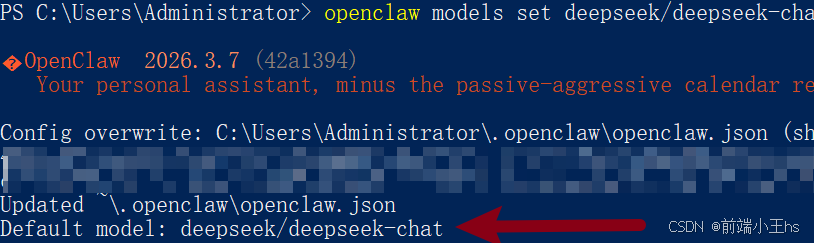
测试消耗token量
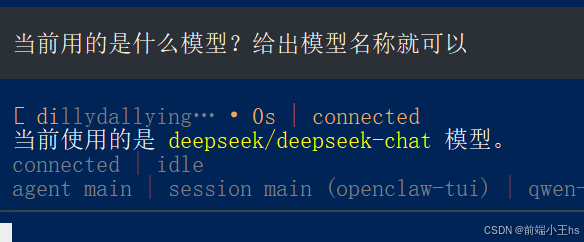
用量0.02分钱,如下图所示: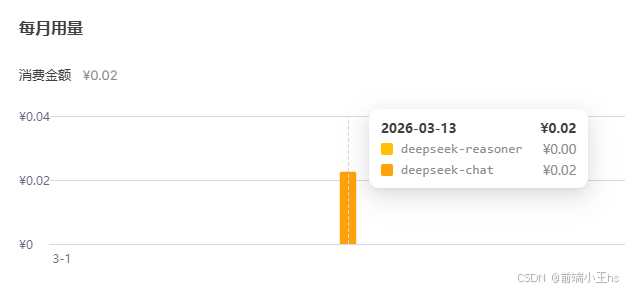
模型常用相关命令
# 查看已配置的模型
openclaw models list

# 查看所有可用模型
openclaw models list --all

# 查看模型状态
openclaw models status

# 设置主模型
openclaw models set <provider/model>

# 设置图像模型
openclaw models set-image <provider/model>
制作不易,感兴趣的可以关注!谢谢!
前端小王hs:
清华大学出版社《后台管理实践——Vue.js+Express.js》、《Nest入门与实践》作者
网络工程师 前端工程师 项目经理 阿里云社区博客专家

email: 337674757@qq.com
vx: 文章最下方有vx链接
资料/交流群: vx备注openclaw
抖音:小王的AI开发课
🔥🔥🔥公众号:玩转龙虾实验室

欢迎加入DeepSeek 技术社区。在这里,你可以找到志同道合的朋友,共同探索AI技术的奥秘。
更多推荐

 6
6 0
0- 0


 已为社区贡献1条内容

所有评论(0)