Claude Code 泄露源码还原
Claude Code 泄露源码还原步骤参考文章。
·
步骤
- 先直接下载官方仓库的包,趁他们还没有上班。
npm pack @anthropic-ai/claude-code@2.1.88 --registry=https://registry.npmjs.org/
- 解压后,可以看到map文件其实都还在。其实在npm仓库也可以看到map文件。
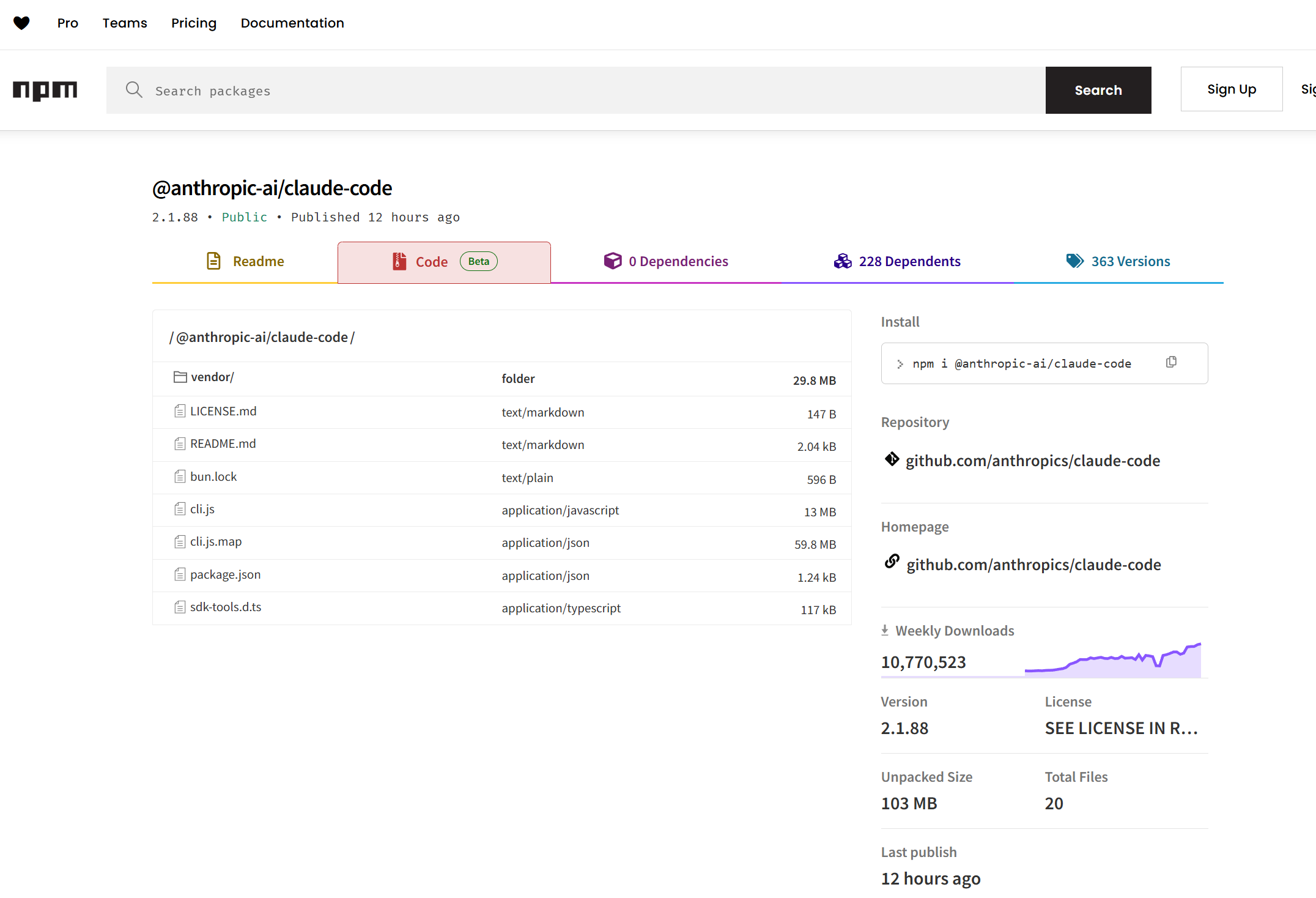
直接运行下面的脚本就可以还原得到源码。
import json
import os

# ===================== 配置 =====================
MAP_FILE = "cli.js.map"    # 你的 map 文件路径
OUTPUT_DIR = "source_code" # 输出目录
# =================================================

with open(MAP_FILE, "r", encoding="utf-8") as f:
    map_data = json.load(f)

# 核心:提取这两个字段
sources = map_data.get("sources", [])         # 文件路径
sources_content = map_data.get("sourcesContent", []) # 源码内容

if not sources_content:
    print("❌ 错误:该 .map 文件不包含 sourcesContent,无法还原源码")
    exit()

print(f"✅ 找到 {len(sources_content)} 个源码文件")

# 开始写入文件
for i, (file_path, content) in enumerate(zip(sources, sources_content)):
    if not file_path or not content:
        continue

    # 清理路径(去掉 webpack:/// 等前缀)
    file_path = file_path.replace("webpack:///", "").replace("..", "").lstrip("/")

    # 生成保存路径
    save_path = os.path.join(OUTPUT_DIR, file_path)
    os.makedirs(os.path.dirname(save_path), exist_ok=True)

    # 写入源码
    with open(save_path, "w", encoding="utf-8") as f:
        f.write(content)

    print(f"[{i+1}] 保存:{save_path}")

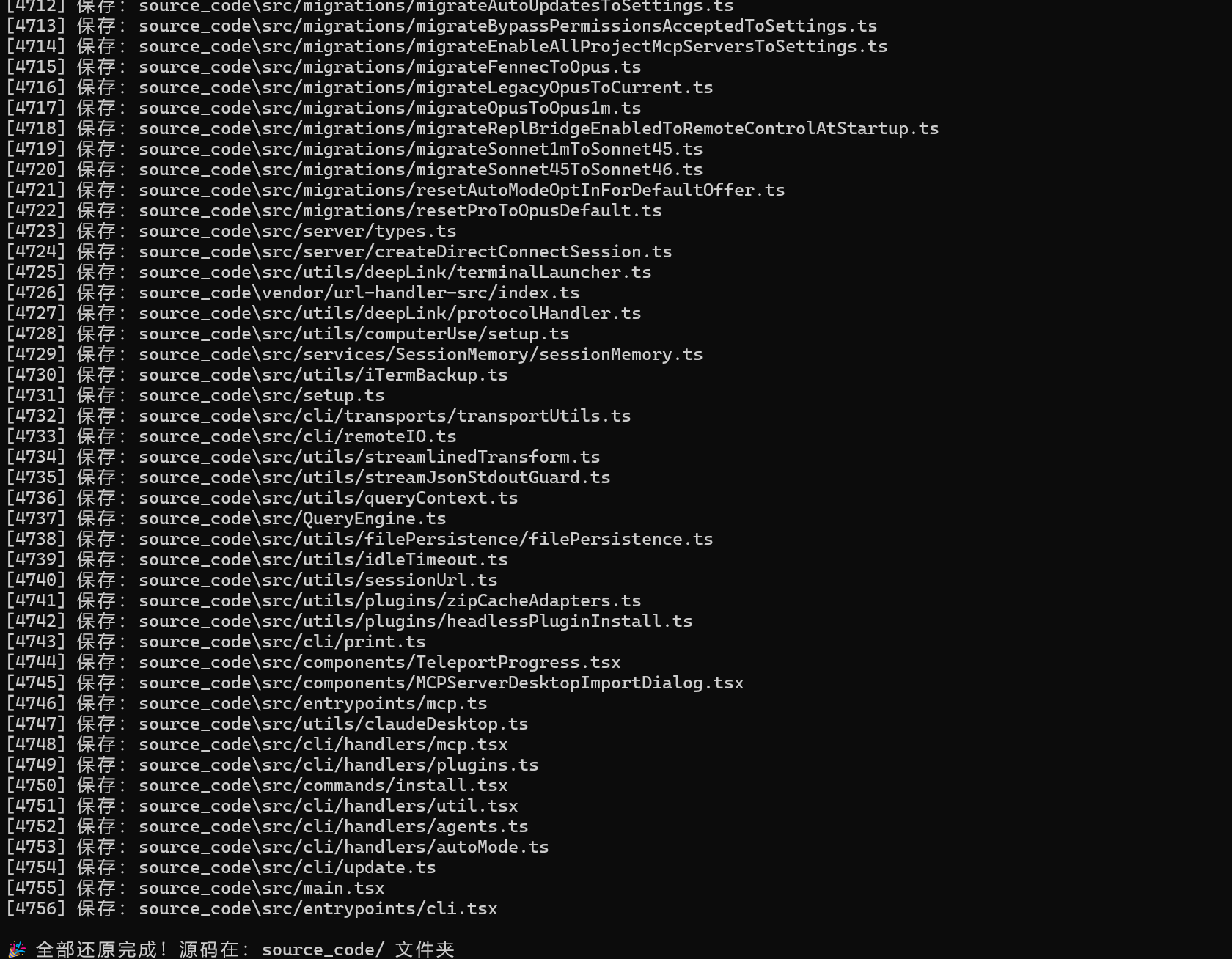
print(f"\n🎉 全部还原完成!源码在:{OUTPUT_DIR}/ 文件夹")
成功后的截图:
当然懒得自己动手做的,可以直接看下面参考文章第二个中的代码。
参考文章
- https://www.v2ex.com/t/1202562
- https://github.com/ChinaSiro/claude-code-sourcemap

欢迎加入DeepSeek 技术社区。在这里,你可以找到志同道合的朋友,共同探索AI技术的奥秘。
更多推荐


 2
2 0
0- 0


 已为社区贡献1条内容

所有评论(0)