11-Cursor Hooks与自动化
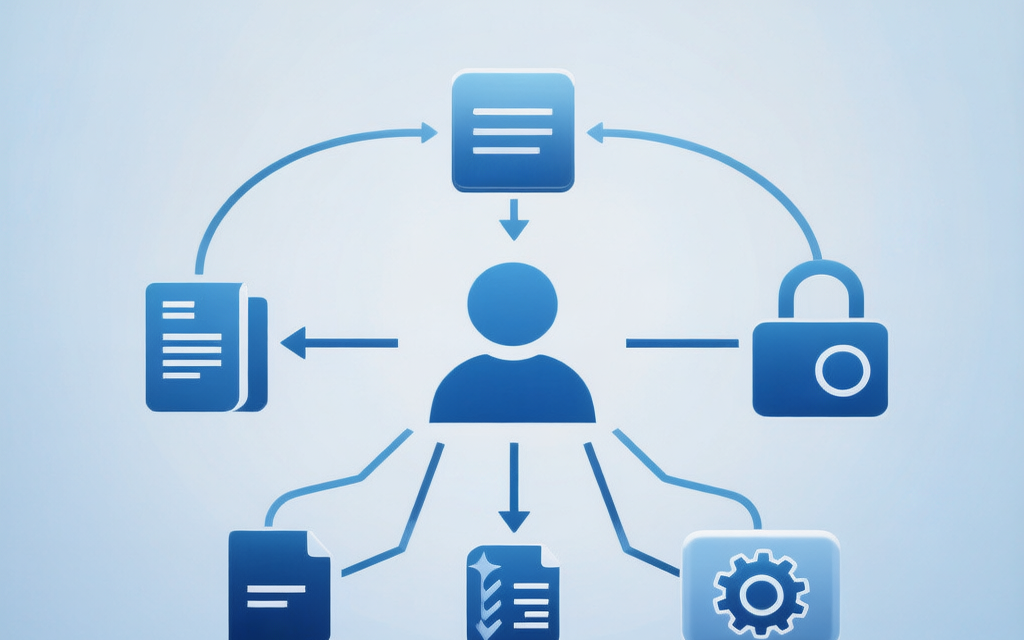
Cursor Hooks 自动化指南 Cursor Hooks 允许在 AI Agent 生命周期中执行自定义命令,主要功能包括: 事件驱动:在特定 Agent 操作前后触发(如执行命令前、修改文件后) 可编程:通过脚本实现自动化流程(格式化、测试等) 拦截控制:可拒绝某些操作(如禁止执行特定命令) 配置要点 配置文件:项目级(.cursor/hooks.json)或全局级(~/.cursor/h
11-Cursor Hooks与自动化
使用 Cursor Agent Hooks 在 Agent 生命周期内执行自定义命令(拦截 Shell、在 Agent 改文件后运行脚本等)。适用于 Cursor 3.x(以 官方文档 为准)。
一、Hooks 概述
1.1 什么是 Cursor Hooks
Cursor Agent Hooks 由 Cursor 在 Agent 模式下触发:用子进程运行你在 hooks.json 里配置的命令,通过 标准输入输出传递 JSON(与常见「编辑器保存即触发」的插件钩子不是同一套机制)。
| 特性 | 说明 |
|---|---|
| 事件驱动 | 在 Agent 执行特定步骤前后触发(如执行终端命令前、Agent 写入文件后) |
| 可编程 | 每条 hook 对应一个可执行命令(脚本、解释器运行脚本等) |
| 可拦截 | beforeShellExecution / beforeReadFile 等可返回 allow / deny |
| 与项目绑定 | 支持项目级与全局级 hooks.json |
常见误解(务必区分):
- 不是 VS Code 的「保存时格式化」:手动按 Ctrl+S 不会触发下文中的
afterFileEdit。 - 不是 Git 自带的
pre-commit:你在本机终端里自己执行git commit,默认不会走 Cursor 的beforeShellExecution(除非 Agent 代为执行同一条命令)。
1.2 官方支持的 Hook 事件(Agent)
当前协议下,hooks.json 里 只能使用下列键名(名称需完全一致):
| 事件名 | 作用简述 |
|---|---|
beforeShellExecution |
Agent 执行终端命令前;可拒绝并返回说明 |
beforeMCPExecution |
调用 MCP 工具前;可拒绝 |
afterFileEdit |
Agent 完成一次文件编辑后(通知型,常用于格式化/记录) |
beforeReadFile |
Agent 读取文件前;可拒绝 |
beforeSubmitPrompt |
用户提示发送给模型前;可阻止提交 |
stop |
Agent 本轮结束时(通知型) |
说明:Tab / 内联补全若另有 hook 名称,以官方文档更新为准;本文仅保证与 Agent Hooks 文档一致。
二、Hooks 配置(hooks.json)
2.1 配置文件位置
项目级: <仓库根>/.cursor/hooks.json
全局级: ~/.cursor/hooks.json   (Windows: C:\Users\<用户名>\.cursor\hooks.json)
企业级: 见官方文档(如 ProgramData 下集中配置)
合并与优先级以 Cursor 实际行为为准;调试时可查看 输出面板 中与 cursor.hooks 相关的日志。
2.2 协议格式(必读)
官方要求顶层包含 version,且 hooks 的每个事件值为「对象数组」,数组元素目前为 { "command": "..." }(可配合 JSON Schema 做校验)。
正确示例(Windows PowerShell 版,已验证):
{
  "version": 1,
  "hooks": {
    "afterFileEdit": [
      {
        "command": "powershell -NoProfile -ExecutionPolicy Bypass -File C:/Users/an845/.cursor/hooks/after_file_edit.ps1"
      }
    ]
  }
}
关键点说明:
| 问题 | 解决方案 |
|---|---|
| 中文路径乱码 | PowerShell 脚本中用 [Console]::InputEncoding = UTF8 读取 stdin |
| JSON 解析失败 | hook 脚本 stdout 输出合法 JSON(如 {"status":"completed","message":"All done!"}),而非纯文本 |
| All done! 不显示 | 将消息放在 JSON 的 message 字段, Cursor 会在 Output 区域显示 |
| stdin 为空 | 避免直接用 python.exe 启动,PowerShell 更稳定地传递 stdin |
配套 PowerShell 脚本示例(after_file_edit.ps1):
# 读取 UTF-8 stdin 的 JSON payload
[Console]::InputEncoding = [System.Text.Encoding]::UTF8
$reader = [System.IO.StreamReader]::new([System.Console]::OpenStandardInput(), [System.Text.Encoding]::UTF8)
$json = $reader.ReadToEnd()
$reader.Close()

# 解析 JSON
$payload = $json | ConvertFrom-Json
$filePath = $payload.file_path

# 运行 black + flake8,收集输出
$outputs = @()
$blackResult = & 'python.exe' -m black $filePath 2>&1
$outputs += $blackResult

$flake8Result = & 'python.exe' -m flake8 $filePath 2>&1
$outputs += $flake8Result

# 输出合法 JSON(Cursor 会解析并显示)
@{
  status = "completed"
  message = "All done!"
  file = $filePath
  details = $outputs
} | ConvertTo-Json -Compress | Write-Host
错误示例(旧版教程臆测格式,会导致 Failed to parse):
下列写法 不是 Cursor 的 hooks.json 协议,加载会失败,请勿使用:
{
  "hooks": {
    "onSave": { "enabled": true, "actions": [] },
    "preCommit": { "enabled": true, "actions": [] }
  }
}
2.3 与「保存时 format / 提交前 pytest」意图的对应关系
若你希望实现 「改 Python → black + flake8」、「执行 git commit 前先 pytest」 一类流程,应在 合法事件 下用脚本完成:
| 教程式说法 | Agent Hooks 中的等价做法 |
|---|---|
| 保存后格式化/检查 | 在 afterFileEdit 的脚本里判断 file_path 是否为 .py,再调用 black / flake8 |
| 提交前跑测试 | 在 beforeShellExecution 的脚本里解析 payload 中的 command,若为 git … commit,则在 cwd / workspace_roots 下先跑 pytest,失败则打印 {"permission":"deny",...} |
具体可参考全局示例:%USERPROFILE%\.cursor\hooks\ 下的 after_file_edit.py、before_shell_execution.py(需与本机 Python、依赖路径一致)。
三、自定义 Hooks 开发
3.1 Hook 脚本位置
推荐放在 项目 .cursor/hooks/ 下,便于版本管理;全局 hook 可放在 用户 ~/.cursor/hooks/。
3.2 标准输入:载荷(Payload)
Agent Hooks 的字段为 snake_case,且会包含 hook_event_name、workspace_roots 等。示例(节选,以实际版本为准):
afterFileEdit 输入示例:
{
  "hook_event_name": "afterFileEdit",
  "conversation_id": "...",
  "generation_id": "...",
  "file_path": "D:\\\\proj\\\\src\\\\main.py",
  "edits": [{ "old_string": "...", "new_string": "..." }],
  "workspace_roots": ["D:/proj"]
}
beforeShellExecution 输入示例:
{
  "hook_event_name": "beforeShellExecution",
  "command": "git commit -m \"msg\"",
  "cwd": "D:\\\\proj",
  "workspace_roots": ["D:/proj"]
}
读取方式(Python):
import json
import sys

payload = json.loads(sys.stdin.buffer.read().decode("utf-8"))
3.3 标准输出:响应(Response)
不同事件要求不同,必须满足 Cursor 解析规则,否则日志会出现 no valid response:
| 事件 | 典型响应 |
|---|---|
beforeShellExecution / beforeMCPExecution |
{"permission":"allow"} 或 {"permission":"deny","userMessage":"..."} 等 |
beforeReadFile |
{"permission":"allow"} 或 {"permission":"deny"} |
beforeSubmitPrompt |
{"continue": true} 或 {"continue": false} |
afterFileEdit / stop |
通知型;无强制响应格式(以官方文档为准) |
不要再使用旧文档中的虚构格式(如统一的 success + actions + notifications),除非官方另行支持。
3.4 在 hooks.json 中注册
每个事件下配置 一条或多条 command,由 Cursor 依次拉起进程:
{
  "version": 1,
  "hooks": {
    "beforeShellExecution": [
      { "command": "python -u .cursor/hooks/guard_shell.py" }
    ]
  }
}
不支持在 hooks.json 里声明 type: script、interpreter、timeout 等嵌套字段(这些需在 你自己的脚本或包装命令 中处理)。
四、实战:Python 质量检查(思路)
4.1 项目结构示例
my-project/
├── .cursor/
│   ├── hooks.json
│   └── hooks/
│       ├── after_file_edit.py    # black + flake8(afterFileEdit)
│       └── before_shell.py       # git commit 前 pytest(beforeShellExecution)
├── src/
├── tests/
└── pyproject.toml
4.2 beforeShellExecution:提交前跑 pytest(Agent 发起 git commit 时)
脚本从 stdin 读 JSON,若判定为 git … commit,则在合适的工作目录执行 python -m pytest -xvs;失败则向 stdout 打印 deny JSON,成功打印 allow。
要点:
cwd可能为空,需回退到workspace_roots[0]。- Windows 上
workspace_roots可能出现/d:/path形式,需在脚本中规范化为d:/path再chdir。 pytest退出码 5(未收集到测试)是否视为通过,由团队约定。
4.3 afterFileEdit:Agent 改完 .py 后跑 black / flake8
在脚本中判断 file_path.endswith(".py"),再 subprocess.run([sys.executable, "-m", "black", file_path], ...)。注意:这会在 Agent 已写入之后 再改磁盘文件,需接受与 Agent 后续步骤的时序关系。
五、高级说明
5.1 「条件触发」「并行」
官方 hooks.json 不内置 condition、parallel、onError 等声明式字段。需要时请在 单个 hook 脚本内 自行分支(读 payload、判断路径/命令),或拆成多条 command 由 Cursor 顺序执行。
5.2 JSON Schema 与补全
可在 hooks.json 顶部加入 $schema 指向 cursor-hooks 发布的 schema,或在 VS Code / Cursor 的 settings.json 里为 **/.cursor/hooks.json 配置 json.schemas,以获得校验与补全。
六、故障排除
6.1 常见问题
| 现象 | 可能原因 | 处理 |
|---|---|---|
Failed to parse ... hooks configuration |
缺少 version、事件名非法、或结构不是 {command} 数组 |
对照本文 2.2 与官方 schema |
JSONDecodeError / stdin 为空 |
Windows 下通过 py -3 启动导致 stdin 未传入 |
改用 python.exe 绝对路径 + -u |
no valid response |
beforeShellExecution 等未向 stdout 打印合法 JSON |
保证每条路径都有 print 出响应 |
| Hook 似乎从不触发 | 未使用 Agent、或事件类型与操作不匹配 | 确认是 Agent 改文件 / Agent 跑 shell 等场景 |
6.2 调试建议
- 查看 Cursor 日志中带
cursor.hooks的输出,其中常包含 INPUT 与脚本 STDERR。 - 在脚本内临时将 payload 写入用户目录下日志文件(注意不要提交密钥)。
- 在终端手动模拟:
echo '{...}' | python -u your_hook.py
七、下一步
掌握 Agent Hooks 后,你可以:
- 为团队统一 Shell / 读文件 安全策略;
- 在 Agent 改代码后自动跑格式化与静态检查;
- 与 Git Hooks / CI 分工:Cursor 管 Agent 路径,仓库仍可用
pre-commit管本地提交。
接下来学习 12-Context与Harness工程.md。

欢迎加入DeepSeek 技术社区。在这里,你可以找到志同道合的朋友,共同探索AI技术的奥秘。
更多推荐


 0
0 0
0- 0


 已为社区贡献16条内容

所有评论(0)