Trae和CodeArts复刻的Kotti若干问题的解决以及Kotti界面截图
本文记录了在Windows 10和Ubuntu系统上部署Kotti CMS的过程。在Windows环境下,使用Python 3.9创建虚拟环境并安装Kotti 2.0.9,但发现界面还原度不足。随后在Ubuntu系统重新部署,使用Python 3.10环境,通过git克隆官方Kotti代码,安装依赖时遇到pyramid-beaker版本冲突,最终通过修改版本需求解决。部署完成后,系统运行在http
windows10部署Kotti
以下为DuMate自动完成:
创建python3.9环境
py -3.9 -m venv kotti-env安装Kotti
./kotti-env/Scripts/pip.exe install kotti --no-cache-dir安装setuptools<70
./kotti-env/Scripts/pip.exe install "setuptools<70"降级sqlalchemy
./kotti-env/Scripts/pip.exe install "sqlalchemy>=1.4,<2.0"启动Kotti
cd kotti-project && ../kotti-env/Scripts/pserve.exe development.ini 2>&1Kotti CMS 部署完成
部署摘要
| 项目 | 详情 |
|---|---|
| Python 环境 | Python 3.9.13 (kotti-env/) |
| Kotti 版本 | 2.0.9 |
| 数据库 | SQLite (kotti-project/kotti.db) |
| 服务地址 | http://localhost:6543 |
登录信息
| 字段 | 值 |
|---|---|
| 用户名 | admin |
| 密码 | qwerty |
启动命令:
cd kotti-project
../kotti-env/Scripts/pserve.exe development.ini
启动后发现kotti界面还原度不够。但刚开始没注意,直接让Trae和CodeArts复刻它的界面。
解决Kotti界面还原度不够的问题
发现Trae和CodeArts复刻的kotti界面还原度不够,大约也就还原了50%。于是重新配置了python3.10的环境,部署了kotti,发现所用Kotti版本有问题,前端界面布局不同于官方Kotti(这里没仔细比对代码,其实应该是 development.ini文件配置以及对应的模版文件缺失导致的)。
重新Ubuntu部署Kotti
以下为手工操作。
重新下载官方kotti
git clone https://githubfast.com/kotti/Kotti这是下载到Ubuntu的,为了Windows下AI软件看代码,又给它们下载了一份代码。
windows10下的Kotti代码
放置在
E:\work\py310kotti\Kotti创建虚拟环境、激活
windows下发现以前已经有python环境了,如果普通方法无法激活,就用特殊方法
E:\py310\Scripts>..\python.exe E:\Scripts\conda-script.py shell.cmd.exe activateubuntu下激活
source py310/bin/activate安装依赖
pip install -r requirements.txtpip install -e . --use-pep517pip install check-manifest pipdeptree pyramid_debugtoolbar kotti-tinymce>=0.7.0 --use-pep517启动
(base) skywalk@DESKTOP-9C5AU01:~/work/Kotti$ pserve development.ini启动后log
pserve development.ini
2026-04-09 11:53:59,069 INFO  [alembic.runtime.migration][MainThread] Context impl SQLiteImpl.
2026-04-09 11:53:59,070 INFO  [alembic.runtime.migration][MainThread] Will assume non-transactional DDL.
Starting server in PID 39670.
2026-04-09 11:54:03,872 INFO  [waitress][MainThread] Serving on http://0.0.0.0:5000
2026-04-09 11:54:22,615 WARNI [waitress.queue][MainThread] Task queue depth is 1
2026-04-09 11:54:22,618 WARNI [waitress.queue][MainThread] Task queue depth is 1
2026-04-09 11:54:22,619 WARNI [waitress.queue][MainThread] Task queue depth is 2
2026-04-09 11:55:00,672 WARNI [waitress.queue][MainThread] Task queue depth is 1
2026-04-09 11:55:00,845 INFO  [pyramid_debugtoolbar][waitress-3] Squashed pyramid.httpexceptions.HTTPNotFound at http://127.0.0.1:5000/@vite/client
traceback url: http://127.0.0.1:5000/_debug_toolbar/313235333233323134383032393434/exception
2026-04-09 11:55:08,619 INFO  [pyramid_debugtoolbar][waitress-0] Squashed pyramid.httpexceptions.HTTPNotFound at http://127.0.0.1:5000/@vite/client
traceback url: http://127.0.0.1:5000/_debug_toolbar/313235333233323131313233393834/exception
2026-04-09 11:56:13,473 INFO  [pyramid_debugtoolbar][waitress-0] Squashed pyramid.httpexceptions.HTTPNotFound at http://127.0.0.1:5000/@vite/client
traceback url: http://127.0.0.1:5000/_debug_toolbar/313235333233323131323033343536/exception
2026-04-09 11:56:25,040 INFO  [pyramid_debugtoolbar][waitress-1] Squashed pyramid.httpexceptions.HTTPNotFound at http://127.0.0.1:5000/@vite/client
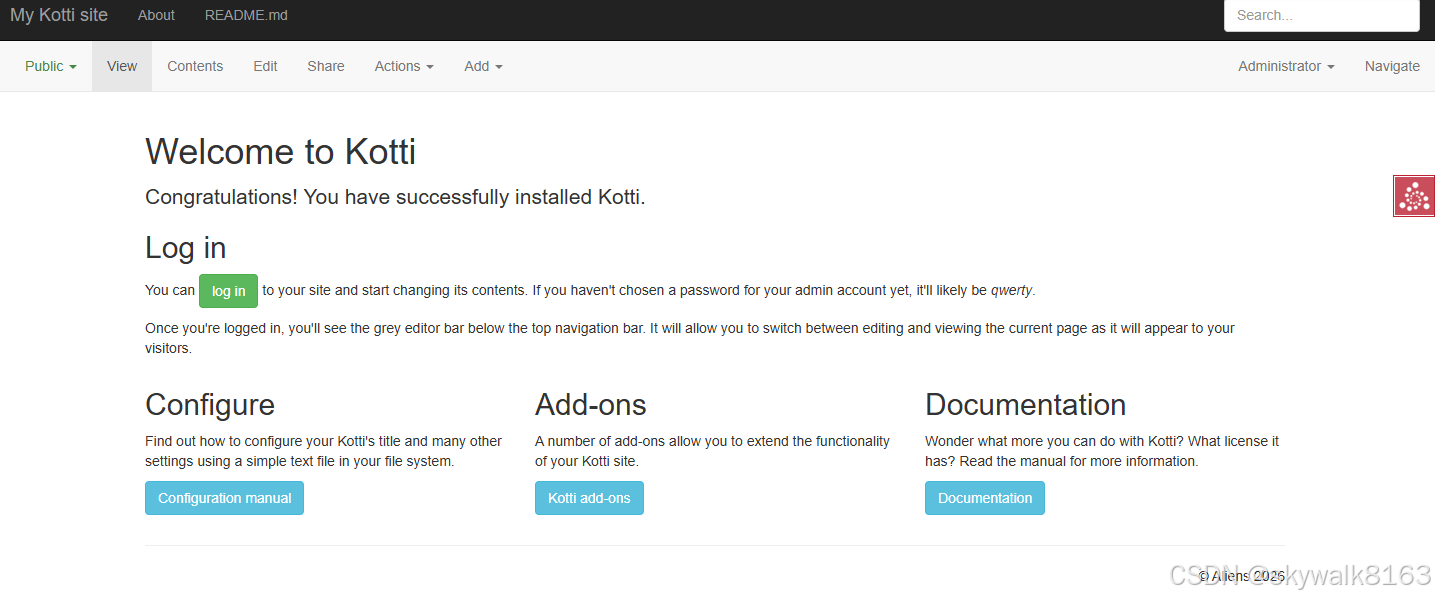
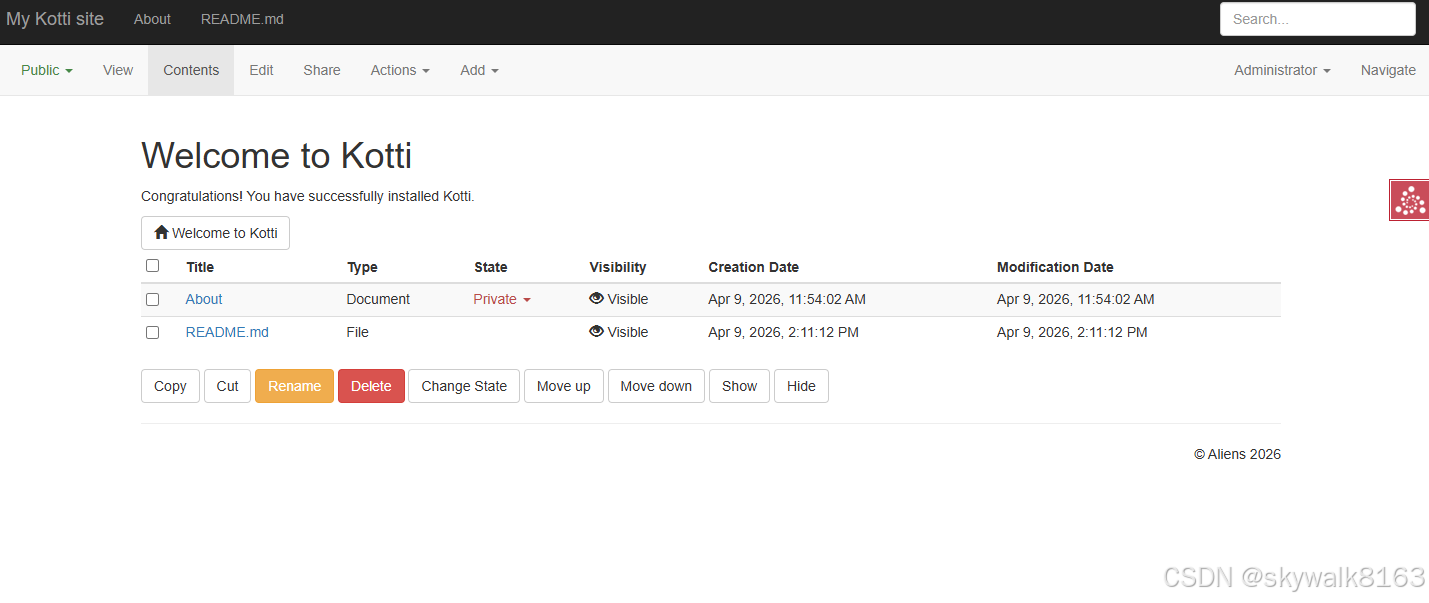
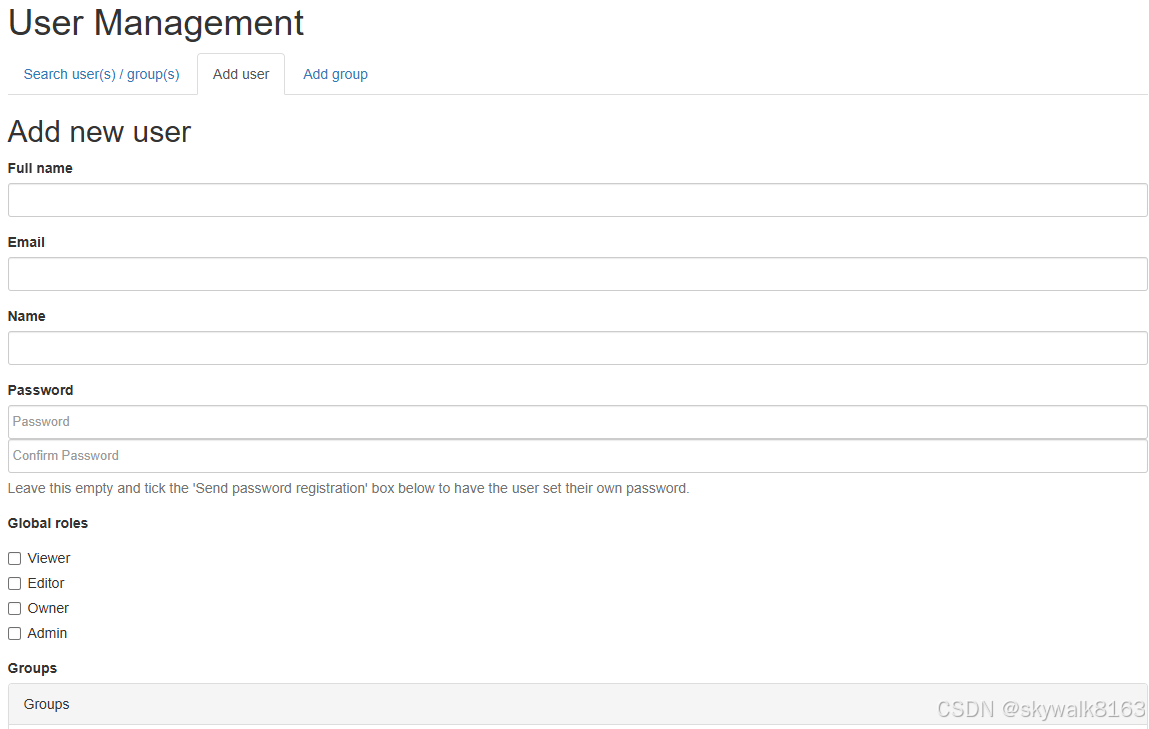
页面截图
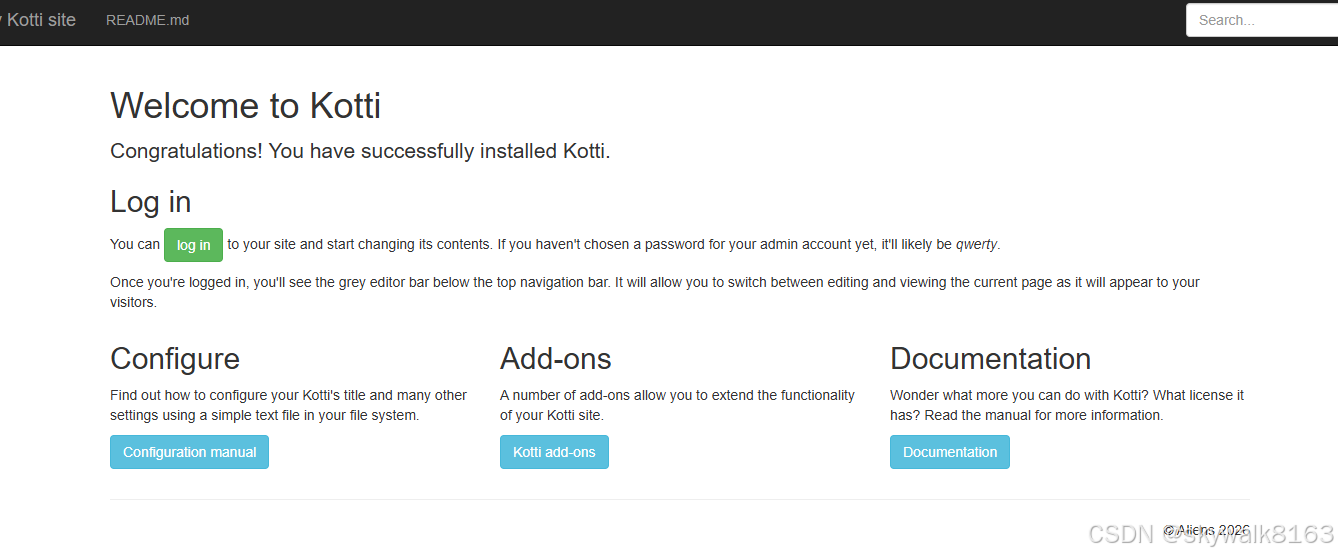
管理页面:
内容管理:
用户管理
调试
激活报错:
E:\py310\Scripts>activate
Unable to create process using 'E:\python.exe E:\Scripts\conda-script.py shell.cmd.exe activate '
Failed to run 'conda activate'.
解决问题
E:\py310\Scripts>..\python.exe E:\Scripts\conda-script.py shell.cmd.exe activate
C:\Users\Admin\AppData\Local\Temp\tmpznp11wec.env
pip安装pyramid-beaker==0.8报错
Collecting pyramid-beaker==0.8 (from -r requirements.txt (line 49))
Using cached https://pypi.tuna.tsinghua.edu.cn/packages/d9/6e/b85426e00fd3d57f4545f74e1c3828552d8700f13ededeef9233f7bca8be/pyramid_beaker-0.8.tar.gz (21 kB)
Preparing metadata (setup.py) ... error
error: subprocess-exited-with-error
× python setup.py egg_info did not run successfully.
│ exit code: 1
╰─> [45 lines of output]
/home/skywalk/py310/lib/python3.10/site-packages/setuptools/_distutils/dist.py:289: UserWarning: Unknown distribution option: 'tests_require'
warnings.warn(msg)
/home/skywalk/py310/lib/python3.10/site-packages/setuptools/_distutils/dist.py:289: UserWarning: Unknown distribution option: 'test_suite'
解决方法,安装0.9版本,并在项目中修改版本需求,改为不限定版本
pip安装kotti报错
(base) skywalk@DESKTOP-9C5AU01:~/work/Kotti$ pip install -e .
Looking in indexes: https://pypi.tuna.tsinghua.edu.cn/simple
Obtaining file:///home/skywalk/work/Kotti
Preparing metadata (setup.py) ... error
error: subprocess-exited-with-error
× python setup.py egg_info did not run successfully.
│ exit code: 1
╰─> [76 lines of output]
/home/skywalk/py310/lib/python3.10/site-packages/setuptools/__init__.py:94: _DeprecatedInstaller: setuptools.installer and fetch_build_eggs are deprecated.
!!
********************************************************************************
Requirements should be satisfied by a PEP 517 installer.
If you are using pip, you can try `pip install --use-pep517`.
********************************************************************************
!!
按照提示
pip install -e . --use-pep517搞定
安装几个依赖ERROR: pip's dependency resolver does not currently take into account all the packages that are installed.
pip install check-manifest pipdeptree pyramid_debugtoolbar kotti-tinymce>=0.7.0 --use-pep517pip install check-manifest pipdeptree pyramid_debugtoolbar kotti-tinymce>=0.7.0 --use-pep517
WARNING: Retrying (Retry(total=4, connect=None, read=None, redirect=None, status=None)) after connection broken by 'ReadTimeoutError("HTTPSConnectionPool(host='pypi.tuna.tsinghua.edu.cn', port=443): Read timed out. (read timeout=15)")': /simple/build/
ERROR: pip's dependency resolver does not currently take into account all the packages that are installed. This behaviour is the source of the following dependency conflicts.
langchain-core 0.1.23 requires packaging<24.0,>=23.2, but you have packaging 26.0 which is incompatible.
paddlex 3.0.0b2 requires matplotlib==3.5.2, but you have matplotlib 3.5.1 which is incompatible.
paddlex 3.0.0b2 requires numpy==1.24.4, but you have numpy 1.26.4 which is incompatible.
paddlex 3.0.0b2 requires tokenizers==0.19.1, but you have tokenizers 0.21.0 which is incompatible.
streamlit 1.30.0 requires packaging<24,>=16.8, but you have packaging 26.0 which is incompatible.
paddlets 1.1.0 requires numpy<=1.24.4,>=1.17.0, but you have numpy 1.26.4 which is incompatible.
paddlets 1.1.0 requires pandas<=1.3.5,>=0.25.0, but you have pandas 1.5.3 which is incompatible.
paddlets 1.1.0 requires scikit-learn<1.4.0,>=0.24.1, but you have scikit-learn 1.5.1 which is incompatible.不明白啥意思啊,大约就是安装上了。

欢迎加入DeepSeek 技术社区。在这里,你可以找到志同道合的朋友,共同探索AI技术的奥秘。
更多推荐


 11
11 0
0- 0


 已为社区贡献29条内容

所有评论(0)