Claude code+cc-switch
登录阿里云控制台:https://dashscope.console.aliyun.com。下载Windows版本(.msi或portable zip格式)按Win+R,输入cmd或powershell,以管理员身份运行。下载并安装Git for Windows。创建API Key(需要实名认证)获取阿里云百炼API Key。卸载Claude Code包。清理npm缓存(可选)记录下API Key
·
一.安装node
- 安装Node.js
访问 https://nodejs.org/zh-cn/download
下载LTS版本(推荐v20.x或更高)
安装时一路Next,确保勾选"Automatically install necessary tools"
验证安装:
node -v
npm -v
二.下载claude code
通过npm全局安装
# 推荐使用国内镜像源加速安装
npm config set registry https://registry.npmmirror.com

# 安装Claude Code
npm install -g @anthropic-ai/claude-code
# 验证安装
claude --version
三.下载git
访问 https://git-scm.com/downloads/win
下载并安装Git for Windows
四.安装CC-Switch
访问GitHub Release页面:https://github.com/farion1231/cc-switch/releases
下载Windows版本(.msi或portable zip格式)
五.配置cc-switch国内模型
获取阿里云百炼API Key
登录阿里云控制台:https://dashscope.console.aliyun.com
创建API Key(需要实名认证)
记录下API Key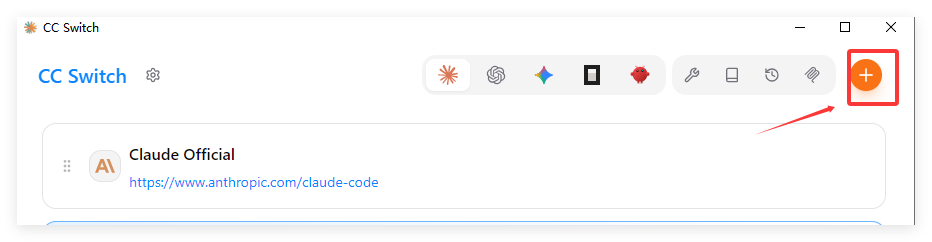
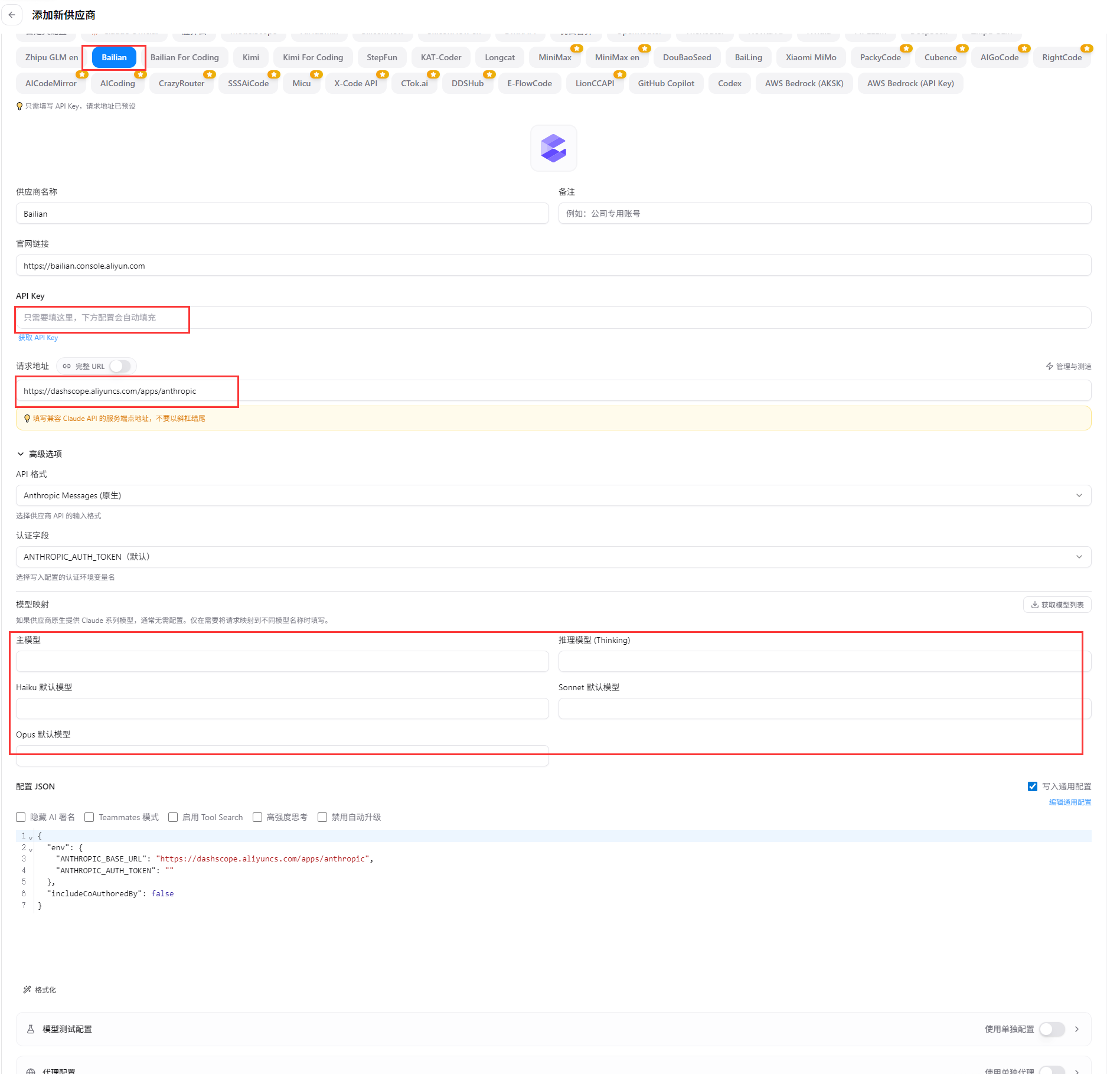
测试
六.运行claude code
claude
七.卸载claude code
按Win+R,输入cmd或powershell,以管理员身份运行
卸载Claude Code包
npm uninstall -g @anthropic-ai/code
清理npm缓存(可选)
npm cache clean --force

欢迎加入DeepSeek 技术社区。在这里,你可以找到志同道合的朋友,共同探索AI技术的奥秘。
更多推荐



 6
6 0
0- 0


 已为社区贡献1条内容

所有评论(0)