如何在Mac上安装Claude Code与配置Kimi Code 2.6
摘要:本文详细介绍了Claude Code的安装与配置过程。首先尝试通过官方文档安装但因网络问题失败,随后改用国内镜像网站成功安装。接着配置Kimi Code模型,修改环境变量并设置API Key。最后展示了启动效果,并提供了完整的卸载方法,包括删除相关配置文件和目录。整个过程涵盖了从安装到卸载的全流程操作指南。
b站视频:https://www.bilibili.com/video/BV1zsoYBeEzQ/
kimi的官方文档:
https://www.kimi.com/code/docs/third-party-tools/other-coding-agents.html
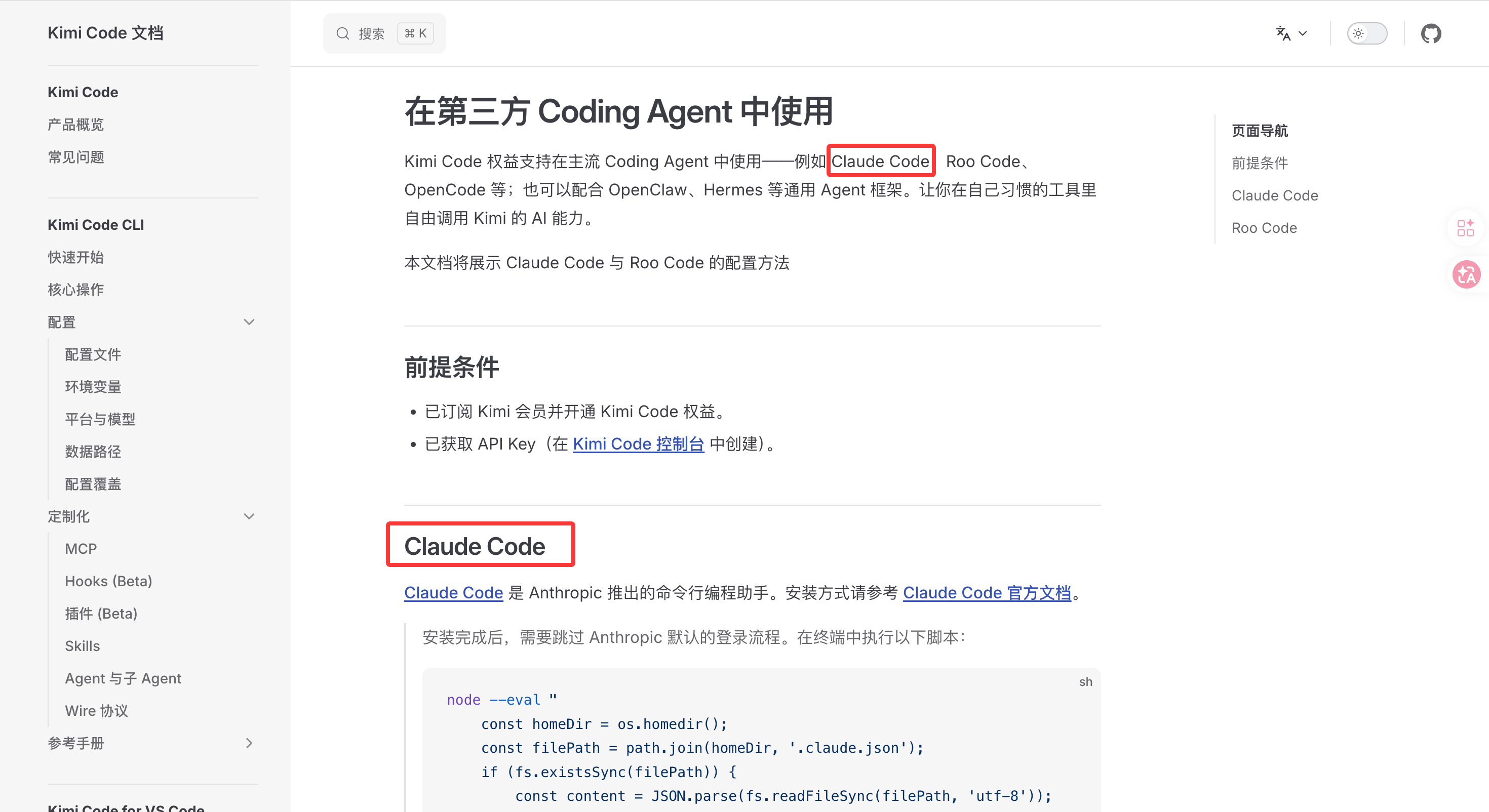
1 安装Claude Code
https://www.kimi.com/code/docs/third-party-tools/other-coding-agents.html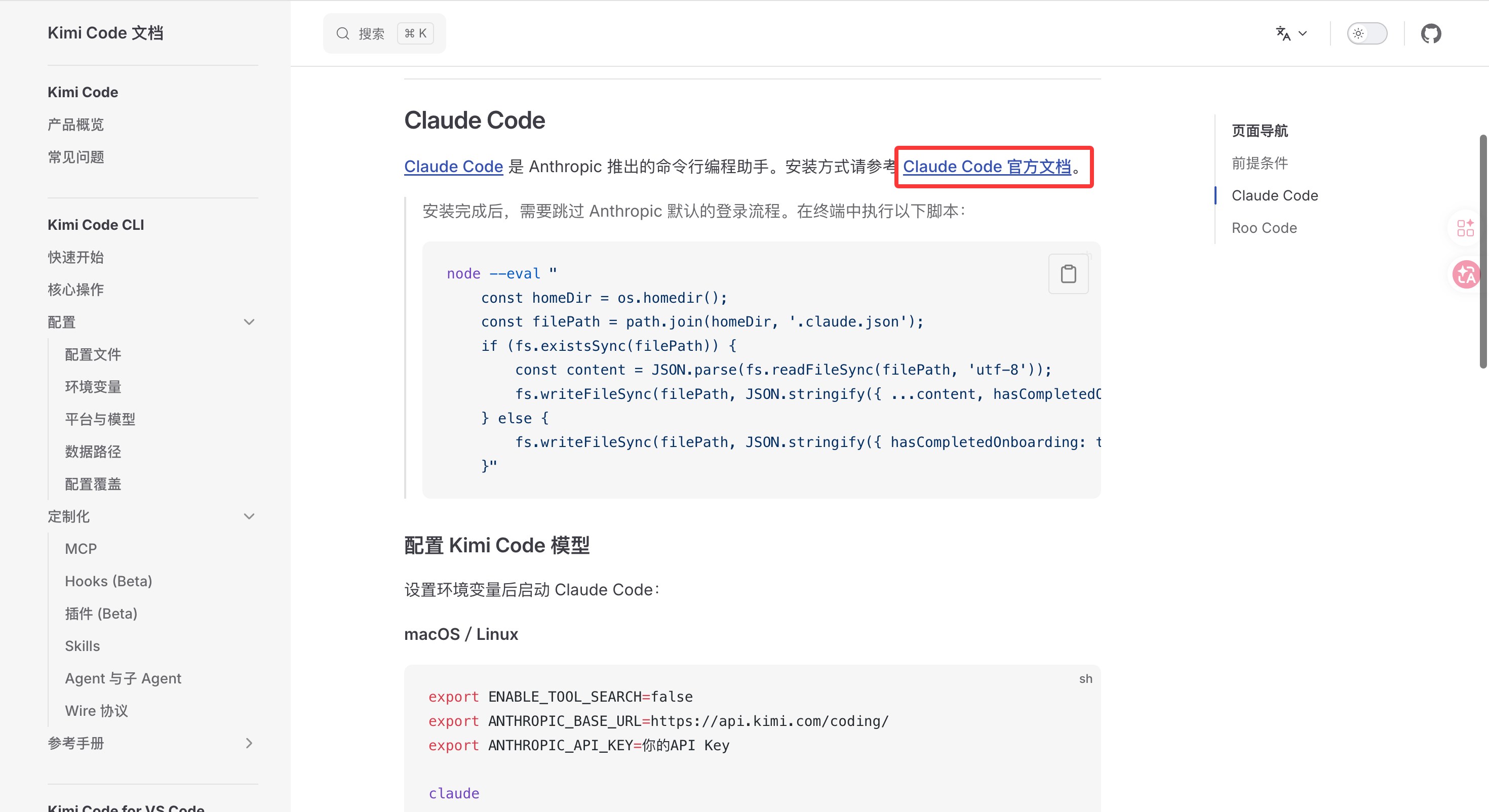
这个官方的安装连接:https://docs.anthropic.com/en/docs/claude-code/getting-started
但是我应为网络问题无法安装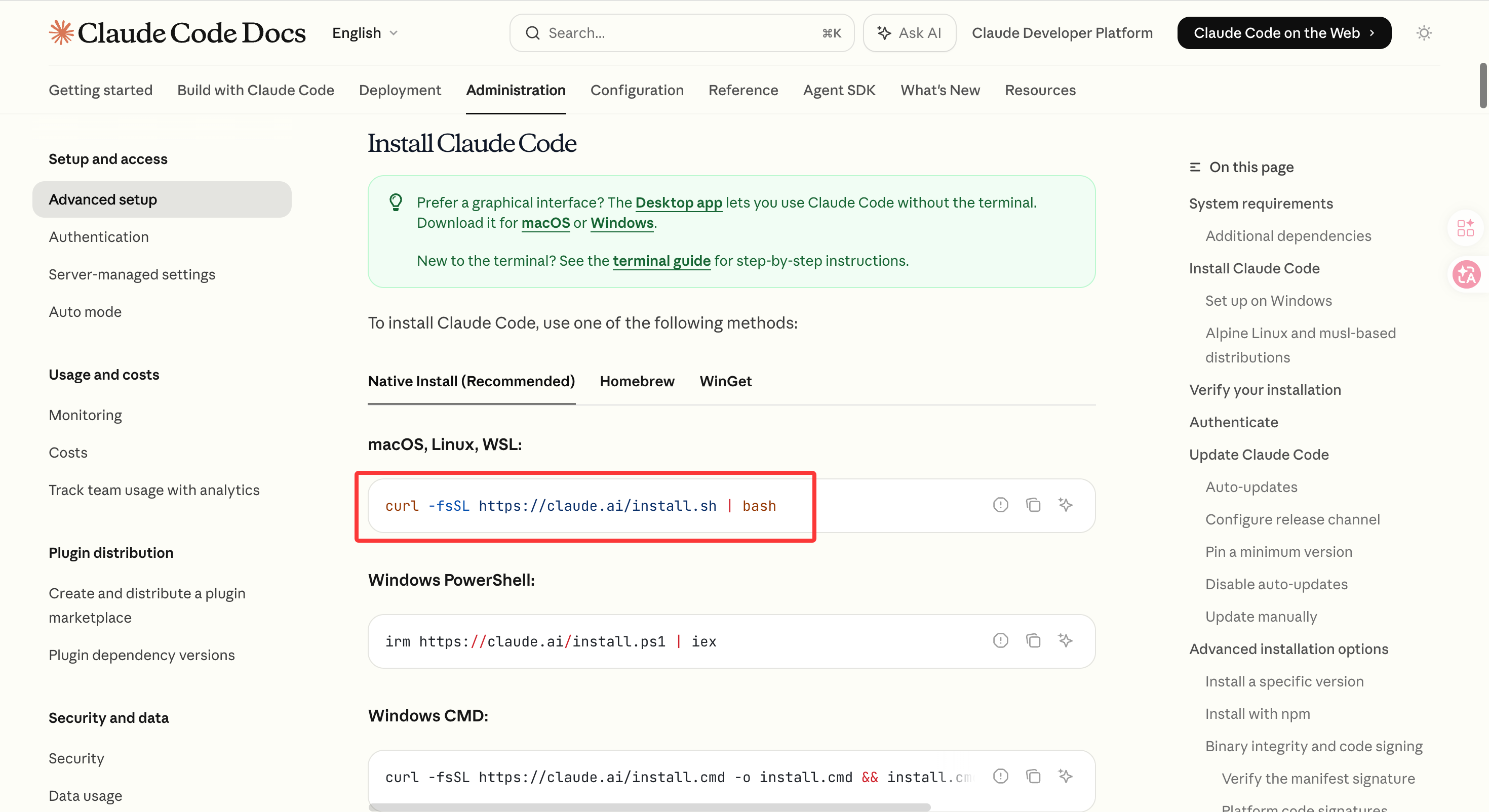
curl -fsSL https://claude.ai/install.sh | bash
于是我换了个国内镜像安装的网站:
https://claude-zh.cn/guide/getting-started
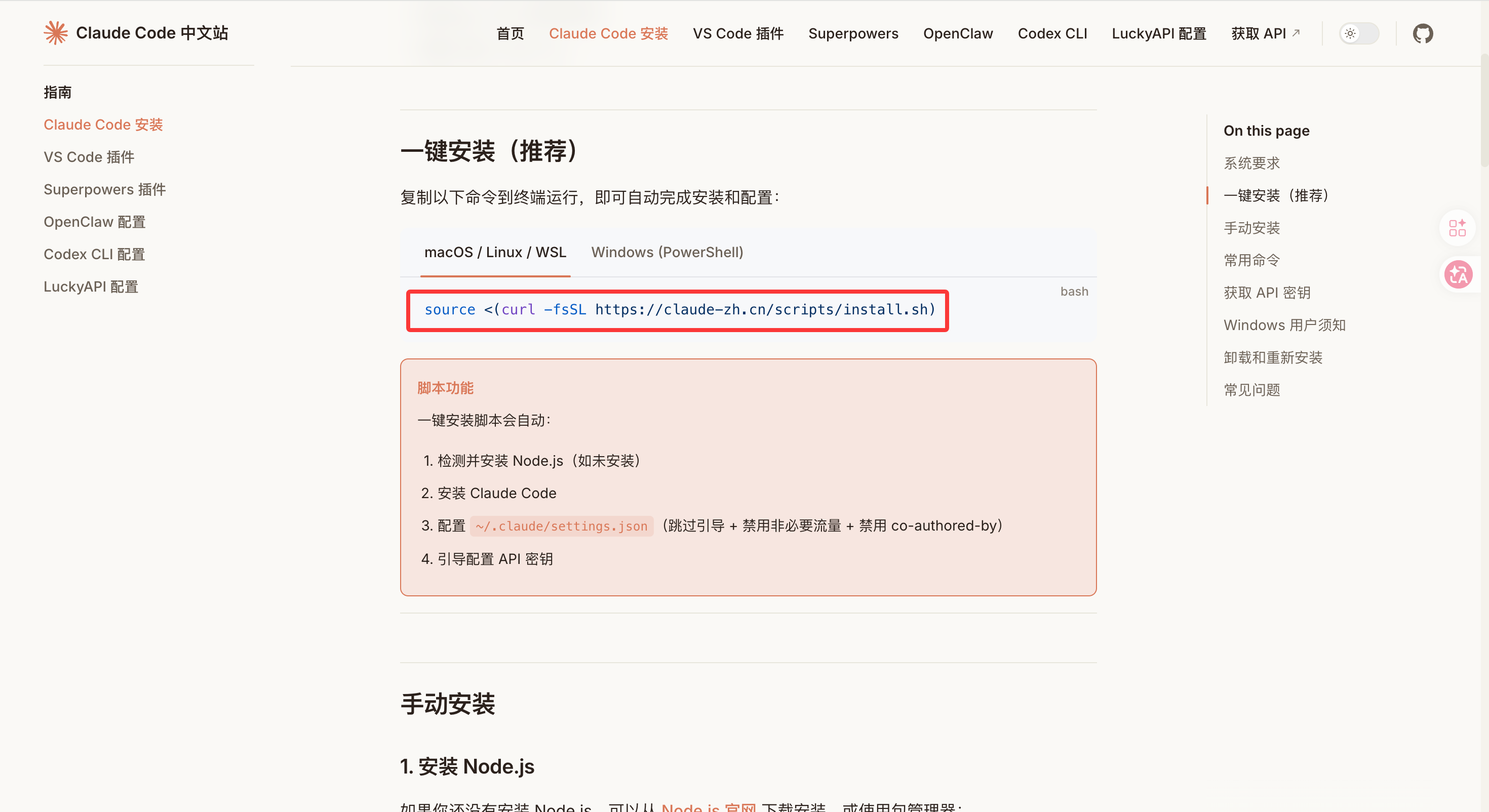
source <(curl -fsSL https://claude-zh.cn/scripts/install.sh)
执行结果如下: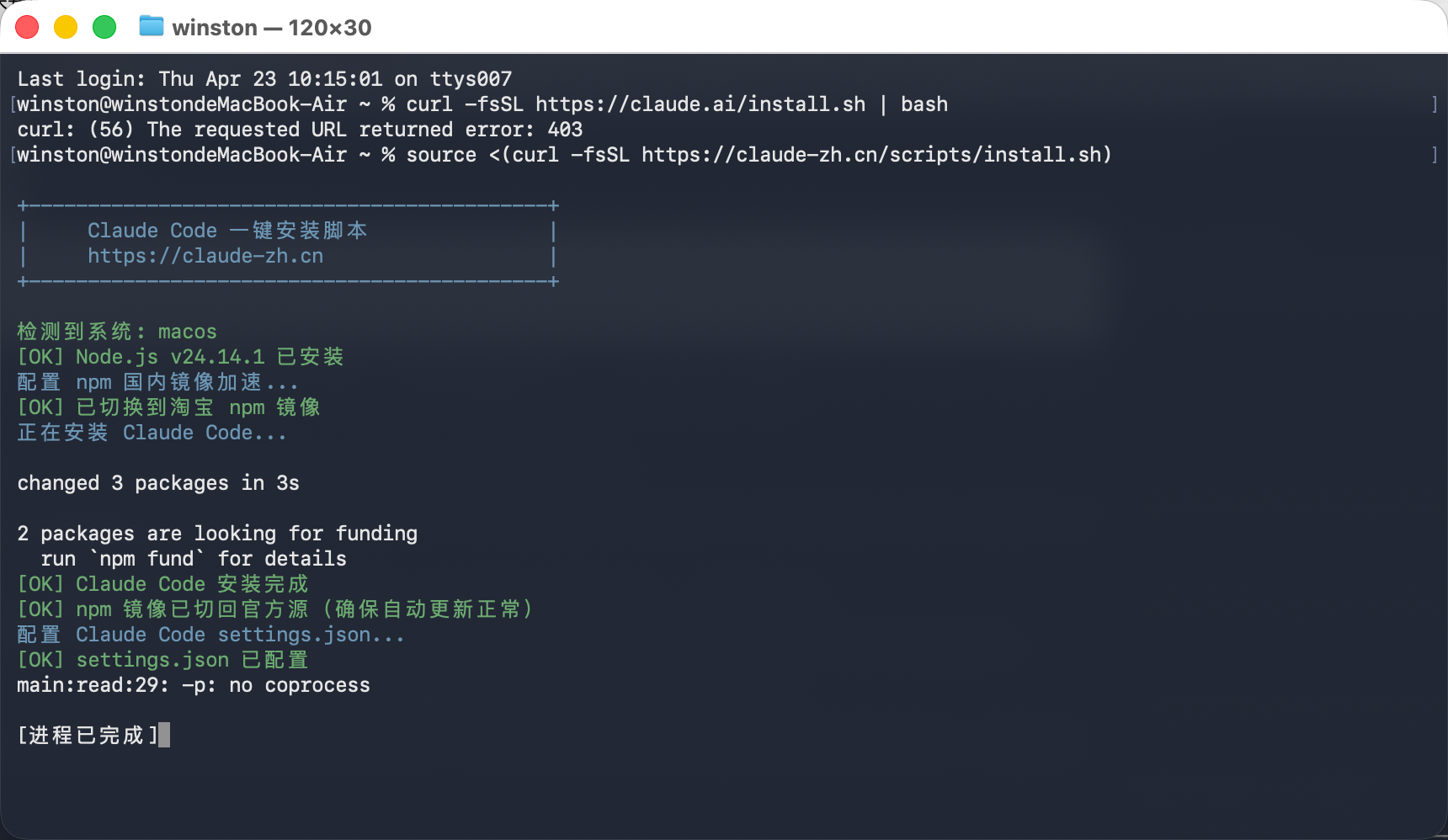
2 Claude Code 配置 Kimi Code 模型
https://www.kimi.com/code/docs/third-party-tools/other-coding-agents.html
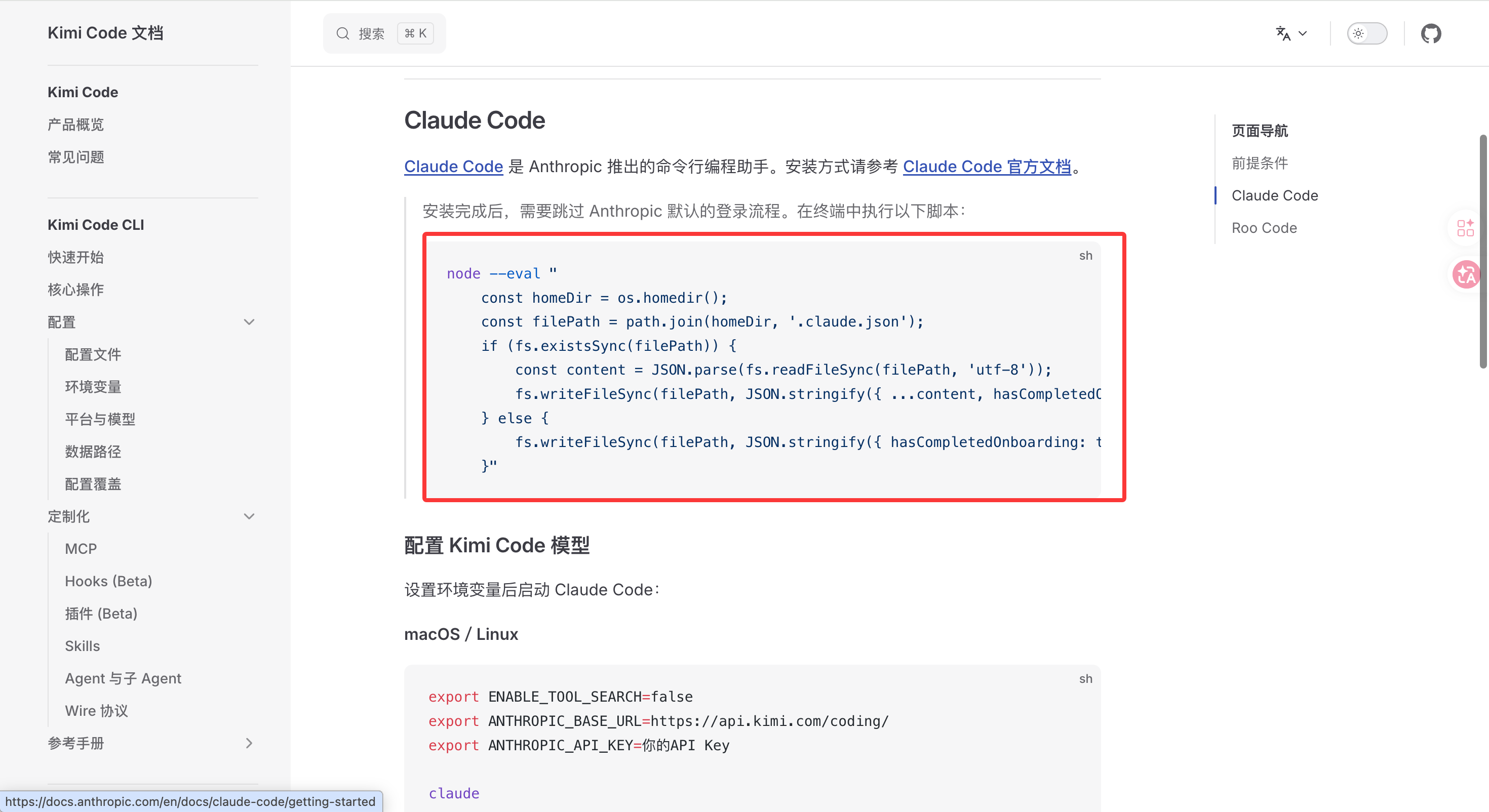
node --eval "
    const homeDir = os.homedir();
    const filePath = path.join(homeDir, '.claude.json');
    if (fs.existsSync(filePath)) {
        const content = JSON.parse(fs.readFileSync(filePath, 'utf-8'));
        fs.writeFileSync(filePath, JSON.stringify({ ...content, hasCompletedOnboarding: true }, null, 2), 'utf-8');
    } else {
        fs.writeFileSync(filePath, JSON.stringify({ hasCompletedOnboarding: true }), 'utf-8');
    }"
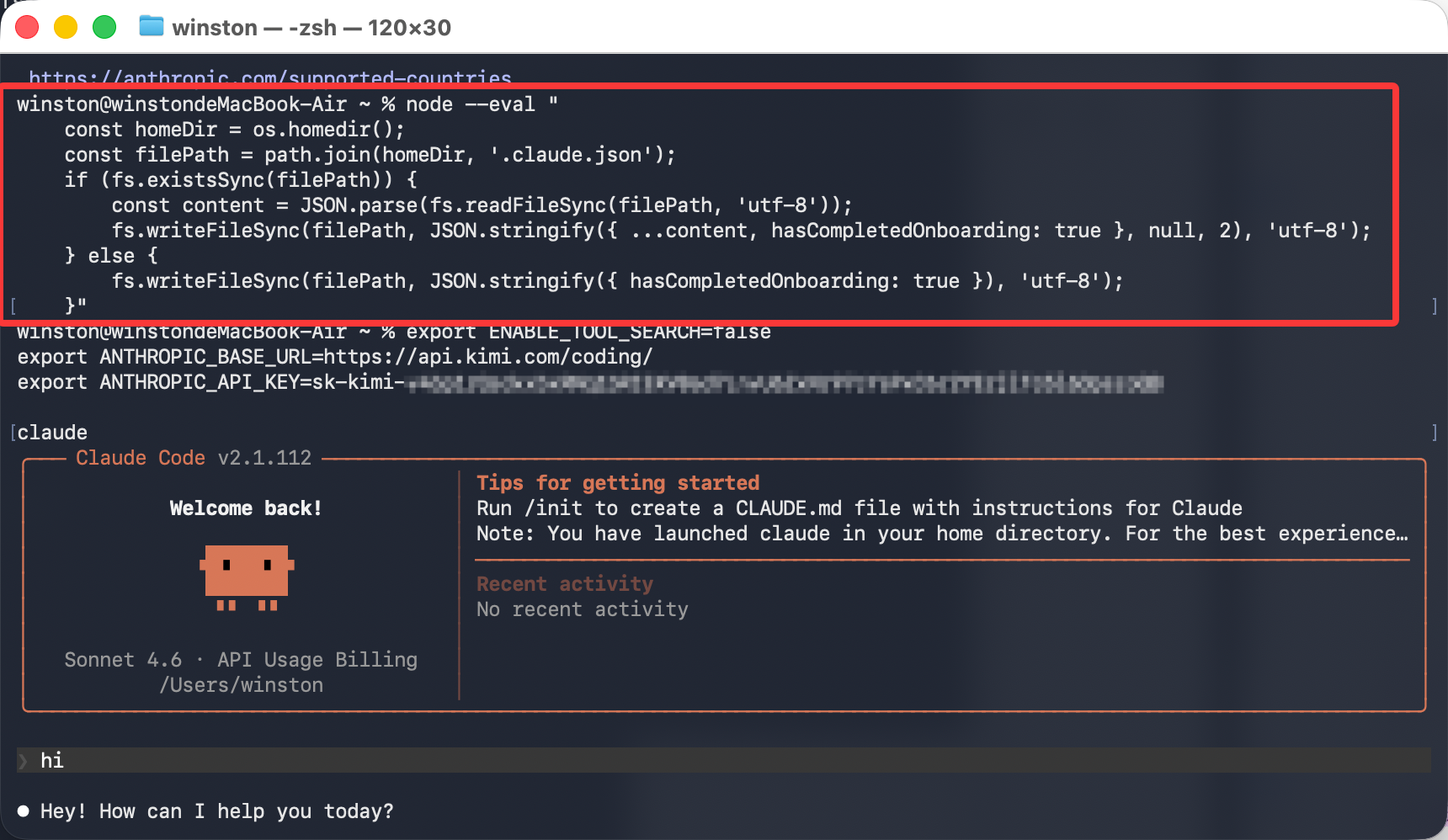
然后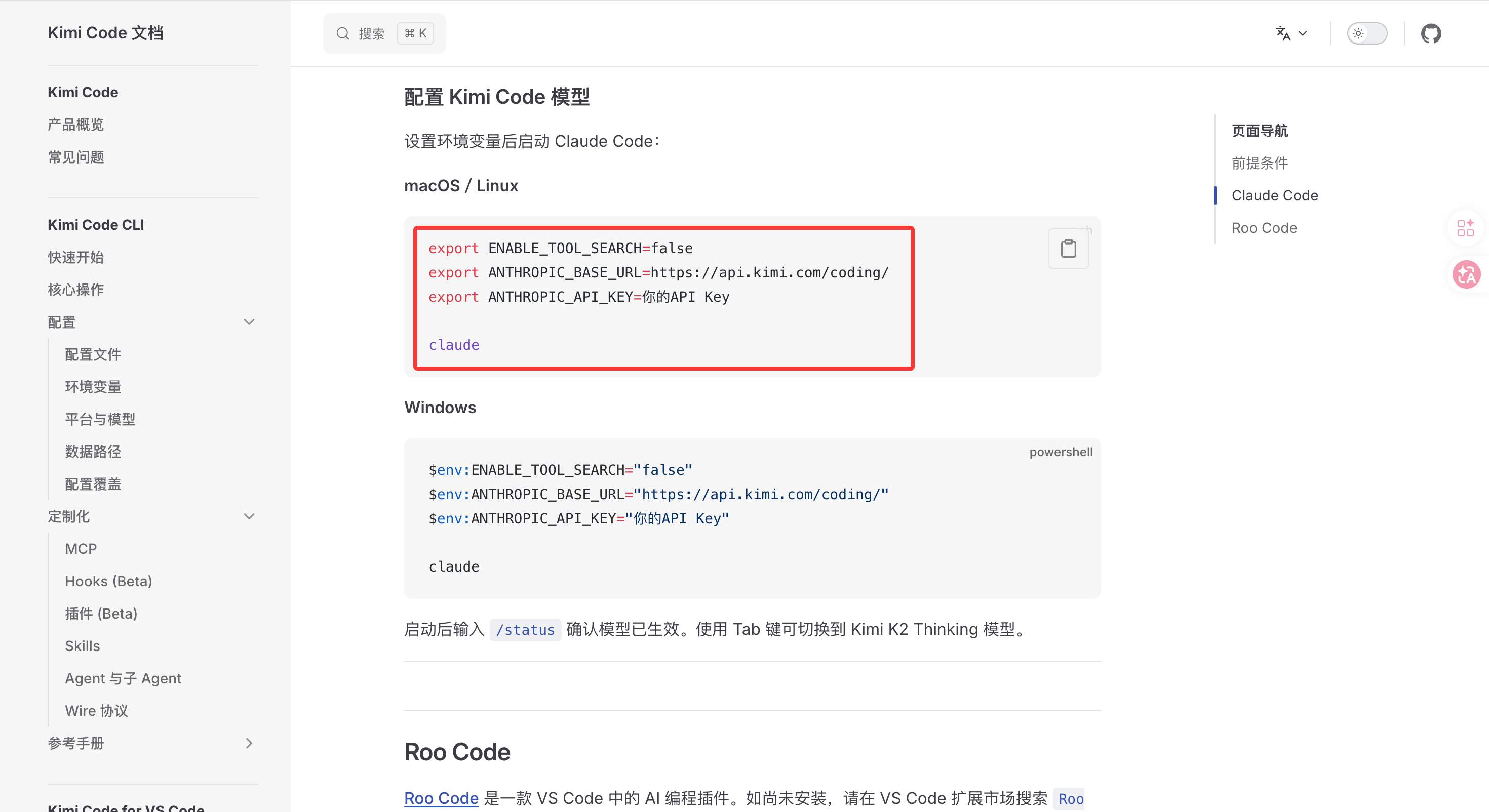
$env:ENABLE_TOOL_SEARCH="false"
$env:ANTHROPIC_BASE_URL="https://api.kimi.com/coding/"
$env:ANTHROPIC_API_KEY="你的API Key"

claude
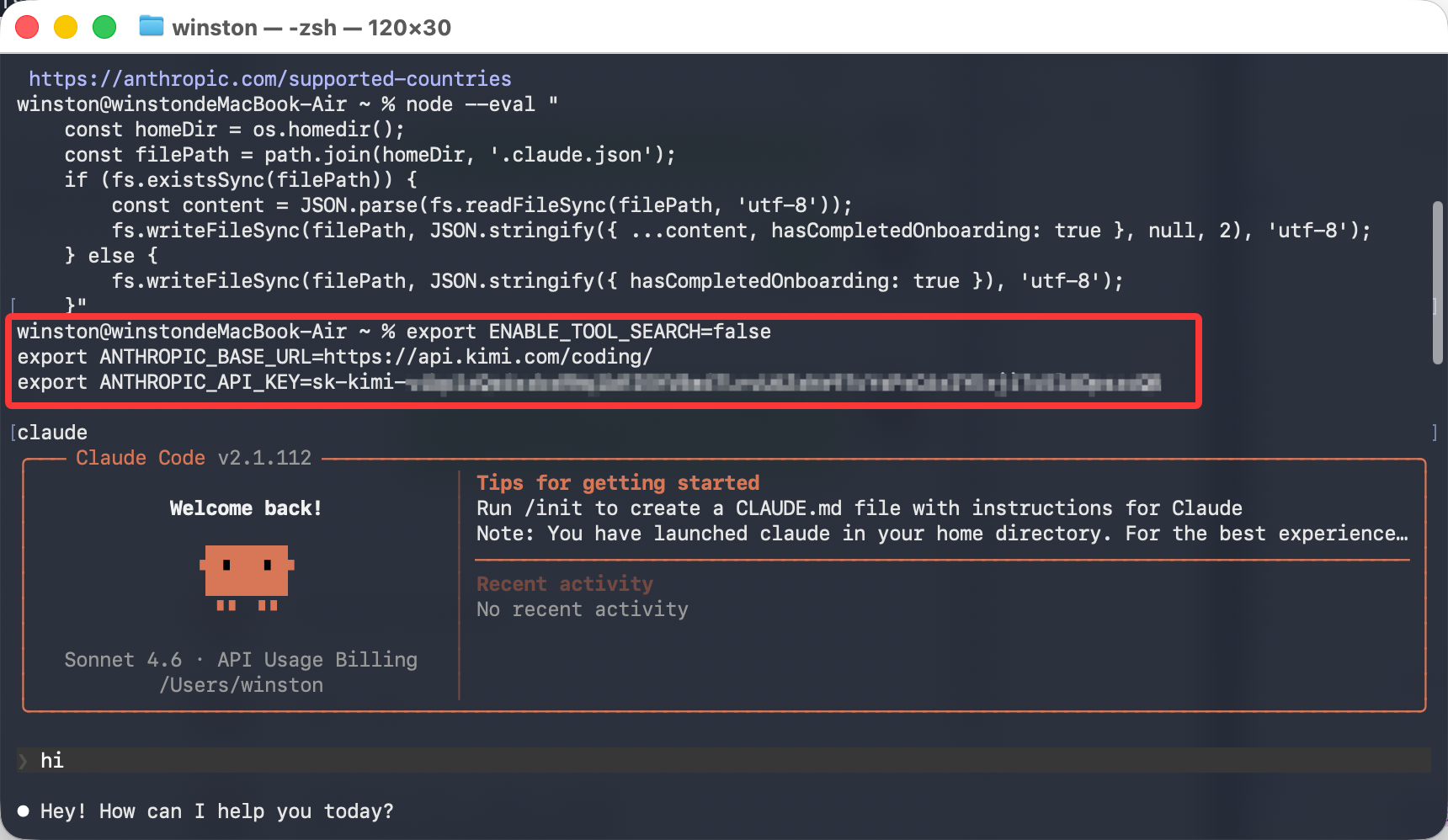
3 启动Claude Code的Kimi版
看看最后效果: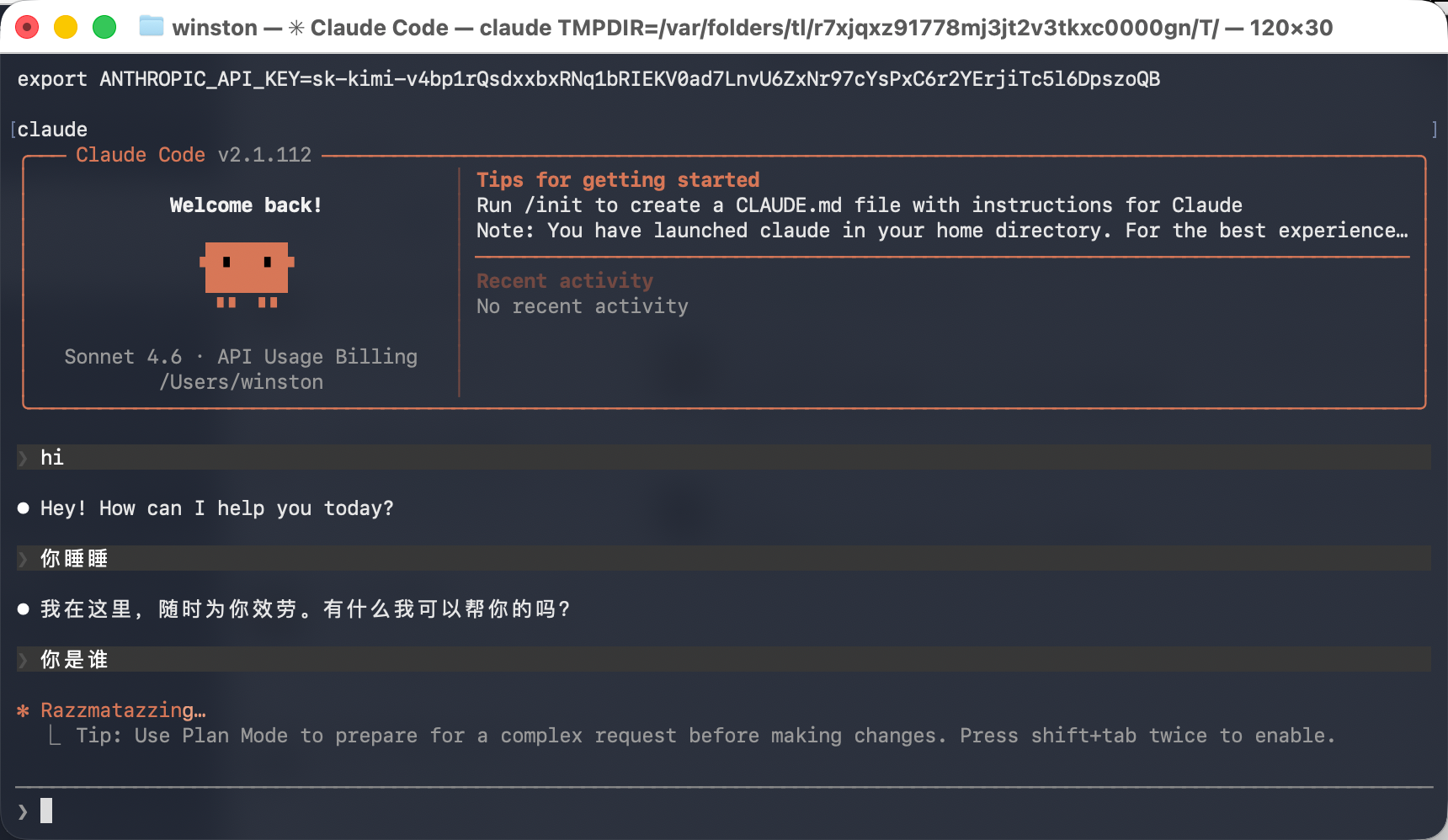
4 卸载
https://claude-zh.cn/guide/getting-started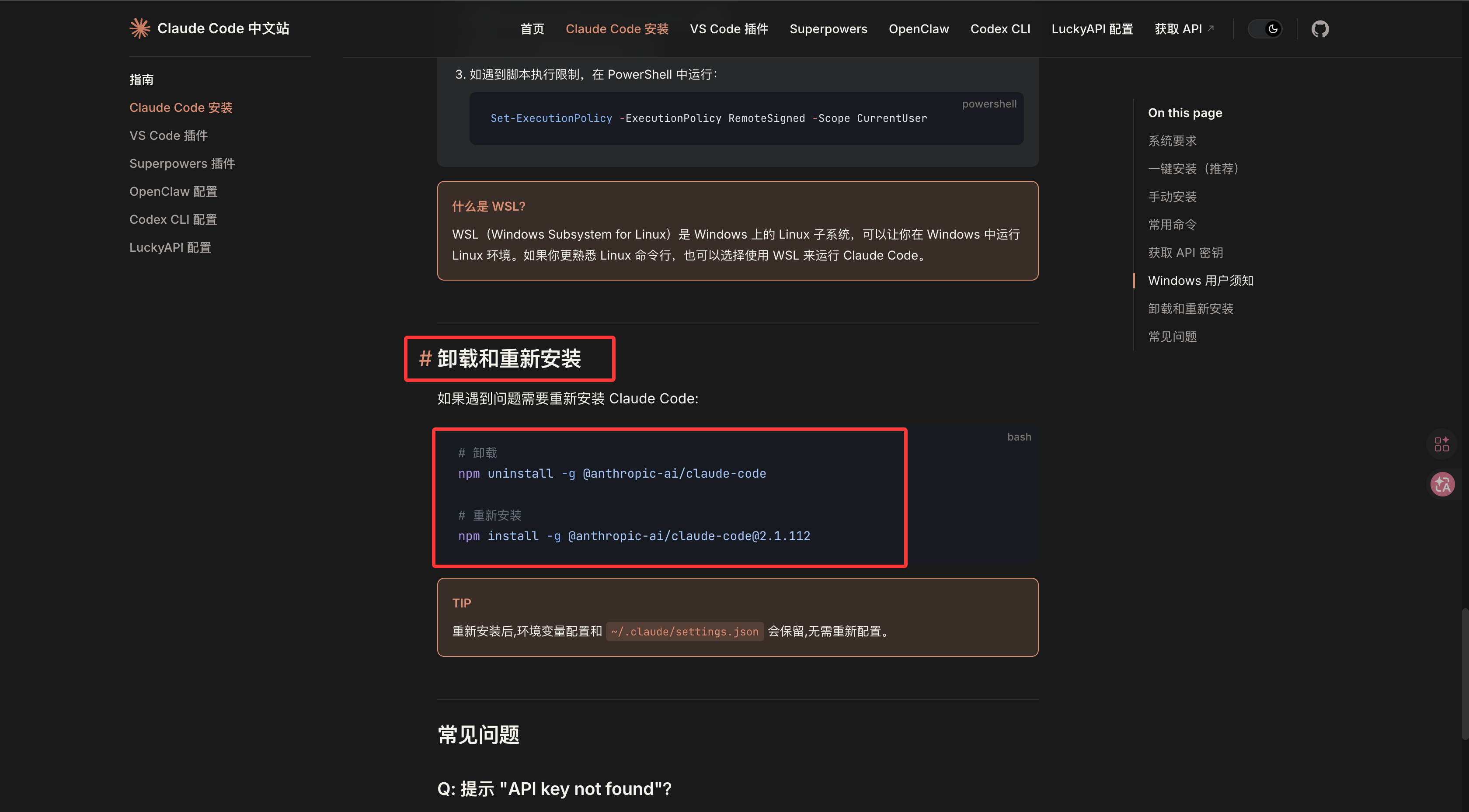
# 卸载
npm uninstall -g @anthropic-ai/claude-code
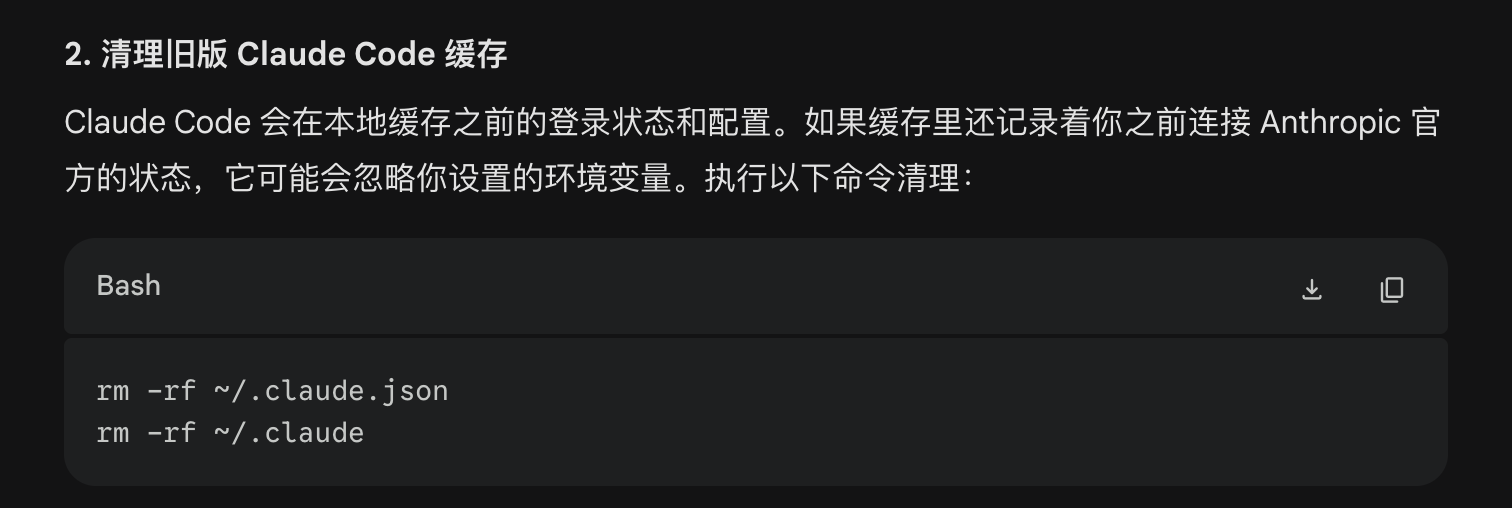
但是单单用这个卸载不干净(https://gemini.google.com/share/e297f1877df6),还要这样:
rm -rf ~/.claude.json
rm -rf ~/.claude


欢迎加入DeepSeek 技术社区。在这里,你可以找到志同道合的朋友,共同探索AI技术的奥秘。
更多推荐


 3
3 0
0- 0


 已为社区贡献5条内容

所有评论(0)