【codex】修改配置设置本地模型
文件夹如下找到这个config.toml文件。
·
找到配置文件
文件夹如下
C:\Users\你的用户名\.codex
找到这个config.toml文件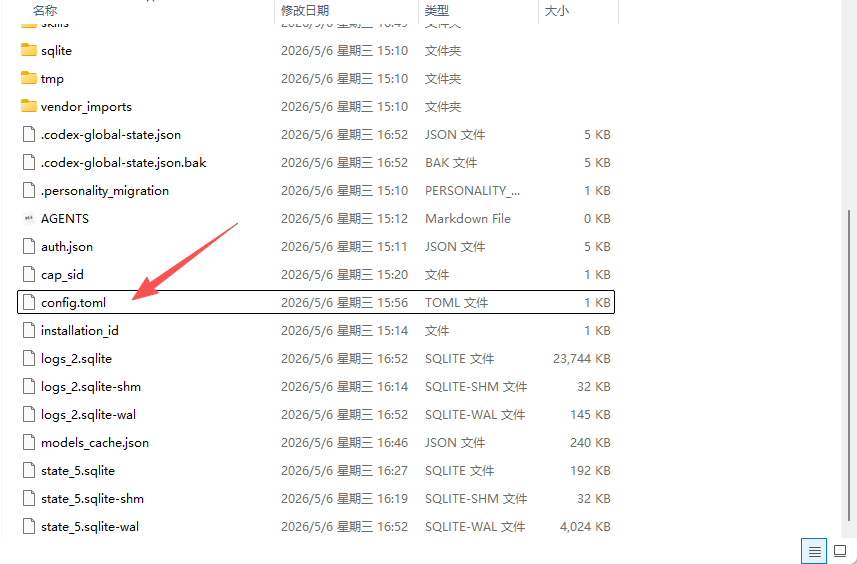
修改配置
修改config.toml
model_provider = "custom"
model = "MiniMax-M2.7"
[model_providers.custom]
name = "custom"
wire_api = "responses"
requires_openai_auth = true
base_url = "http://192.168.1.141:8080"
修改auth.json
{
  "OPENAI_API_KEY": "123"
}
使用cc-switch
https://github.com/farion1231/cc-switch/tree/main

欢迎加入DeepSeek 技术社区。在这里,你可以找到志同道合的朋友,共同探索AI技术的奥秘。
更多推荐


 0
0 0
0- 0


 已为社区贡献2条内容

所有评论(0)