解决Windows10/11中codex插件登录报错问题:Token exchange failed: error sending request for url
·
我在VScode和Cursor中使用codex扩展,在利用chatGPT账号进行登录时遇到以下问题:
Token exchange failed: token endpoint returned status 403 Forbidden
Token exchange failed: error sending request for url (https://auth.openai.com/oauth/token)
解决方法:
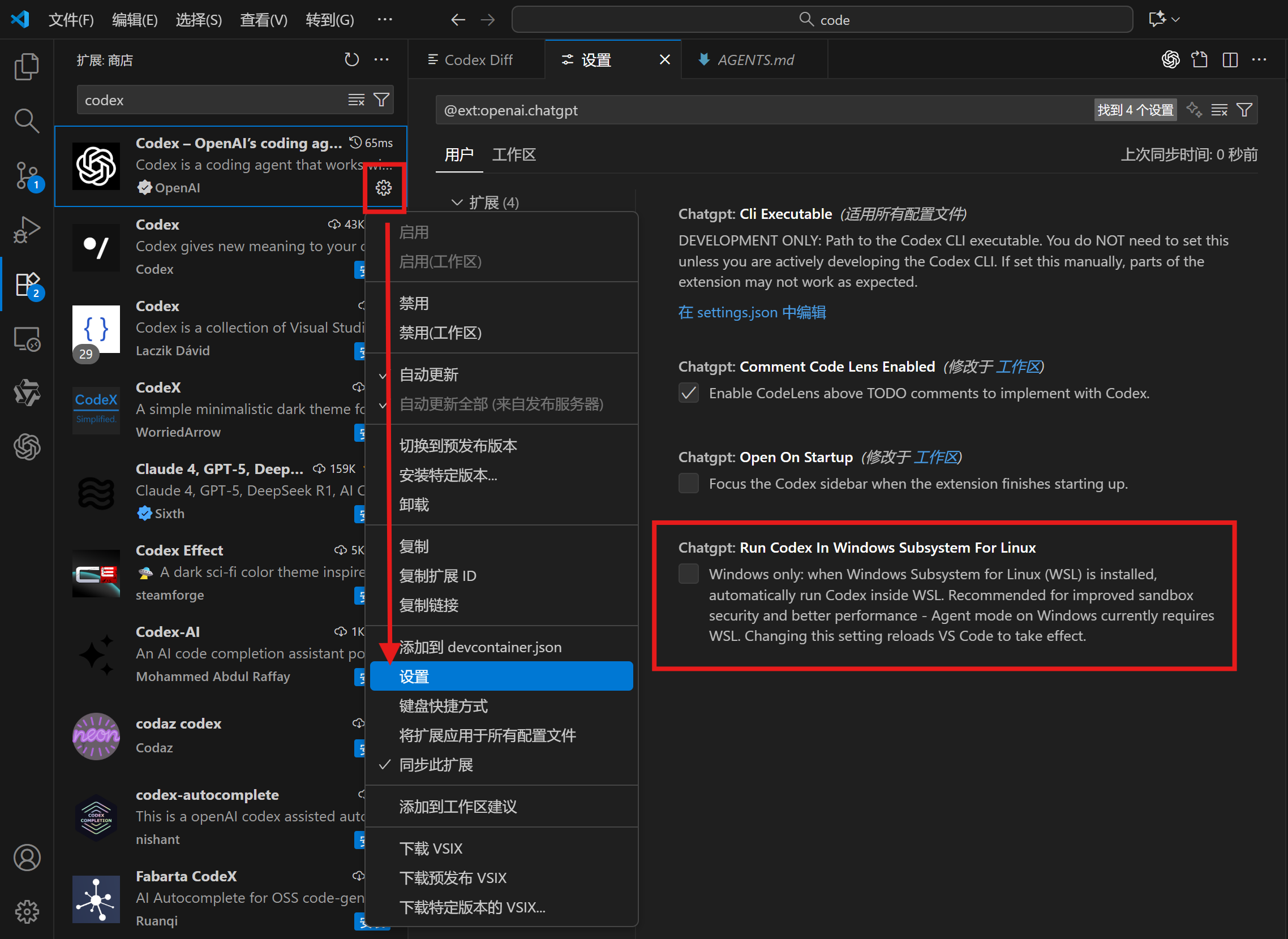
- 在扩展中搜索codex插件
- 点击插件右下角设置图标⚙,点击展开栏目中的“设置”
- 关闭Chatgpt: Run Codex In Windows Subsystem For Linux的勾选
额外说明:
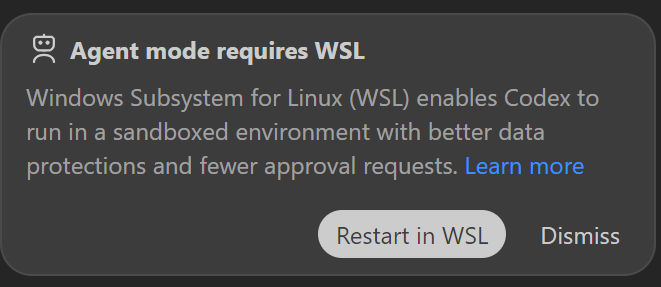
问题出现原因在于使用agent模式时需要WSL,因此采用这样的解决方式无法使用agent模式,只能使用chat和agent(full access)模式。

欢迎加入DeepSeek 技术社区。在这里,你可以找到志同道合的朋友,共同探索AI技术的奥秘。
更多推荐

 10
10 0
0- 0


 已为社区贡献1条内容

所有评论(0)