小白实践-cursor新版本 90% context used代表什么
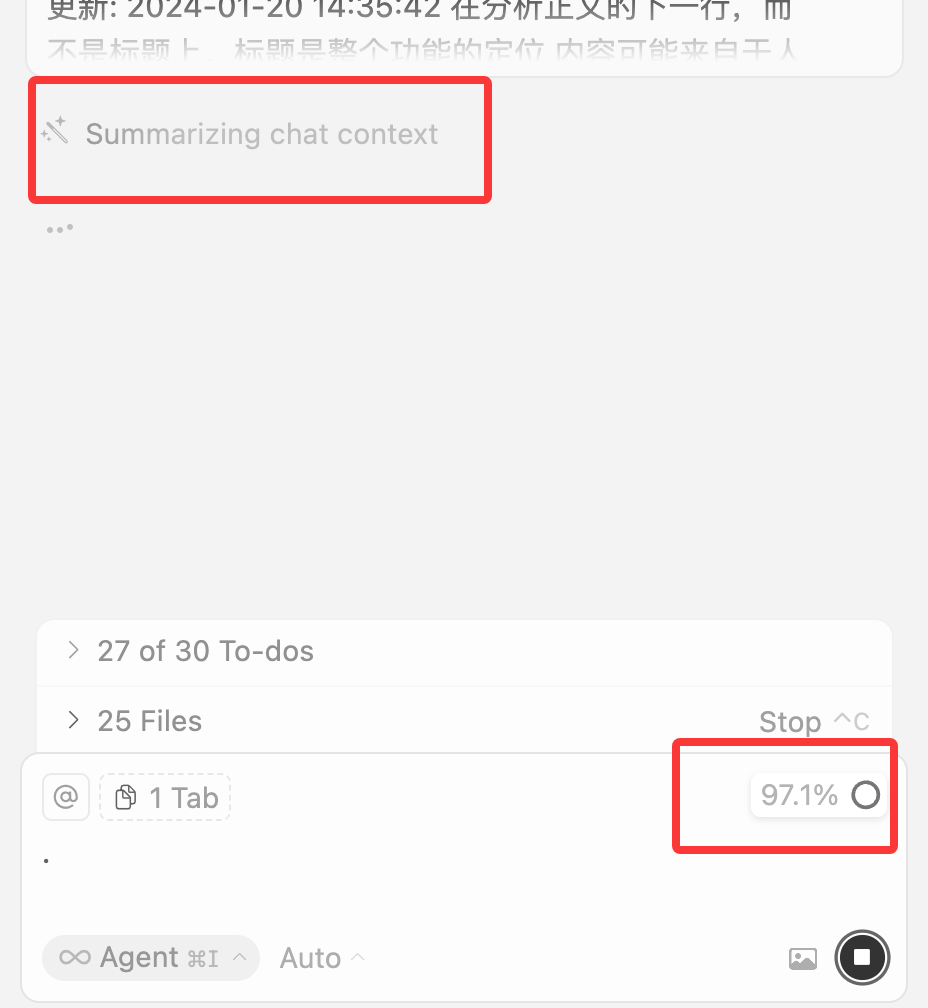
每个 AI 模型的上下文限制各不相同,一旦触及该限制,模型将不再接受更多消息。因此,许多 AI 工具会向用户提示他们距离该限制还有多近,或提供对当前对话进行压缩与总结的方式,以保持在限制之内。然后google到了reddit上一个类似的问题,他是到了78%之后又掉下来了,然后奇怪怎么会往下掉的,有一个回复是这么说的。我用的是auto 马上就知道是触发new 一个新的 windows 还是会把前文压
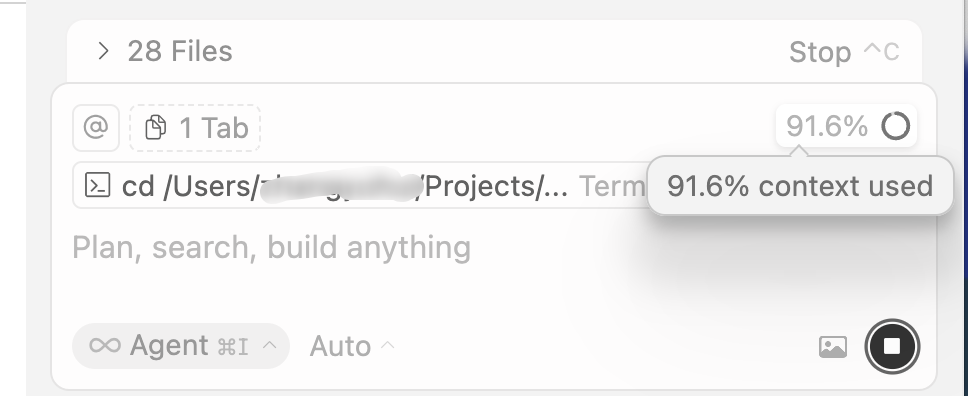
不知道是不是我百度的手法不对 度娘没有搜到关联的结果
google tell me
In Cursor, a context usage percentage shows how much of an AI model's memory, or context window, has been filled by your prompts, the AI's responses, and attached files or code for a specific chat session. A higher percentage means more of the AI's limited "working memory" is occupied, and when it reaches 100%, the AI may start forgetting earlier information, so it's best to start a new chat or summarize the context.
然后google到了reddit上一个类似的问题,他是到了78%之后又掉下来了,然后奇怪怎么会往下掉的,有一个回复是这么说的
I don't know how Cursor do it, but a common practice with agents is when context gets too large, use the agent to summarize the context, then continue starting from the summary.
The LLM will compact its context once it gets too large, hence why you saw the drop.
One thing to note though, some context gets lost when compacting so its better to start with a fresh context always
cursor 官网这么说的(为什么是cn)https://cursor.com/cn/learn/context
上下文限制
每个 AI 模型的上下文限制各不相同,一旦触及该限制,模型将不再接受更多消息。因此,许多 AI 工具会向用户提示他们距离该限制还有多近,或提供对当前对话进行压缩与总结的方式,以保持在限制之内。
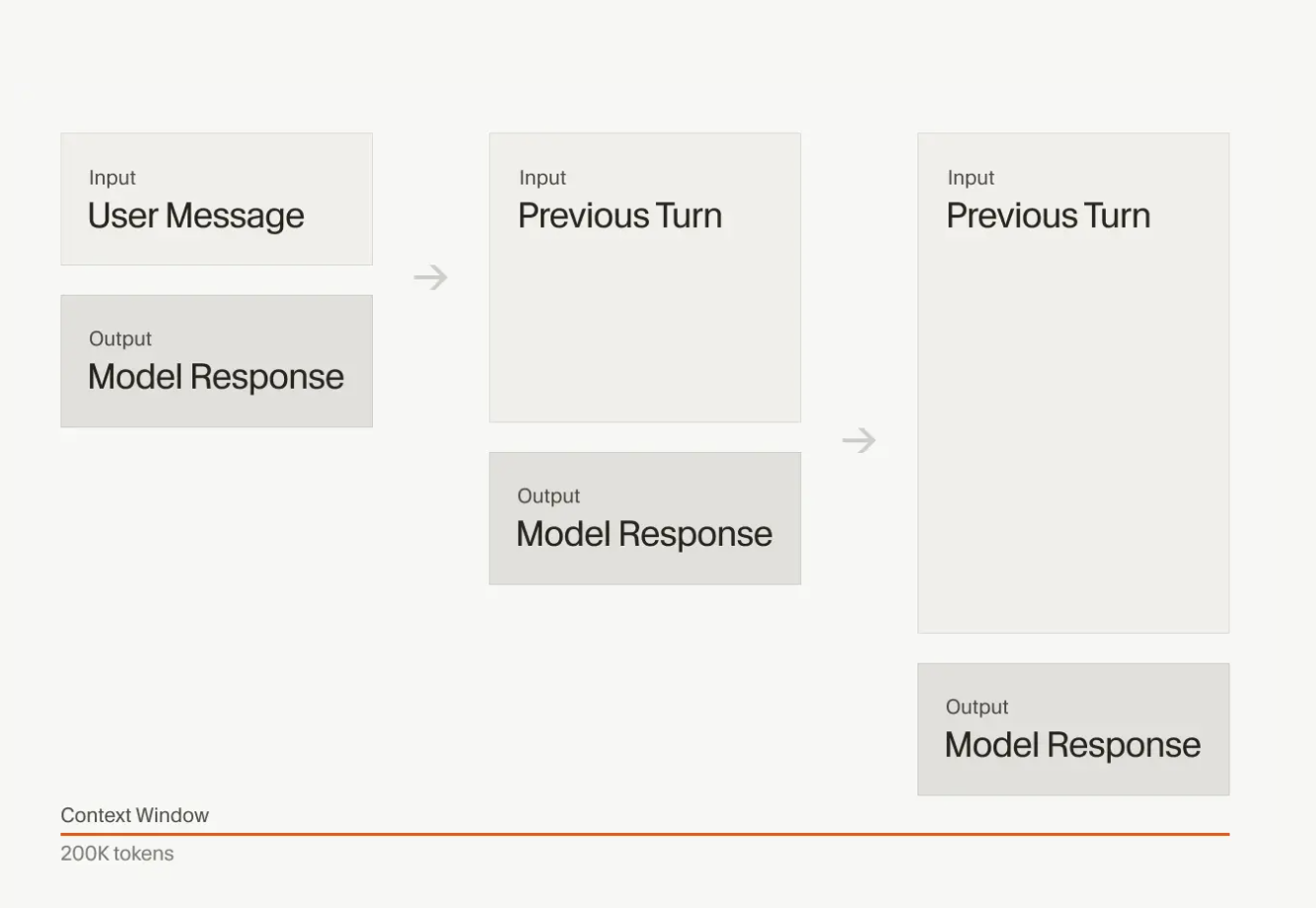
我用的是auto 马上就知道是触发new 一个新的 windows 还是会把前文压缩总结的方式

欢迎加入DeepSeek 技术社区。在这里,你可以找到志同道合的朋友,共同探索AI技术的奥秘。
更多推荐


 6
6 0
0- 0


 已为社区贡献2条内容

所有评论(0)