一文详解cursor如何实现代码跳转
Cursor的核心跳转能力仍靠,只是额外做了“影子工作区”缓存。
前言
Cursor的核心跳转能力仍靠 Language Server Protocol (LSP),只是额外做了“影子工作区”缓存。
「如何让 Cursor 的「代码跳转(Go to Definition / Declaration / References)」真正跑起来」分成三步:
- 让它“能跳”——依赖链装好;
- 让它“准跳”——索引文件生成;
1、能跳:把 Language Server 链路一次性装全
| 语言 | 必装扩展(Marketplace 搜) | 额外依赖 | 备注 |
|---|---|---|---|
| C/C++ | clangd + CMake Tools |
本地 clangd 可执行文件 |
1.23.6+ 自带扩展已够用,但需把 clangd.exe 加入 PATH |
| Python | Python + Pylance |
无 | 打开 .py 会自动下 |
- 安装必要插件:确保安装了以下插件:clangd、CodeLLDB 和 CMake Tools。这些插件通常会随Cursor的C/C++扩展自动安装。
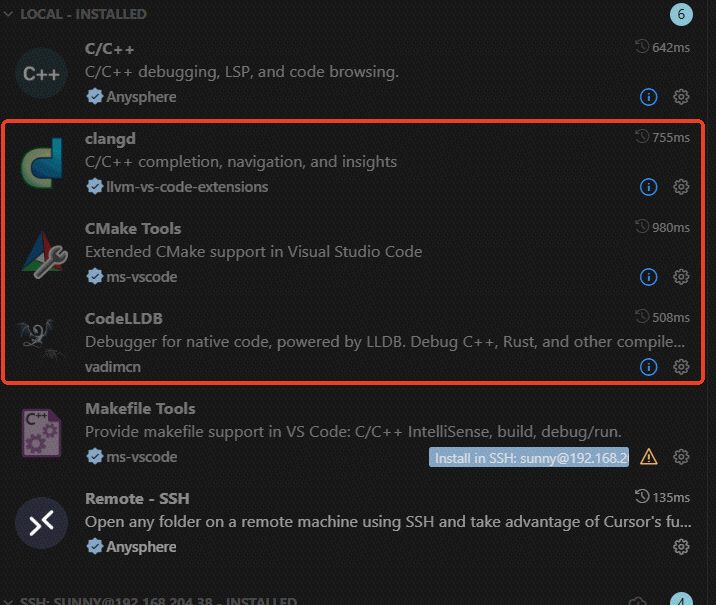
windows环境下
-
需要额外安装的软件:clangd.exe、CmakeTools
1、clangd.exe将clangd.exe下载到本地,并将其添加到环境变量。
下载地址: https://github.com/clangd/clangd/releases
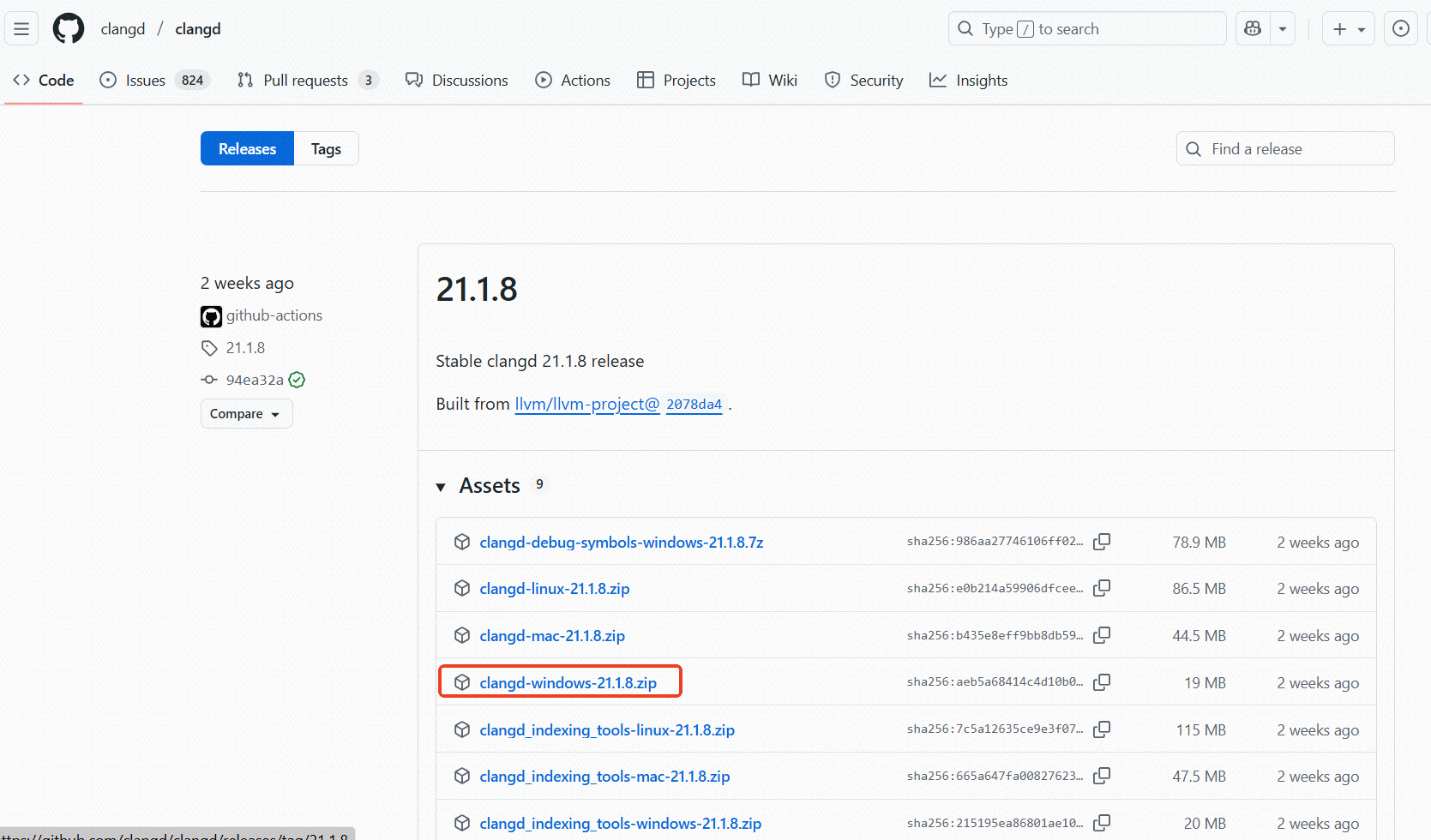
将下载下来的压缩包解压,得到clangd.exe:
将clangd.exe添加到环境变量: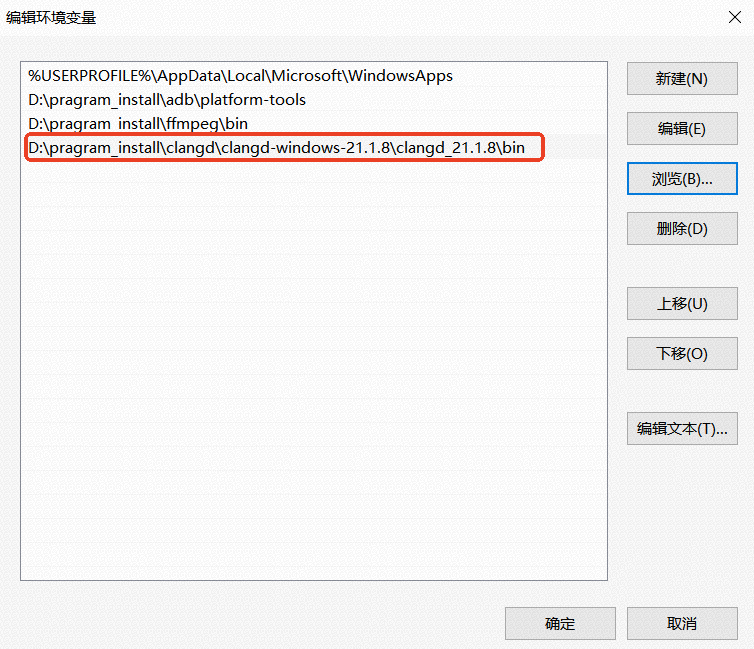
重启电脑生效。
2、CmakeTools将cmake.exe下载到本地,并将其添加到环境变量。
点击进入官网,下载安装
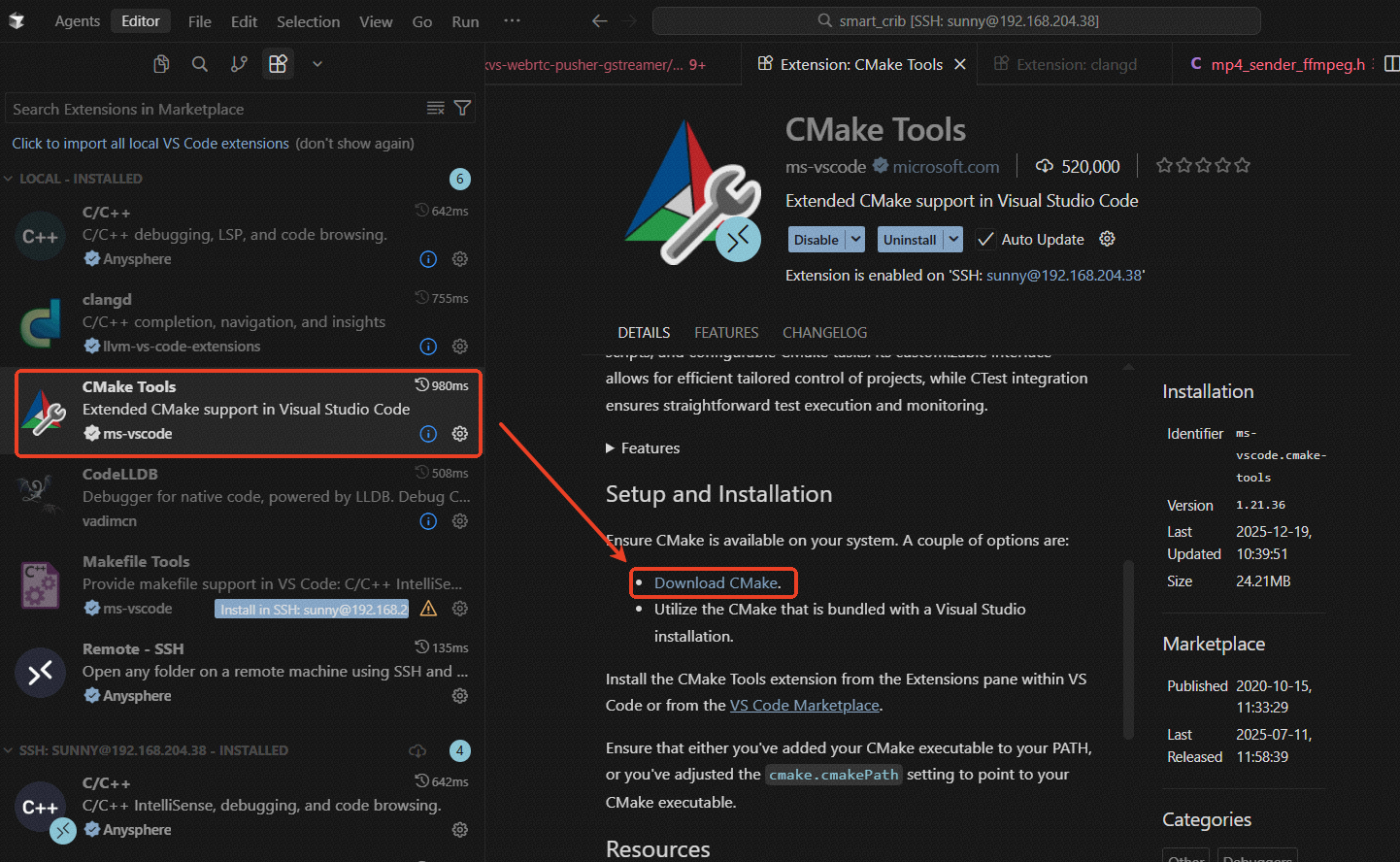
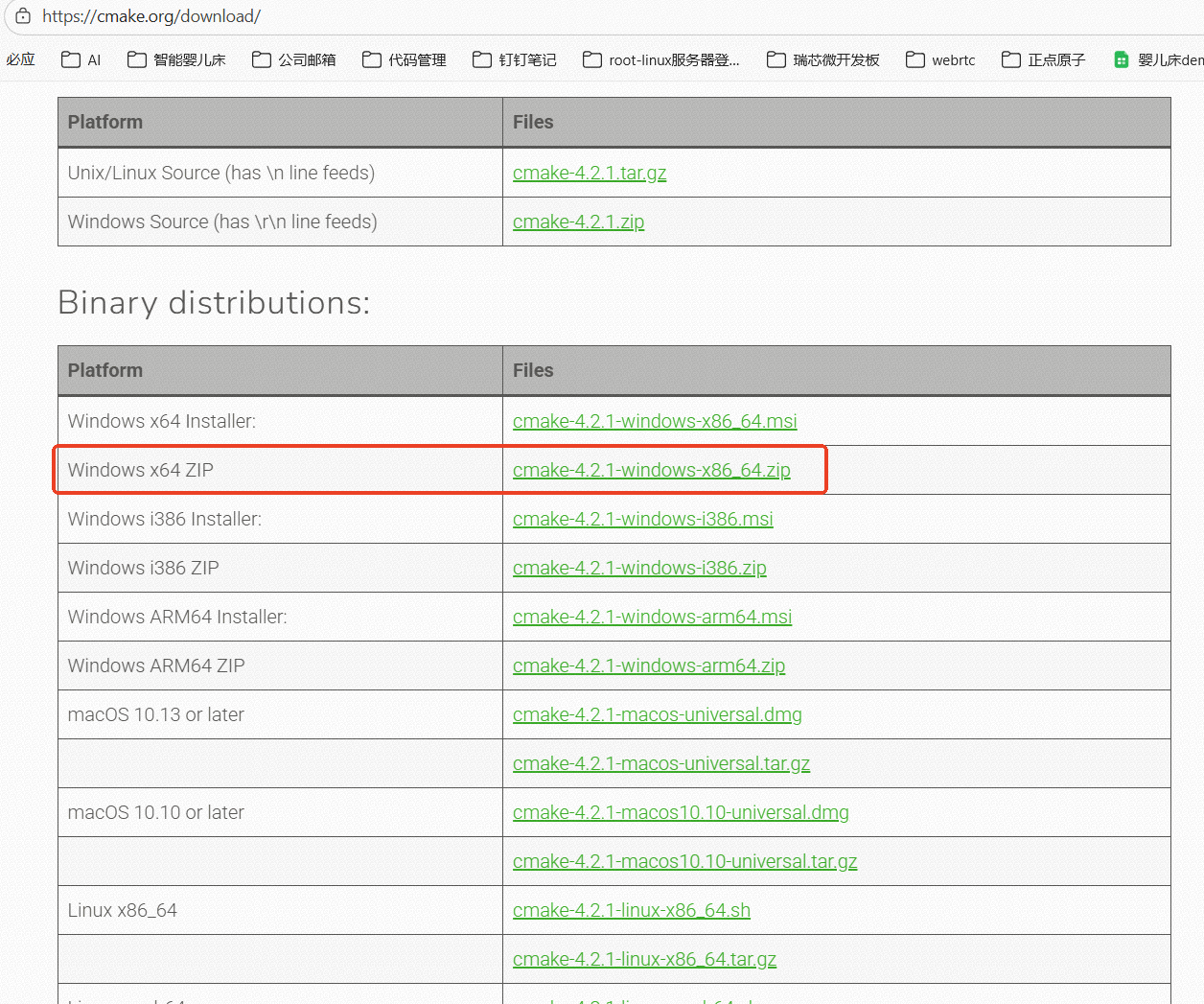
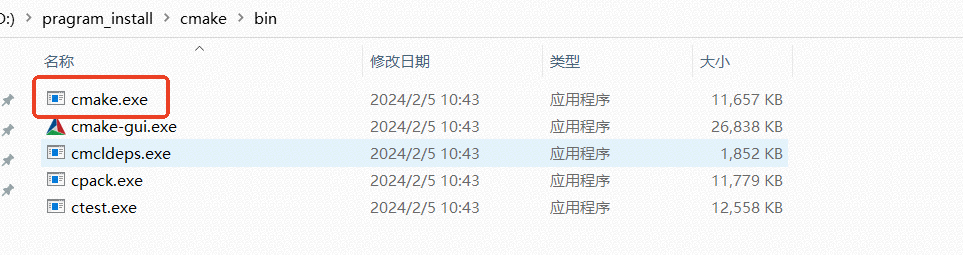
将下载下来的压缩包解压,得到cmake.exe:
将cmake.exe添加到环境变量: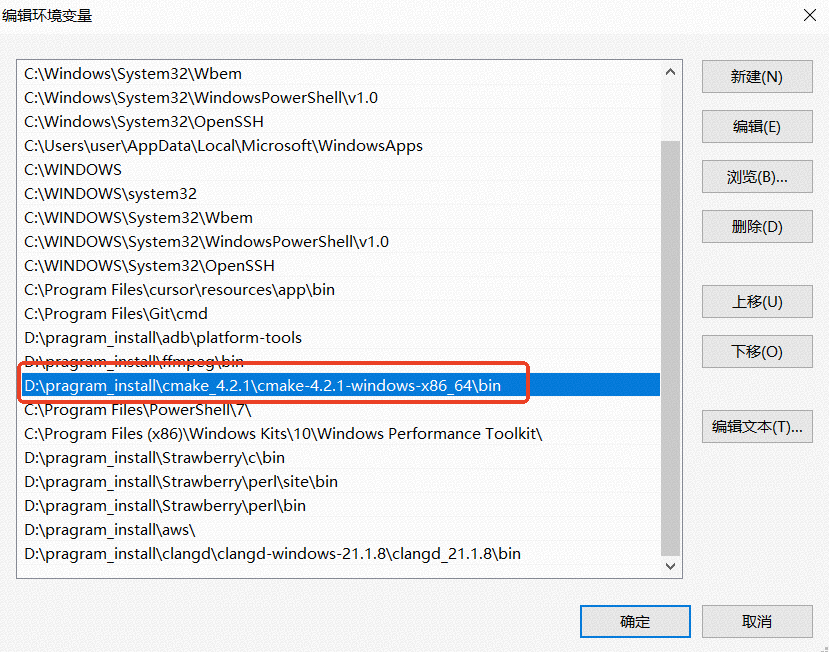
远程linux环境下
安装必要组件:
sudo apt install clangd bear gdb # bear 用于生成 compile_commands.json
2、准跳:生成 compile_commands.json(C/C++ 最典型)
clangd 只看 compile_commands.json;没有它就会出现“跳过去是红色未定义”。
-
生成compile_commands.json文件:
使用bear工具拦截整个buildroot构建过程中的所有编译命令,生成统一的compile_commands.json文件,供clangd实现代码跳转功能。
执行步骤如下:1、在项目根目录下两个目录:
mkdir -p build
mkdir -p .vscode
2、确认构建命令
如:
cd buildroot && make
或 make
或 ./build.sh
3、使用bear拦截编译命令
bear --output build/compile_commands.json -- ./build.sh使用cursor自带的task任务–.vscode/task.json,自动编译生成compile_commands.json。
{
"version": "2.0.0",
"tasks": [
		{
			"label": "Generate compile_commands.json",
			"type": "shell",
			"command": "bash",
			"args": [
				"-c",
				"cd ${workspaceFolder} && mkdir -p build && rm -f build/compile_commands.events.json build/compile_commands.json 2>/dev/null && bear --output build/compile_commands.json -- ./build.sh"
			],
			"options": {
				"cwd": "${workspaceFolder}"
			},
			"problemMatcher": [],
			"presentation": {
				"reveal": "always",
				"panel": "new",
				"focus": false,
				"clear": true
			},
			"group": {
				"kind": "build",
				"isDefault": false
			},
			"detail": "使用bear拦截build.sh构建过程,生成compile_commands.json"
		}
	]
}
4、配置.vscode/settings.json
{ "clangd.arguments": [ "--background-index", "--compile-commands-dir=${workspaceFolder}", "--clang-tidy", "--header-insertion=never", "--completion-style=detailed" ], "clangd.path": "clangd", "clangd.onConfigChanged": "restart", "files.associations": { "*.h": "c", "*.c": "c", "*.hpp": "cpp", "*.cpp": "cpp", "*.cc": "cpp", "*.cxx": "cpp" }, "task.quickOpen.history": 10, "task.quickOpen.detail": true, "task.quickOpen.skip": false, "task.autoDetect": "on" } -
工作原理:
- bear工具:在编译过程中拦截所有gcc/g++/clang等编译命令
- compile_commands.json:bear自动生成,包含所有源文件的编译信息
- clangd:读取compile_commands.json,提供代码跳转、补全等功能
.clangd 是 clangd 自身的配置文件,用于调整 clangd 的行为和编译参数
至此,代码跳转的环境就搭建好了,后续代码的跳转依赖代码编译通过,只有完整编译过的代码才能实现跳转。

欢迎加入DeepSeek 技术社区。在这里,你可以找到志同道合的朋友,共同探索AI技术的奥秘。
更多推荐



 23
23 0
0- 0


 已为社区贡献1条内容

所有评论(0)