【书签脚本】导出豆包对话内容
·
书签脚本是很实用的浏览器工具,能方便的执行JS代码。不像油猴脚本那么麻烦,对非开发者用户很友好。具体介绍可参见:利用浏览器书签执行脚本辅助_书签脚本-CSDN博客
由于书签限制,代码需要转为单行,因此下面分享的都是格式化完成的、可直接复制使用的。
脚本1:对话导出为Markdown
javascript:(async()=>{"use strict";var e=document.createElement("script");e.setAttribute("src","https://cdnjs.cloudflare.com/ajax/libs/turndown/7.2.1/turndown.js"),document.body.append(e),function(){const e=document.querySelectorAll('div[data-testid="message_text_content"]');if(!e||0===e.length)return void alert("❌ 未找到目标内容元素");const t=new TurndownService({headingStyle:"atx",bulletListMarker:"-",codeBlockStyle:"fenced",emDelimiter:"*",strongDelimiter:"**",br:"\n",linkStyle:"inlined",linkReferenceStyle:"full"});t.addRule("emptyDiv",{filter:e=>"DIV"===e.tagName&&""===e.textContent.trim(),replacement:()=>""});let n="";e.forEach(((e,r)=>{const c=t.turndown(e);c&&(n+=c,n+="\n\n---\n\n",n+="\n\n---\n\n")})),n=n.replace(/\n\n---\n\n$/,"");const r=new Blob(["\ufeff",n],{type:"text/markdown; charset=utf-8"}),c=URL.createObjectURL(r),l=document.createElement("a");l.href=c,l.download=`豆包回答_${(new Date).getTime()}.md`,l.click(),URL.revokeObjectURL(c),l.remove(),alert("✅ Markdown导出成功!")}()})();脚本2:对话导出MS Word
javascript:(async()=>{"use strict";!function(){const e=document.querySelectorAll('div[data-testid="message_text_content"]');if(!e||0===e.length)return void alert("❌ 未找到目标内容元素");let t="";e.forEach(((e,n)=>{t+=`\n \x3c!-- 第${n+1}段内容 --\x3e\n <div style="margin-bottom: 30px; padding-bottom: 20px; border-bottom: 1px solid #e5e7eb;">\n ${e.innerHTML}\n </div>\n `}));const n=new Blob(["\ufeff",`\n <!DOCTYPE html>\n <html>\n <head>\n<meta charset="UTF-8">\n<title>豆包导出内容</title>\n<style>\n body {margin: 20px; font-family: "微软雅黑", SimHei, sans-serif; line-height: 1.7;}\n * {box-sizing: border-box;}\n</style>\n </head>\n <body>\n${t}\n </body>\n </html>\n `],{type:"application/msword"}),o=URL.createObjectURL(n),i=document.createElement("a");i.href=o,i.download=`豆包回答_${(new Date).getTime()}.doc`,i.click(),URL.revokeObjectURL(o),i.remove(),alert("✅ 导出成功!文件已开始下载~")}()})();使用演示
书签脚本执行演示
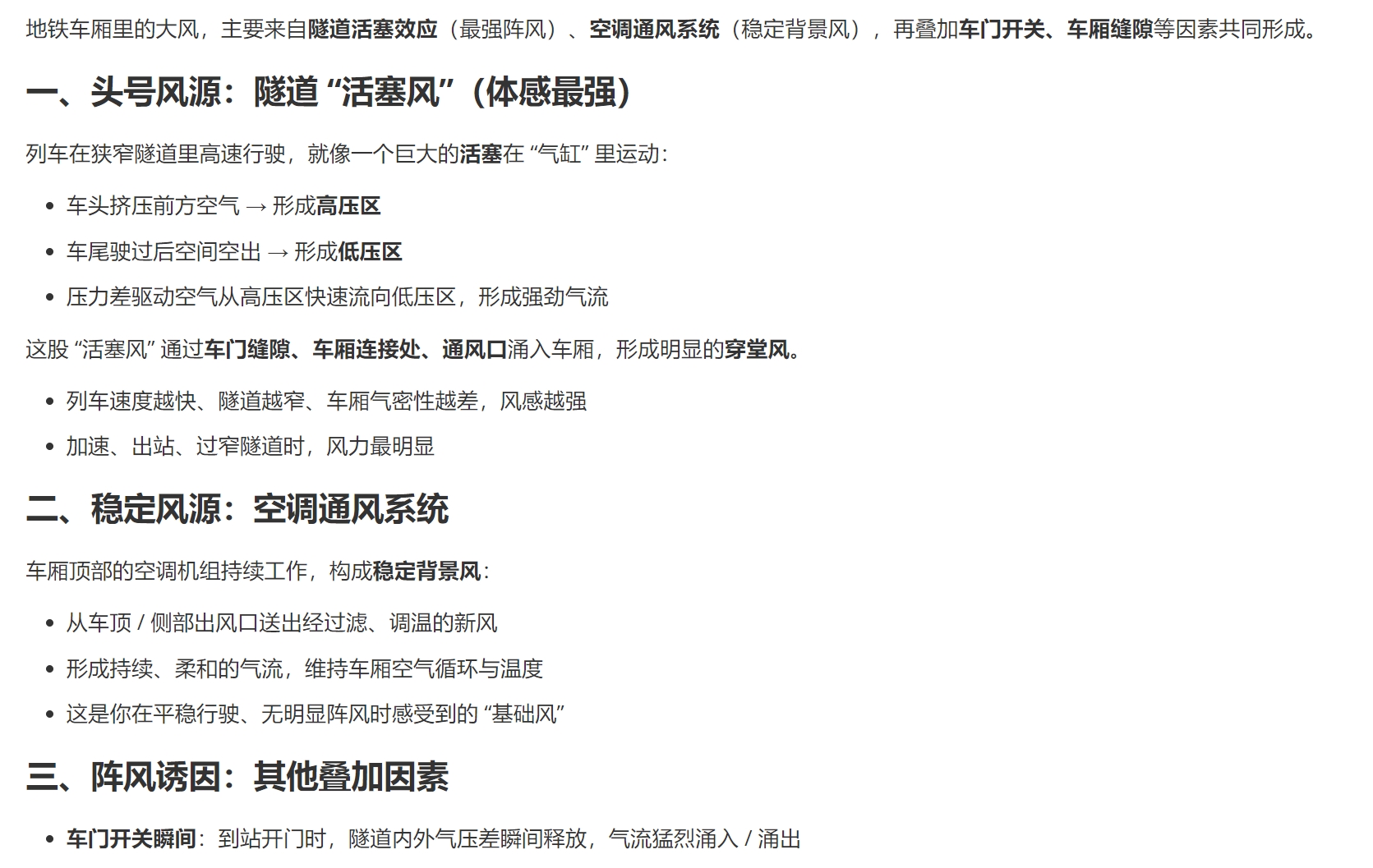
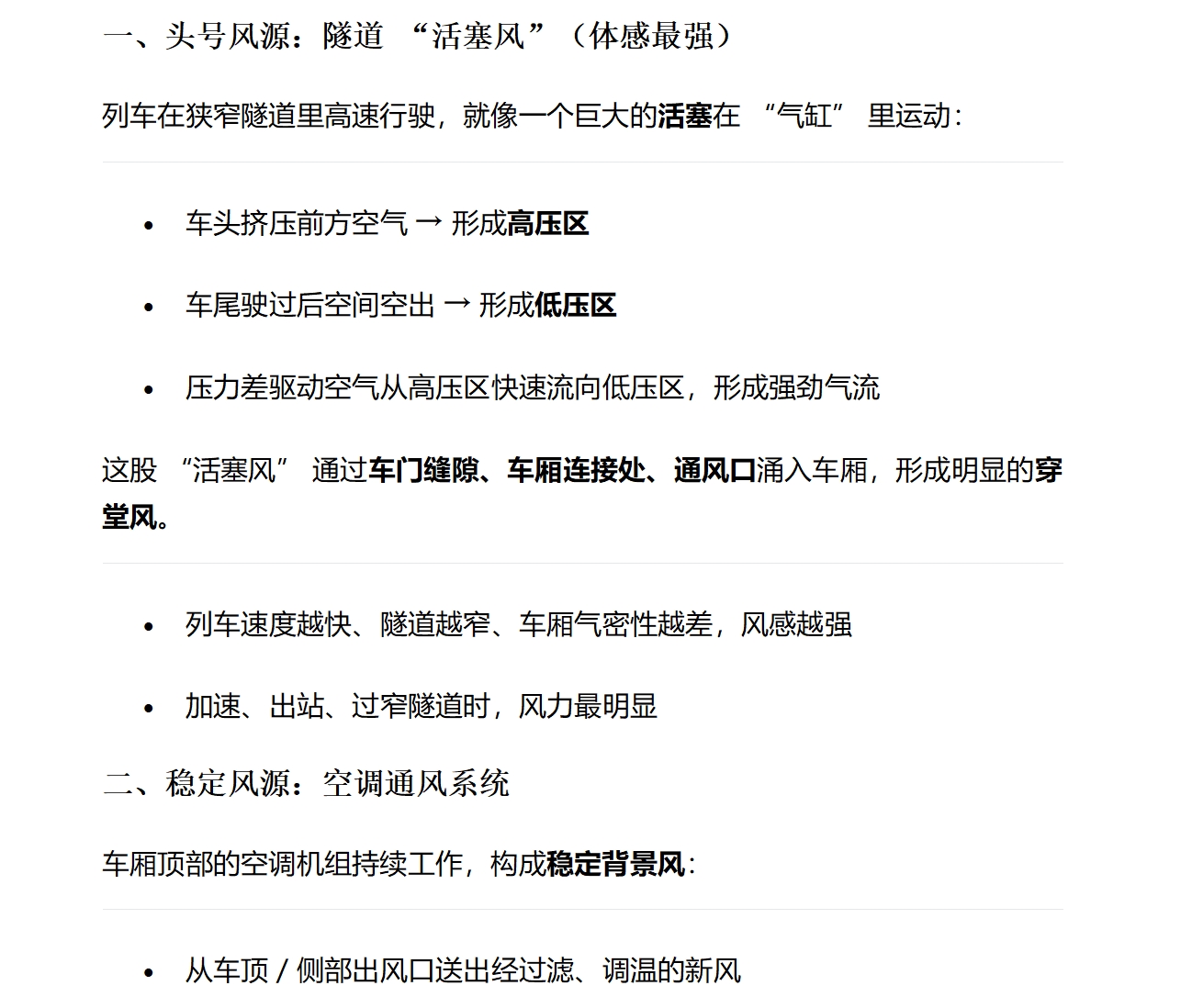
导出效果
markdown
Word

欢迎加入DeepSeek 技术社区。在这里,你可以找到志同道合的朋友,共同探索AI技术的奥秘。
更多推荐
 8
8 0
0- 0


 已为社区贡献1条内容

所有评论(0)