【claude】cli工具安装
【代码】【claude】cli工具安装。
·
一、CLI工具安装
1、官网
https://code.claude.com/docs/zh-CN/quickstart
2、CLI安装命令
macOS, Linux, WSL:
# 安装最新版本
curl -fsSL https://claude.ai/install.sh | bash

# 安装指定版本
curl -fsSL https://claude.ai/install.sh | bash -s 2.1.66
Windows PowerShell:
# 安装最新版本
irm https://claude.ai/install.ps1 | iex

# 安装指定版本
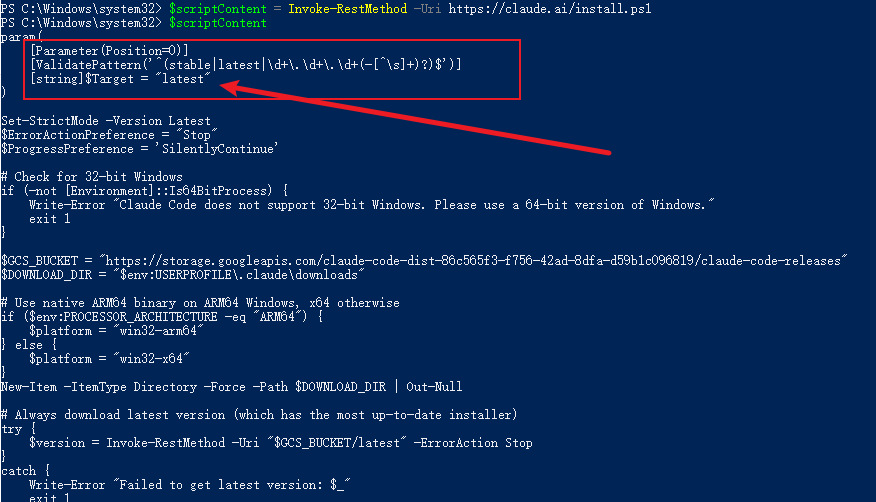
# 1、下载脚本内容并显示
$scriptContent = Invoke-RestMethod -Uri https://claude.ai/install.ps1
$scriptContent  # 查看脚本内容,特别注意开头的 param() 部分,查看参数命名
# 2、将脚本内容作为脚本块加载并调用,传入参数(参数参考下图)
$scriptBlock = [ScriptBlock]::Create((Invoke-RestMethod -Uri https://claude.ai/install.ps1))
$scriptBlock -Target 2.1.66
3、插件安装
- 安装 everything claude code 插件
github文档:https://github.com/affaan-m/everything-claude-code/blob/main/README.zh-CN.md
产考文档在claude CLI 命令行里安装插件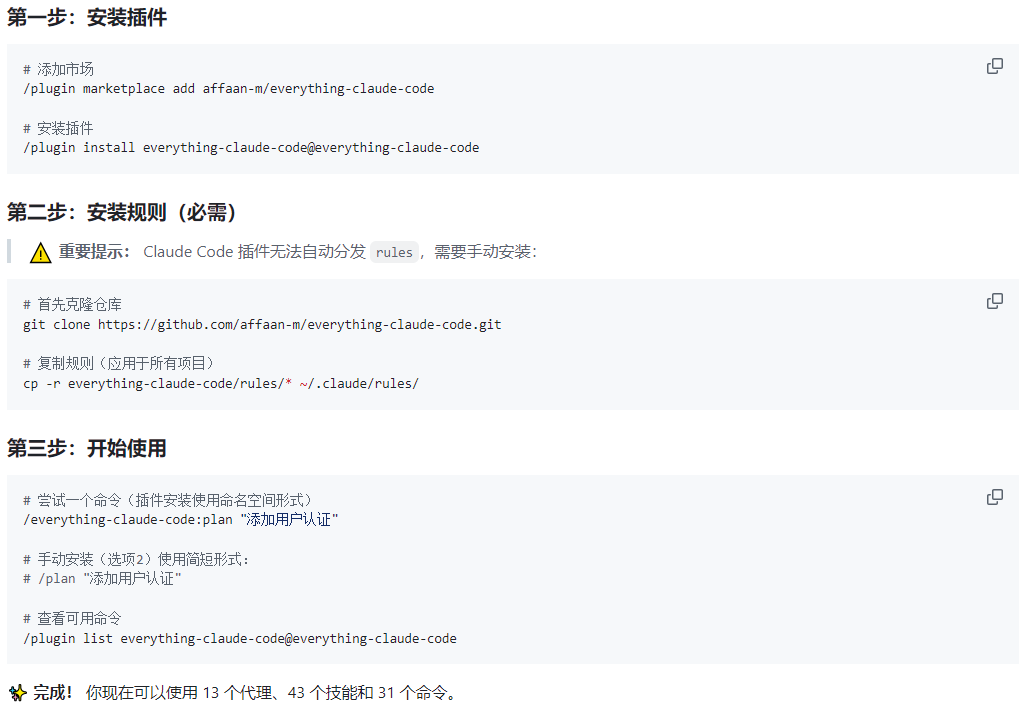
- 安装 playwright
环境要求:需要 v18 或更高,推荐 v20 LTS
第一步:安装 playwright MCP
第二步:安装playwright浏览器npm install -g @playwright/test @playwright/mcp
第三步:安装claude playwright插件npx playwright install chromiumclaude /plugin # 在 Discover 里选择 playwright 后输入 i 安装

欢迎加入DeepSeek 技术社区。在这里,你可以找到志同道合的朋友,共同探索AI技术的奥秘。
更多推荐



 1
1 0
0- 0


 已为社区贡献1条内容

所有评论(0)