使用豆包把文本、表格内容转为markdown表格,并输出markdown文本
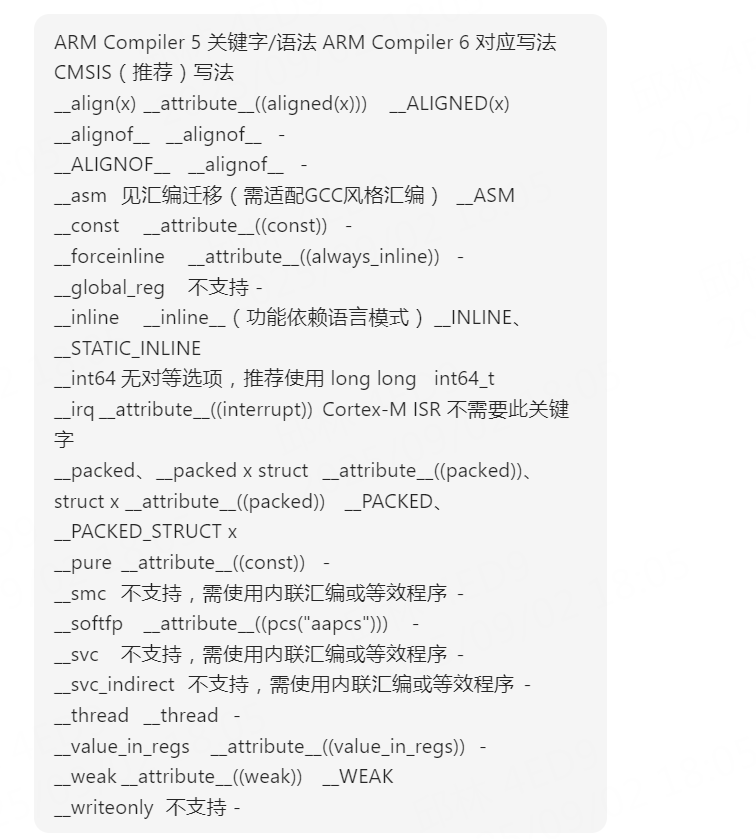
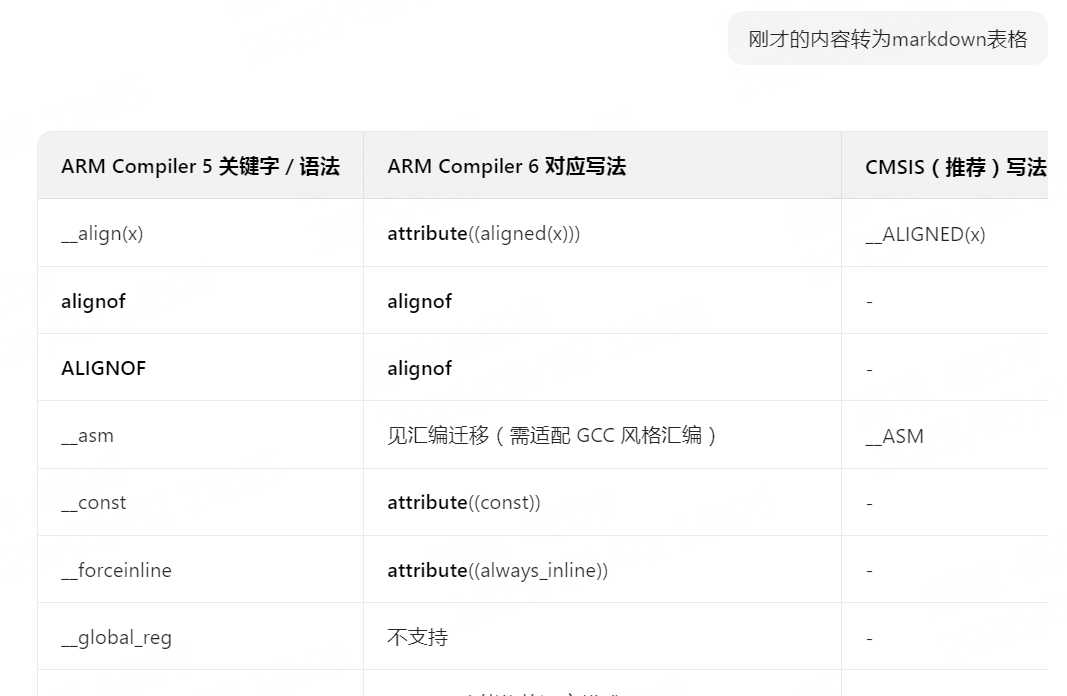
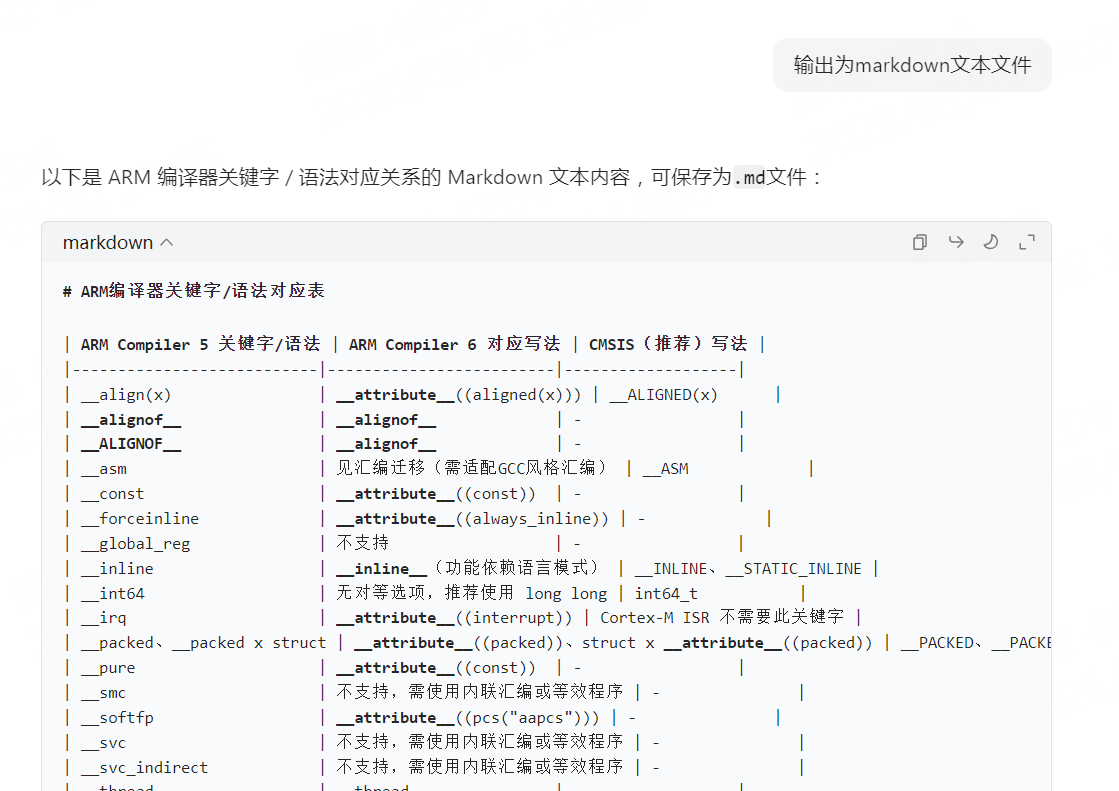
这个时候可以用豆包转成markdown表格,输出markdown文本。第2次:发送“刚才的内容转为markdown表格”第3次:发送“输出为markdown文本文件”
·
复制网上或者pdf中的表格内容,会变成下面这样:
ARM Compiler 5 关键字/语法	ARM Compiler 6 对应写法	CMSIS(推荐)写法
__align(x)	__attribute__((aligned(x)))	__ALIGNED(x)
__alignof__	__alignof__	-
__ALIGNOF__	__alignof__	-
__asm	见汇编迁移(需适配GCC风格汇编)	__ASM
__const	__attribute__((const))	-
__forceinline	__attribute__((always_inline))	-
__global_reg	不支持	-
__inline	__inline__(功能依赖语言模式)	__INLINE、__STATIC_INLINE
__int64	无对等选项,推荐使用 long long	int64_t
__irq	__attribute__((interrupt))	Cortex-M ISR 不需要此关键字
__packed、__packed x struct	__attribute__((packed))、struct x __attribute__((packed))	__PACKED、__PACKED_STRUCT x
__pure	__attribute__((const))	-
__smc	不支持,需使用内联汇编或等效程序	-
__softfp	__attribute__((pcs("aapcs")))	-
__svc	不支持,需使用内联汇编或等效程序	-
__svc_indirect	不支持,需使用内联汇编或等效程序	-
__thread	__thread	-
__value_in_regs	__attribute__((value_in_regs))	-
__weak	__attribute__((weak))	__WEAK
__writeonly	不支持	-
复制excel表格中的内容会变成:
Description	Comment	Designator	Footprint	Quantity
CAP	100nF	C1, C2, C3, C6, C8, C10, C11, C14, C15, C19, C21, C27, C28, C29, C30, C40, C43, C44, C48, C51, C53, C54, C70, C71, C92, C94, C97, C101, C108, C111, C115, C116, C118, C122, C125, C128, C129, C130, C131, C132, C133, C137, C138, C139, C140	C0402	45
CAP	100nF/630V	C5, C76	C1210	2
CAP	100pF	C74, C78, C102, C107, C109	C0402	5
CAP	10nF	C35, C46, C47, C55, C58, C67, C91, C105, C114, C117	C0402	10
CAP	10uF/10V	C52, C56, C98, C119, C120, C123, C124	C0603	7
CAP	10uF/25V	C9, C13, C22, C31, C141	C0805	5
CAP	18pF	C41, C42	C0402	2
CAP	1nF	C7, C12, C18, C23, C24, C25, C26, C34, C36, C37, C38, C39, C100, C103, C126, C135, C136	C0402	17
CAP	1nF	C86, C88, C99	C0603	3
CAP	1uF/10V	C20, C49, C142	C0402	3
CAP	2.2nF/2KV	C61, C64, C65, C68, C73	C1206	5
这个时候可以用豆包转成markdown表格,输出markdown文本。
第1次:发送内容
第2次:发送“ 刚才的内容转为markdown表格 ”
第3次:发送“ 输出为markdown文本文件 ”

欢迎加入DeepSeek 技术社区。在这里,你可以找到志同道合的朋友,共同探索AI技术的奥秘。
更多推荐
 1
1 0
0- 0


 已为社区贡献3条内容

所有评论(0)