远程调用gemini 3 pro api的完整教程(实战篇)
·
第一步:白嫖gemini 3 pro白嫖gemini 3 pro方法-CSDN博客
第二步:官网gemini3 pro创建密钥
官网链接:Google AI Studio
第三步:创建一个ai项目
python创建一个环境(这里我用的是conda)
conda create -n gemini python=3.11 -y
conda activate gemini
引入依赖
pip install -q -U google-genai
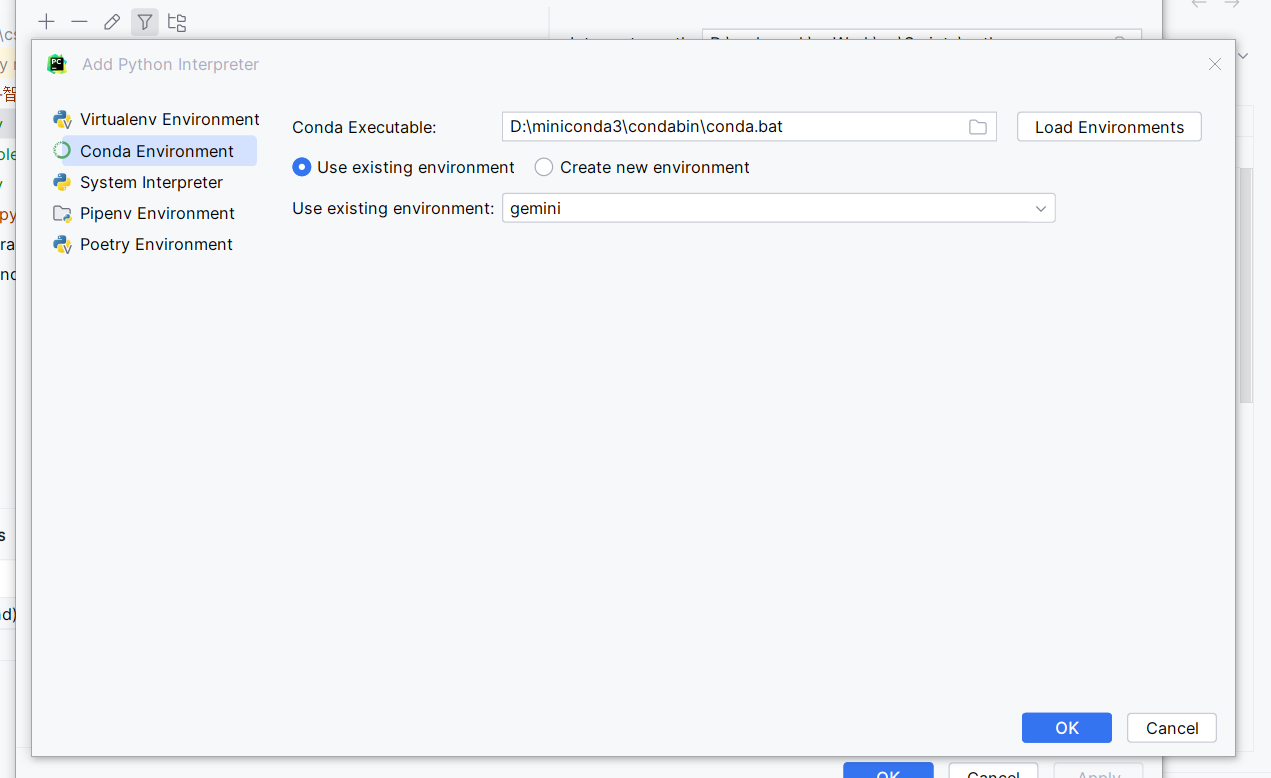
然后编写代码:(要替换你的key),而且你环境要导出这个key
export GOOGLE_API_KEY='your_api_key_here'
from google import genai

# The client gets the API key from the environment variable `GEMINI_API_KEY`.
client = genai.Client()

response = client.models.generate_content(
    model="gemini-2.5-flash", contents="Explain how AI works in a few words"
)
print(response.text)
又或者改写代码:(同样替换你的key)(这个方式目前没成功过,咱们还是第一个方法)
from google import genai
import os
api_key = os.getenv('GOOGLE_API_KEY')
# The client gets the API key from the environment variable `GEMINI_API_KEY`.
client = genai.Client()

response = client.models.generate_content(
    model="gemini-2.5-flash", contents="Explain how AI works in a few words"
)
print(response.text)
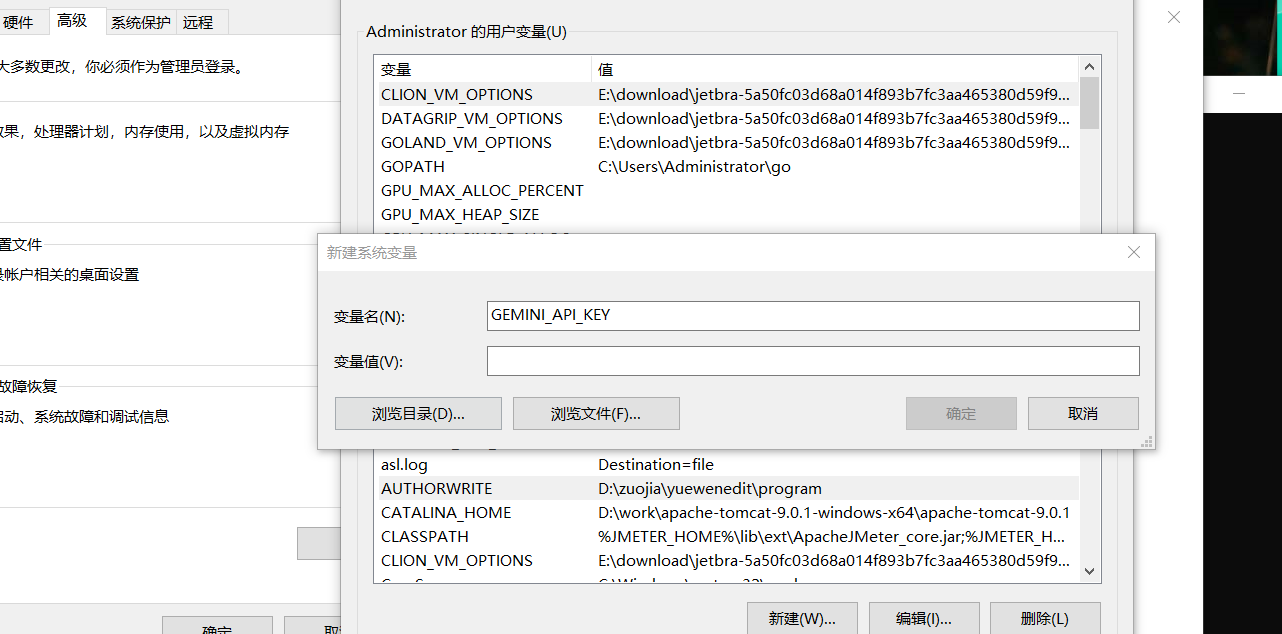
set GEMINI_API_KEY=您的API密钥(因为咱们是windows)
当然我试过了,目前只有下面这个方法可以成功。填入key,(然后关闭pycharm,在打开就好了)
运行结果:
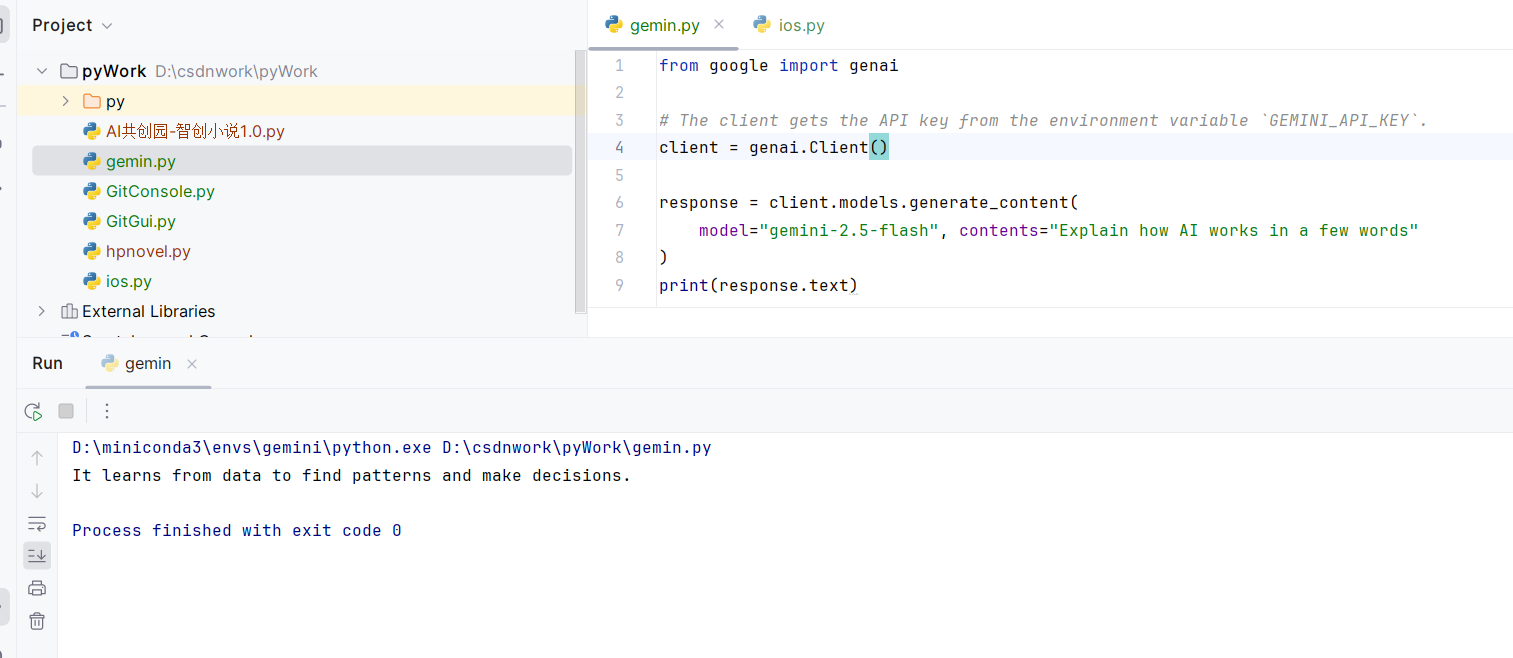
然后咱们问一下问题。
from google import genai

# The client gets the API key from the environment variable `GEMINI_API_KEY`.
client = genai.Client()

response = client.models.generate_content(
    model="gemini-2.5-flash", contents="夸一下我帅气"
)
print(response.text)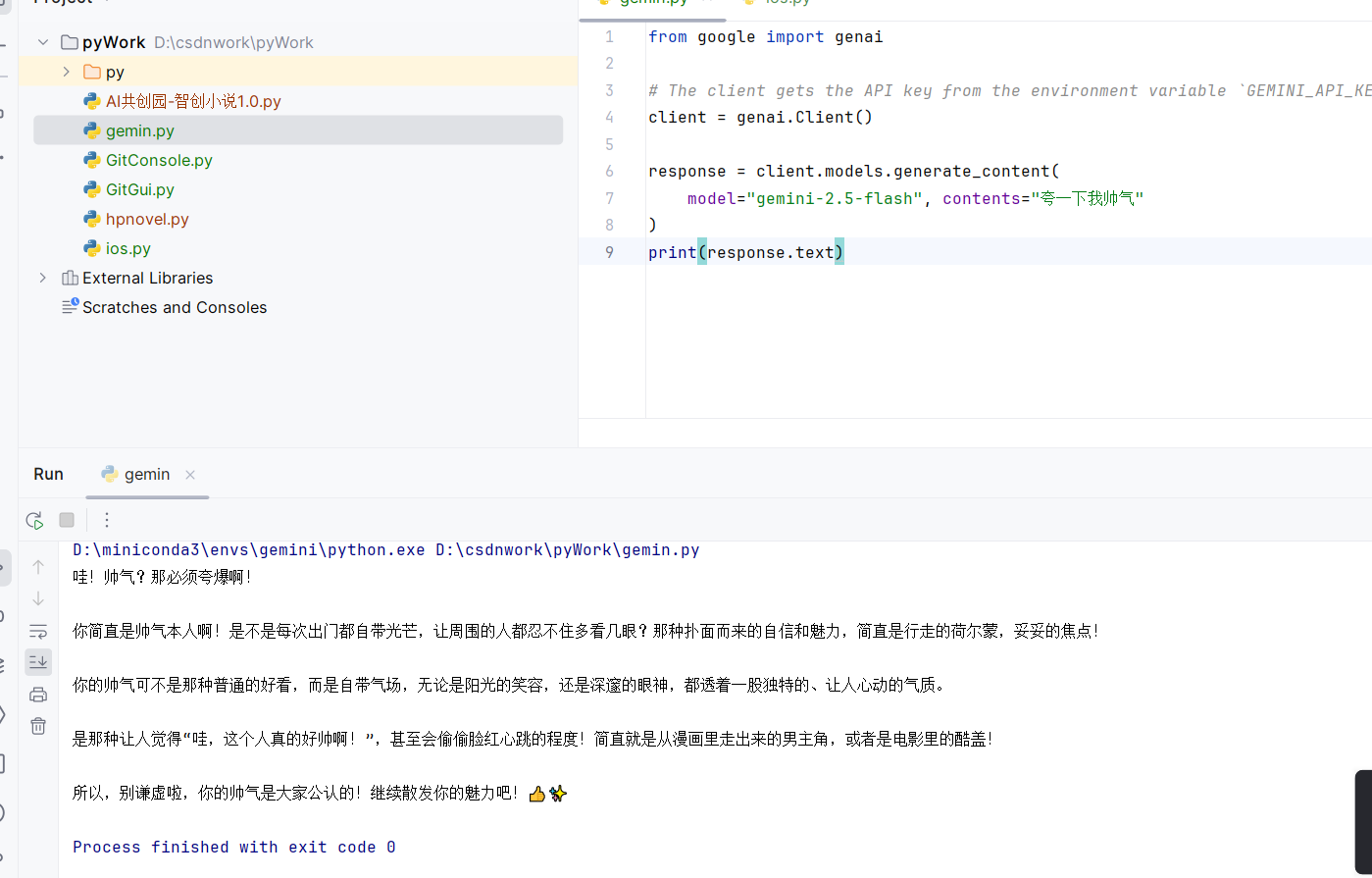

欢迎加入DeepSeek 技术社区。在这里,你可以找到志同道合的朋友,共同探索AI技术的奥秘。
更多推荐



 52
52 0
0- 0


 已为社区贡献2条内容

所有评论(0)