Windows环境下私有化部署Dify,并接入通义千问模型
Windows环境下使用docker部署dify,并在Dify上安装配置通义千问插件。包括获取api-key的方法和其他安装过程中出现的一些问题及解决办法。
相关文章链接

2.镜像加速器地址:https://cr.console.aliyun.com/cn-hangzhou/instances/mirrors
3. 在 Windows 上安装 Docker Desktop:Windows | Docker Docs
4.Dify官方文档:https://docs.dify.ai/zh-hans/introduction
5.如何开通阿里云百炼大模型服务平台:https://help.aliyun.com/zh/model-studio/videos/activate-alibaba-cloud-model-studio
6.大模型服务平台百炼-新人免费额度:https://help.aliyun.com/zh/model-studio/new-free-quota?spm=a2ty02.30260213.0.0.5fd574a16AReKn
7.大模型服务平台百炼-第三方工具Dify: https://help.aliyun.com/zh/model-studio/dify
8.首次调用通义千问API:https://help.aliyun.com/zh/model-studio/first-api-call-to-qwen?spm=a2c4g.11186623.0.i0
一、安装docker
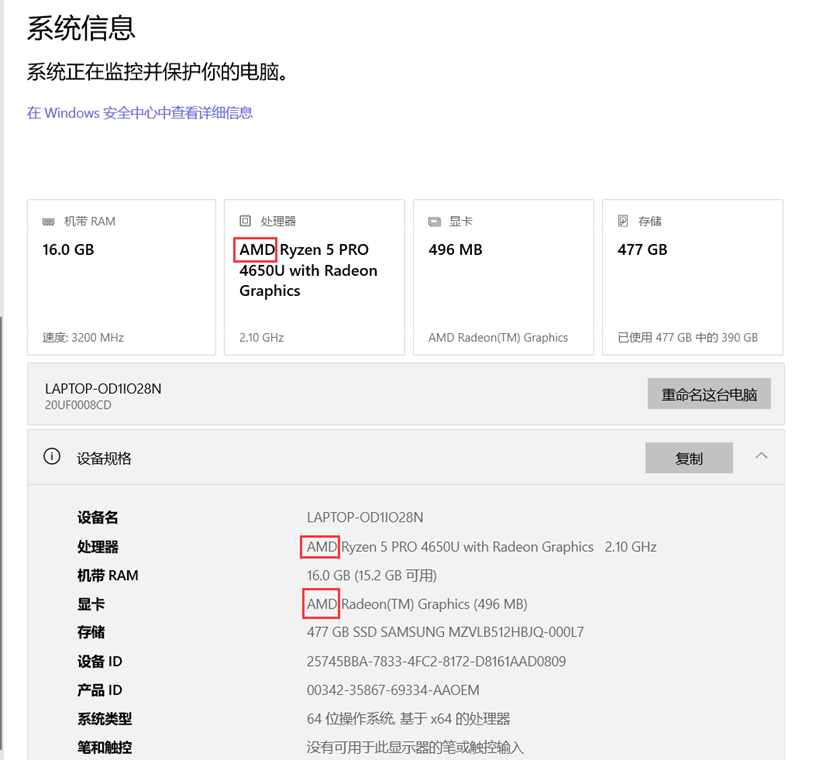
(1)检查电脑系统信息,需要下载对应的docker,否则无法安装
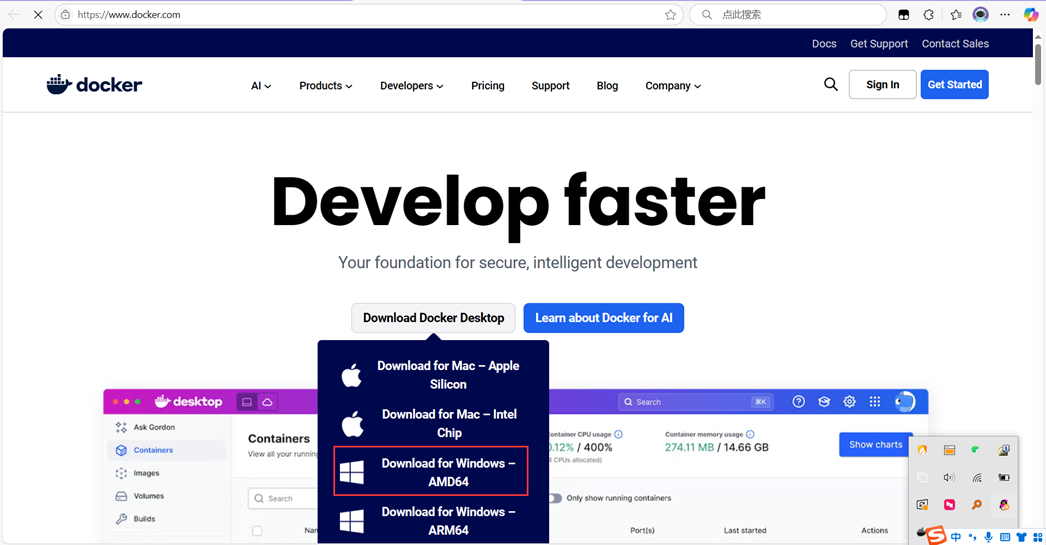
(2)访问docker官网:https://www.docker.com/
(3)点击安装后,打开设置进行配置
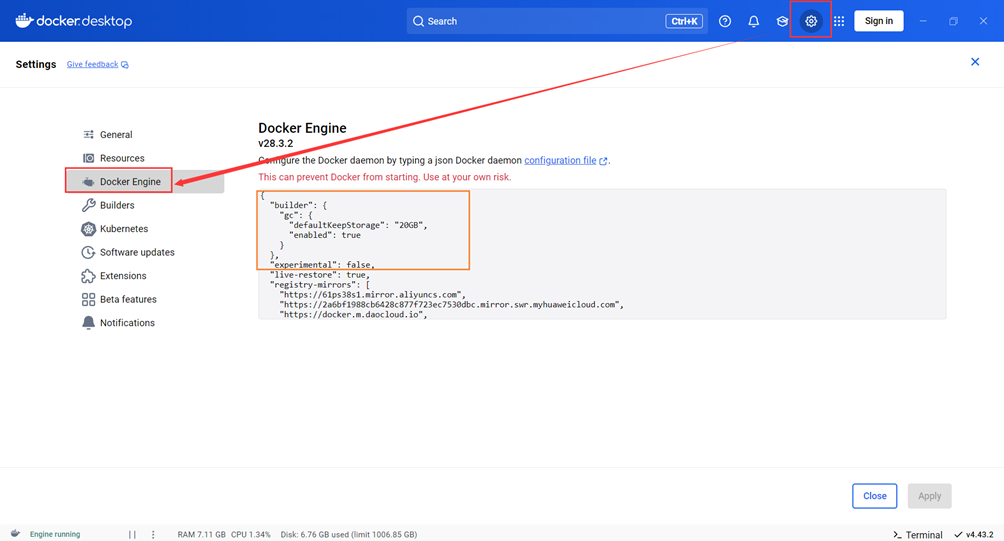
橙色部分是原有的。添加镜像,默认的是https://registry-1.docker.io/v2/,可以在浏览器直接访问,能访问该处地址可以不修改。如果访问不了,需要配置镜像,一般使用阿里云的。阿里云的官方镜像加速文档和加速器地址如下:
官方镜像加速配置:
https://cr.console.aliyun.com/cn-shanghai/instance/dashboard
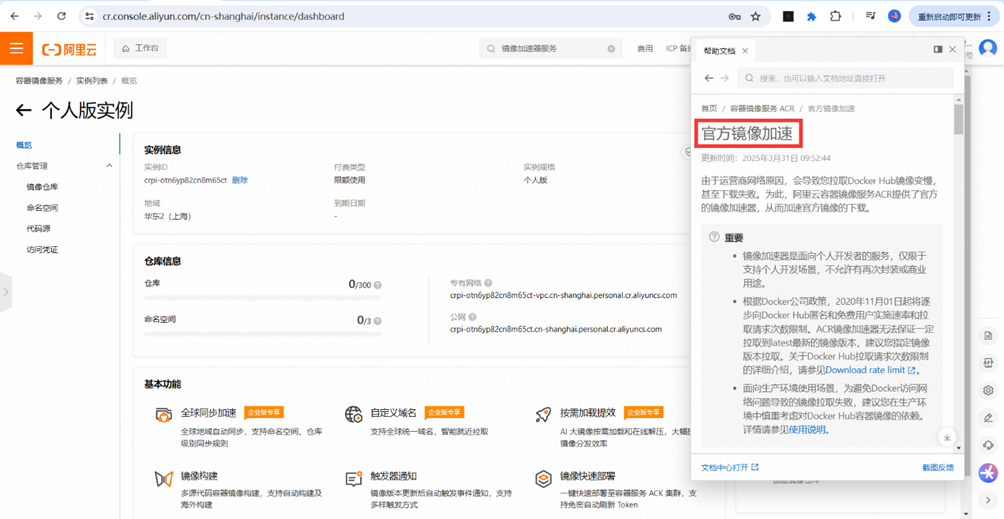
找到加速器地址:https://cr.console.aliyun.com/cn-hangzhou/instances/mirrors
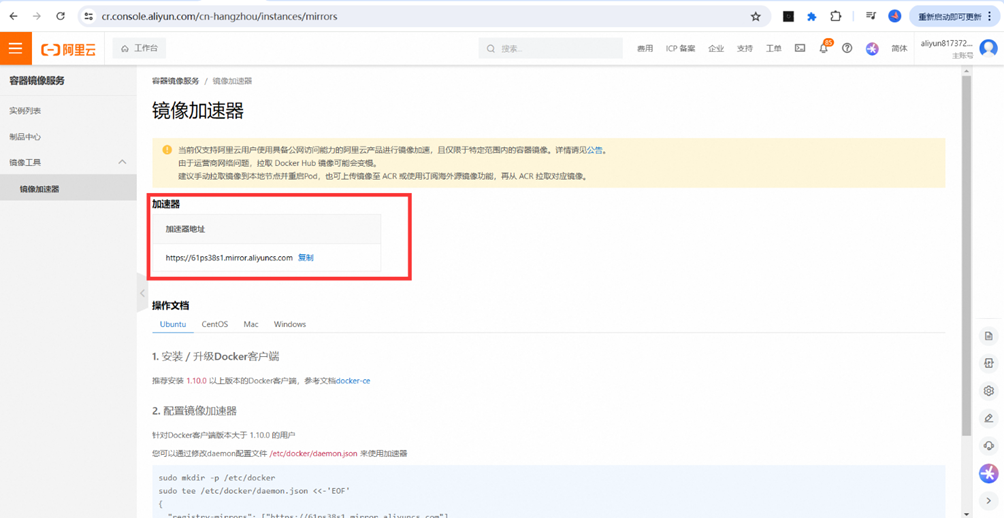
为了保守起见,可以多增加几个有效的镜像:(docker中以下设置对应deamon.json文件,一开始是没有的,在设置中设置后就可以看到了。)
{

  "builder": {

    "gc": {

      "defaultKeepStorage": "20GB",

      "enabled": true

    }

  },

  "experimental": false,

  "live-restore": true,

  "registry-mirrors": [

    "https://61ps38s1.mirror.aliyuncs.com",

    "https://2a6bf1988cb6428c877f723ec7530dbc.mirror.swr.myhuaweicloud.com",

    "https://docker.m.daocloud.io",

    "https://hub-mirror.c.163.com",

    "https://mirror.baidubce.com",

    "https://your_preferred_mirror",

    "https://dockerhub.icu",

    "https://docker.registry.cyou",

    "https://docker-cf.registry.cyou",

    "https://dockercf.jsdelivr.fyi",

    "https://docker.jsdelivr.fyi",

    "https://dockertest.jsdelivr.fyi",

    "https://mirror.aliyuncs.com",

    "https://dockerproxy.com",

    "https://mirror.baidubce.com",

    "https://docker.m.daocloud.io",

    "https://docker.nju.edu.cn",

    "https://docker.mirrors.sjtug.sjtu.edu.cn",

    "https://docker.mirrors.ustc.edu.cn",

    "https://mirror.iscas.ac.cn",

    "https://docker.rainbond.cc"

  ]

}
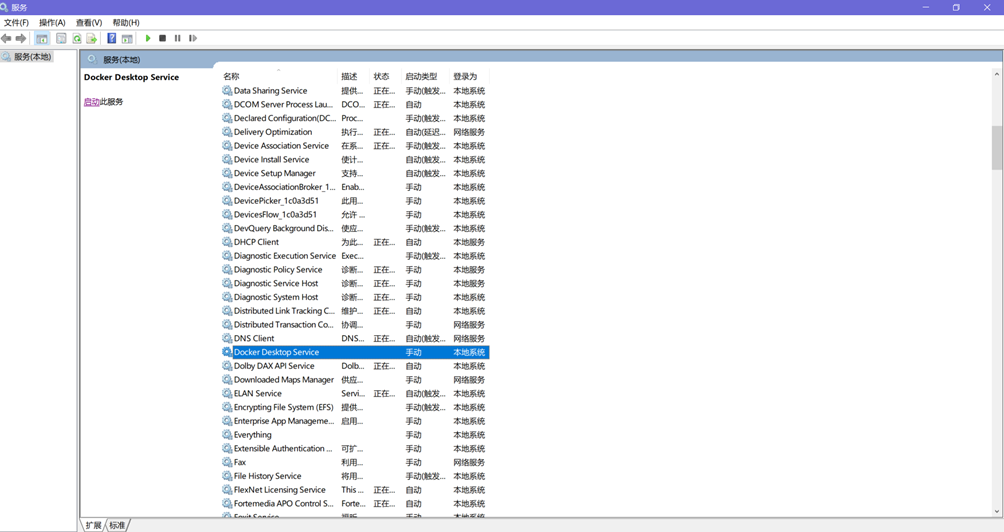
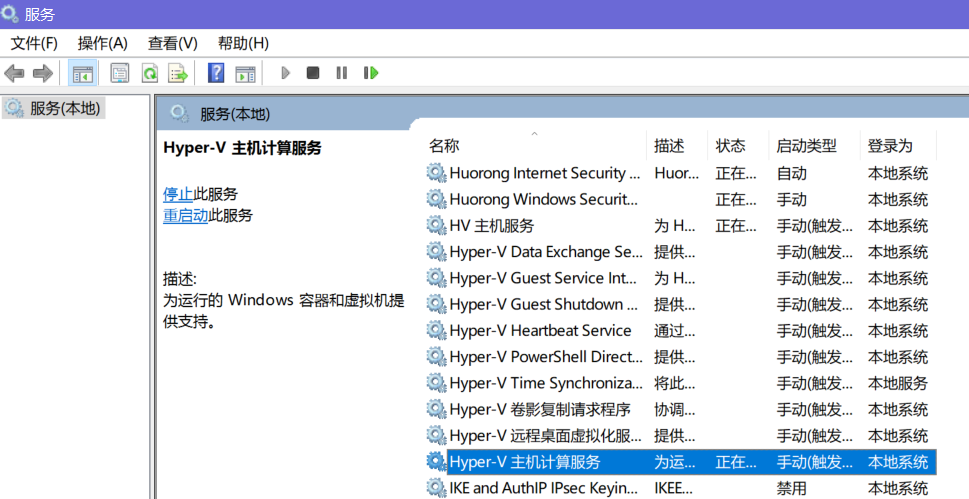
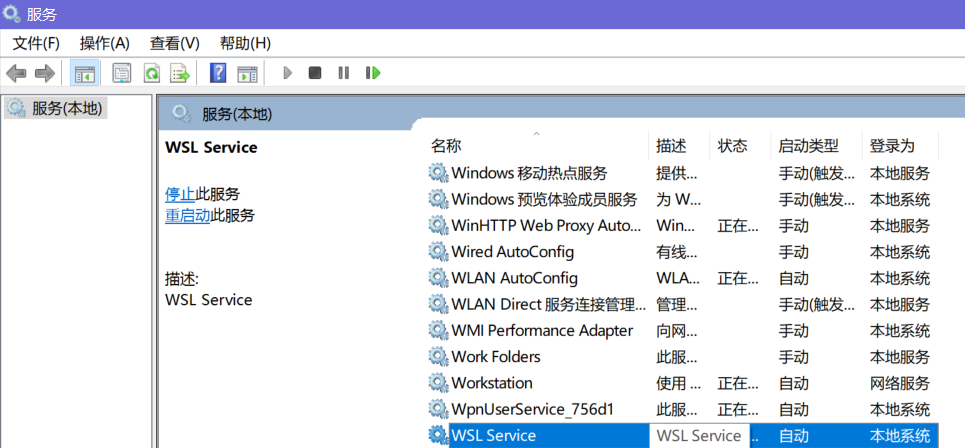
注意:docker服务可能是默认关闭的,需要去“服务”打开。
二、下载Dify安装包并启动
(1)地址:https://github.com/langgenius/dify
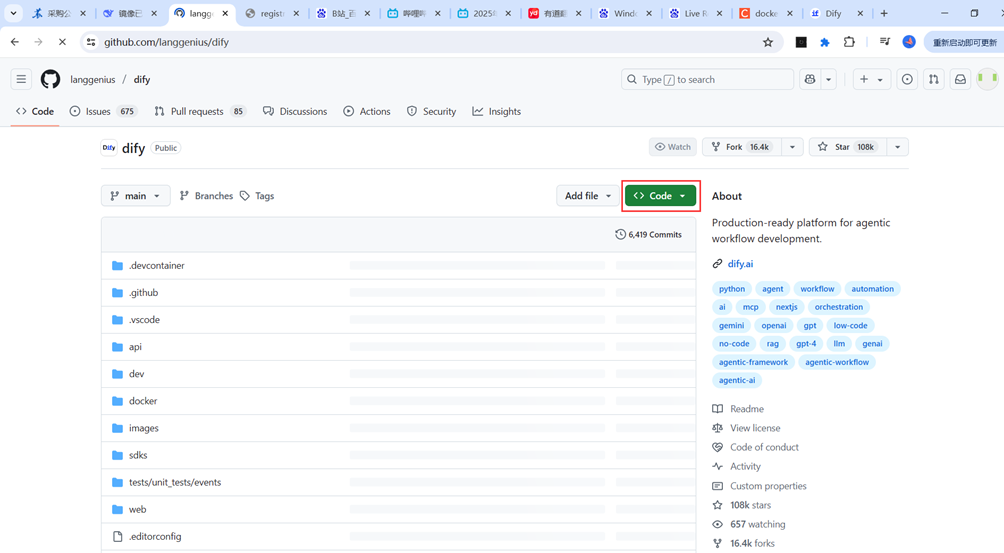
下载安装包后,直接解压。
(2)切换到解压后的目录,找到docker文件夹,输入cmd
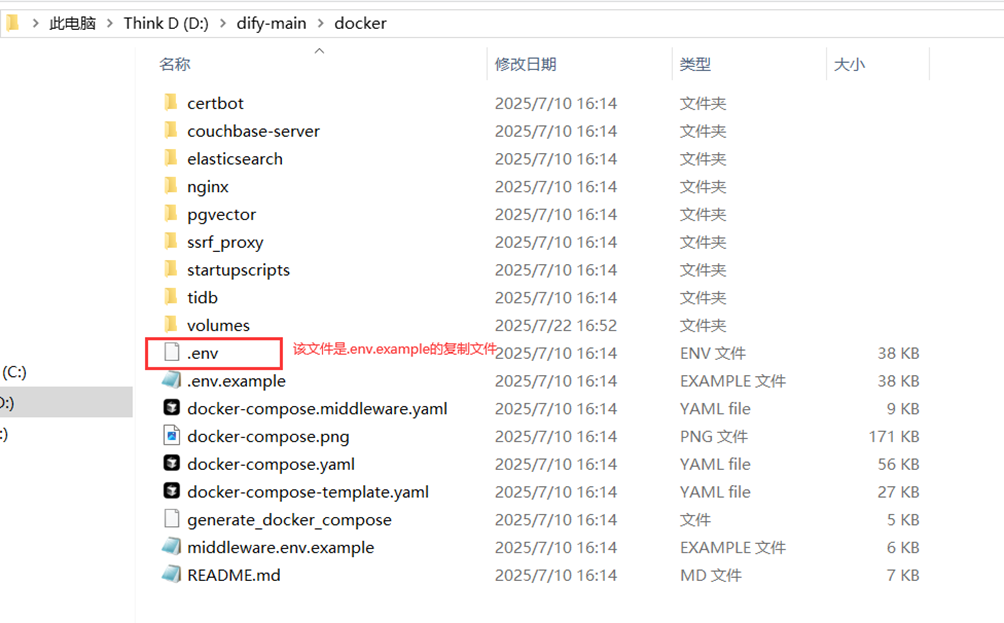
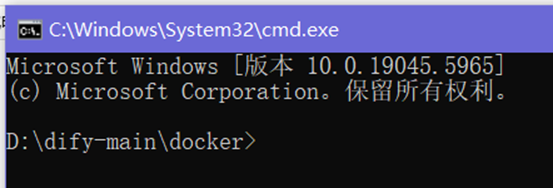
命令生成.env文件
copy .env.example .env(3)启动dify docker compose up -d
一般情况,docker环境配置好了,启动没问题。常见错误,已经配置其他镜像且重启了docker,还是报错:
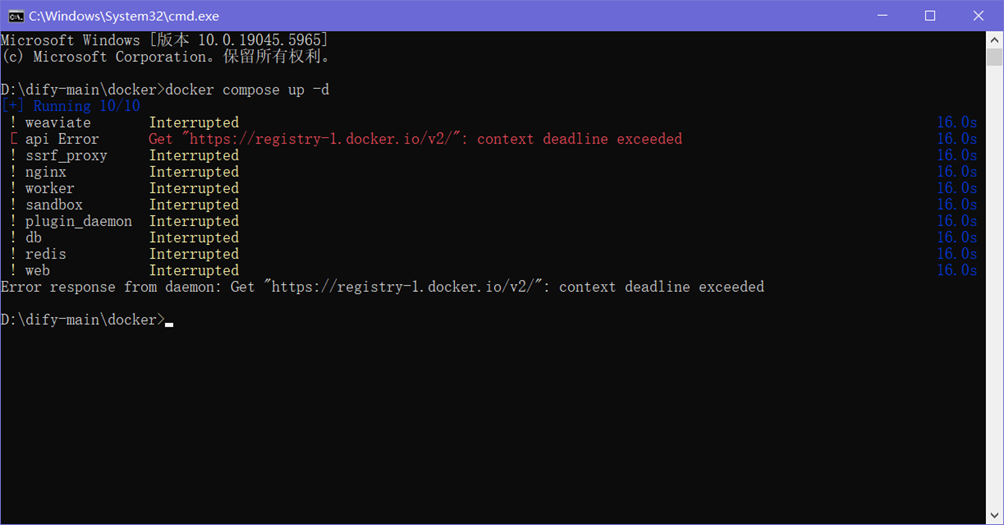
此时输入 docker info 会看到以下信息(部分,红色表示镜像配置成功):
No Proxy: hubproxy.docker.internal
Labels:
com.docker.desktop.address=npipe://\\.\pipe\docker_cli
Experimental: false
Insecure Registries:
hubproxy.docker.internal:5555
::1/128
127.0.0.0/8
Registry Mirrors:
https://61ps38s1.mirror.aliyuncs.com/
Live Restore Enabled: false
WARNING: DOCKER_INSECURE_NO_IPTABLES_RAW is set。
但仍报错,需要在配置中添加 "live-restore": true,如果在“一、安装docker(3)”步骤中已配置镜像。启动便不会出错。
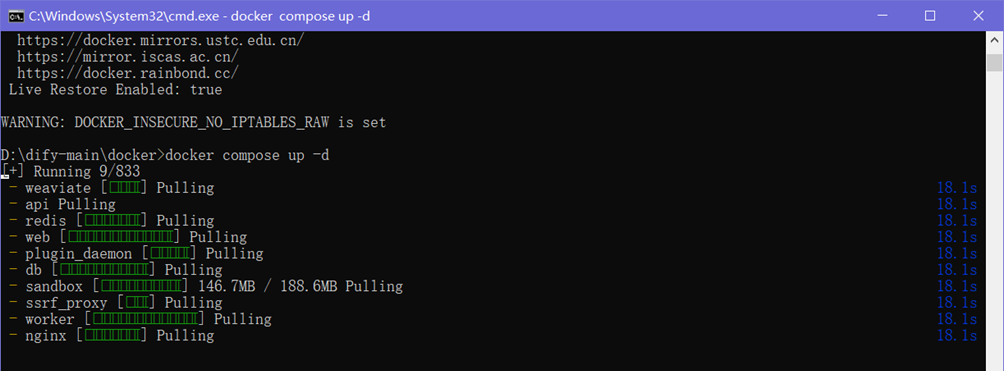
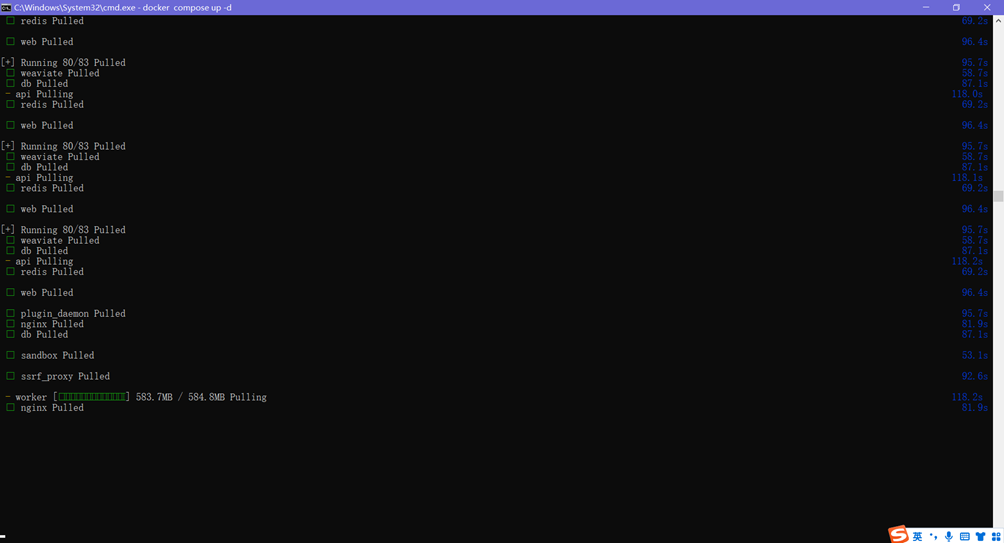
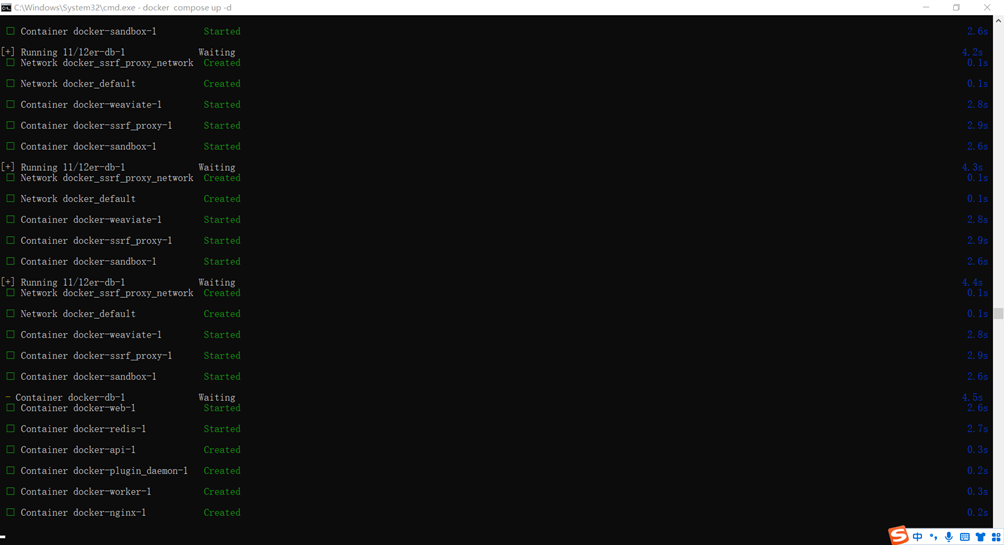
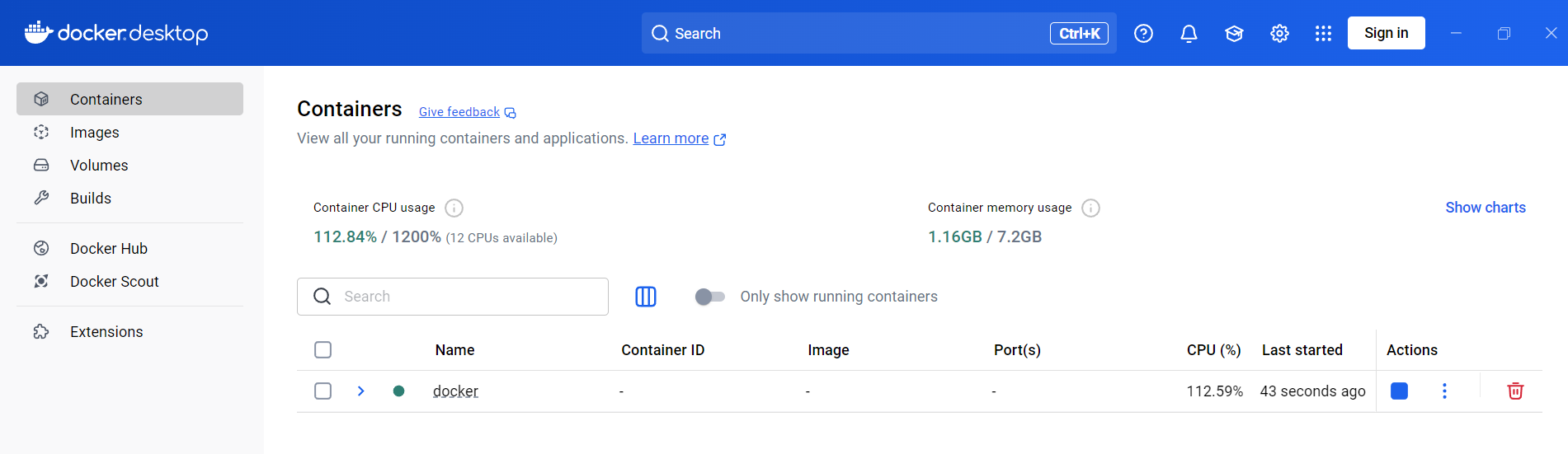
以上是初次启动dify的情况,再次启动,直接打开docker,就能在列表看到,可停止可启动。
(4)浏览器访问dify:localhost:80/install
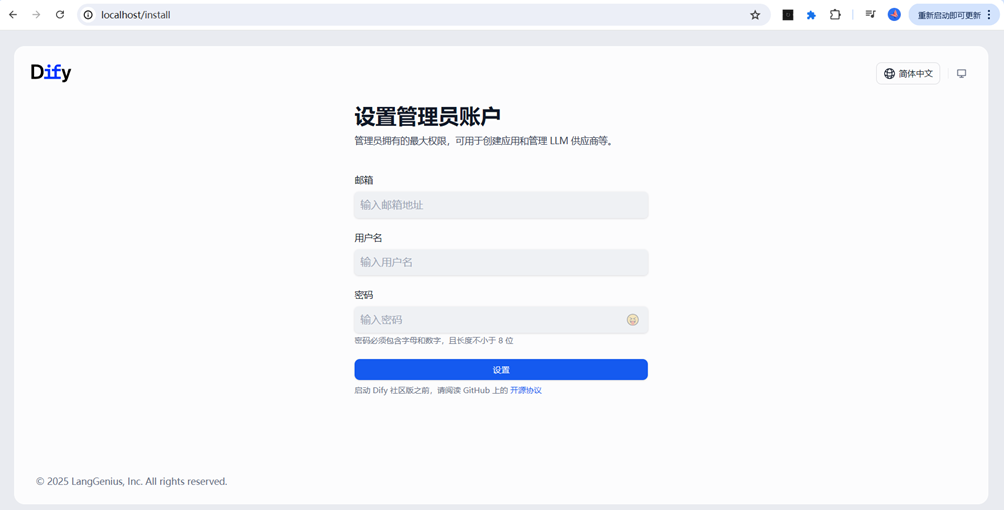
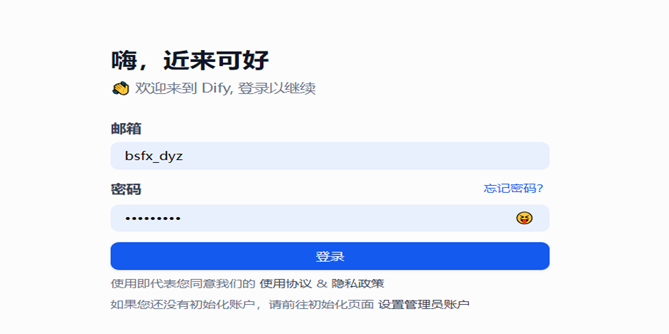
填写以上信息后点击登录。注意:不用用浏览器自动保存密码,自动保存的在邮箱位置的是用户名,不是邮箱,点击登录会提示“请输入有效的邮箱地址”
登录后页面:
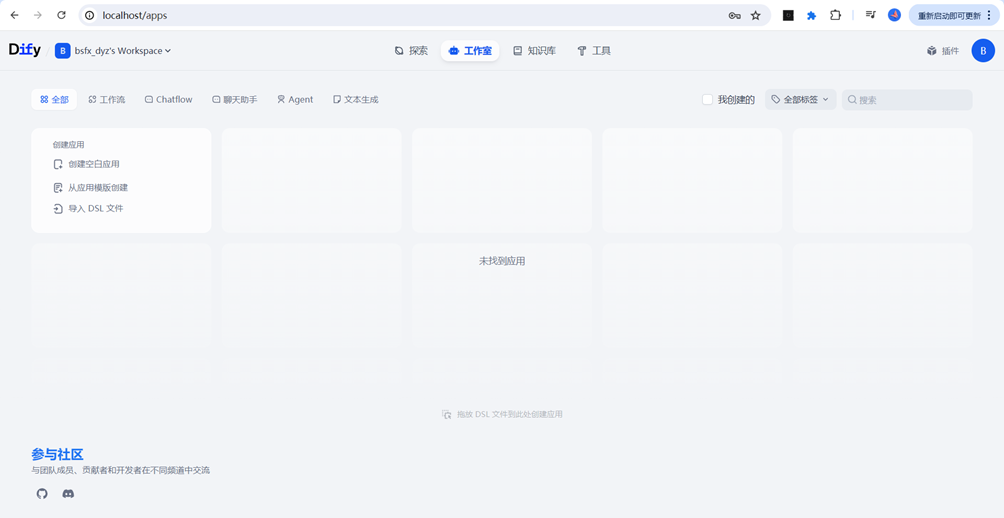
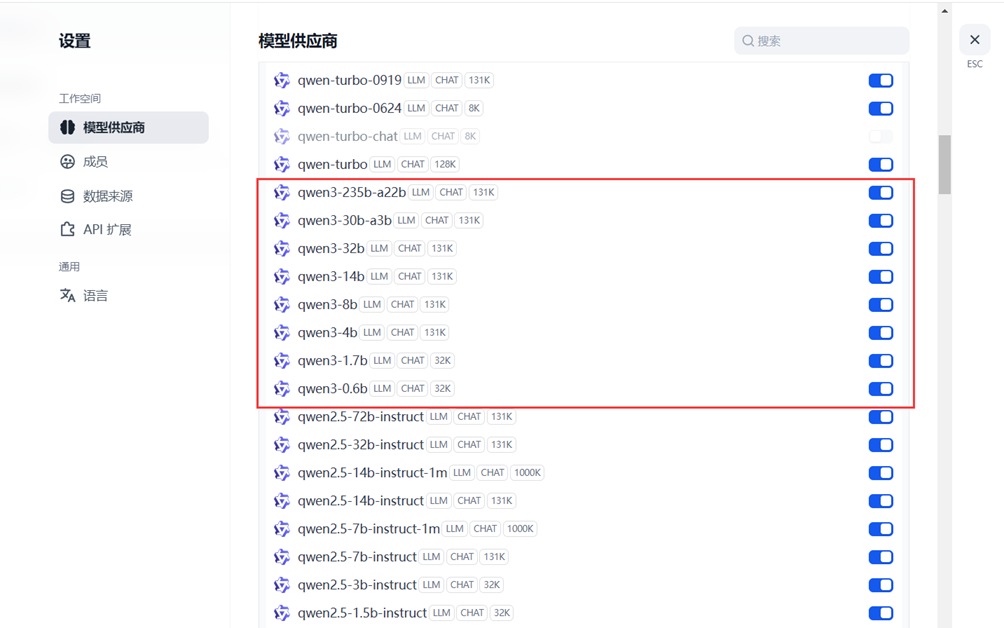
三、配置Qwer3模型
(1)登录阿里云百炼平台(https://bailian.console.aliyun.com/?tab=home#/home),获取API key
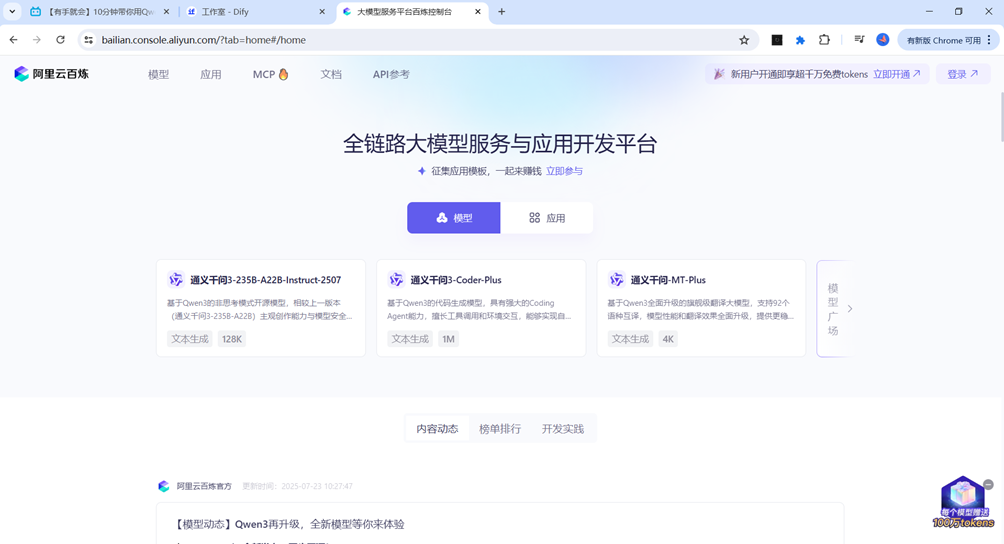
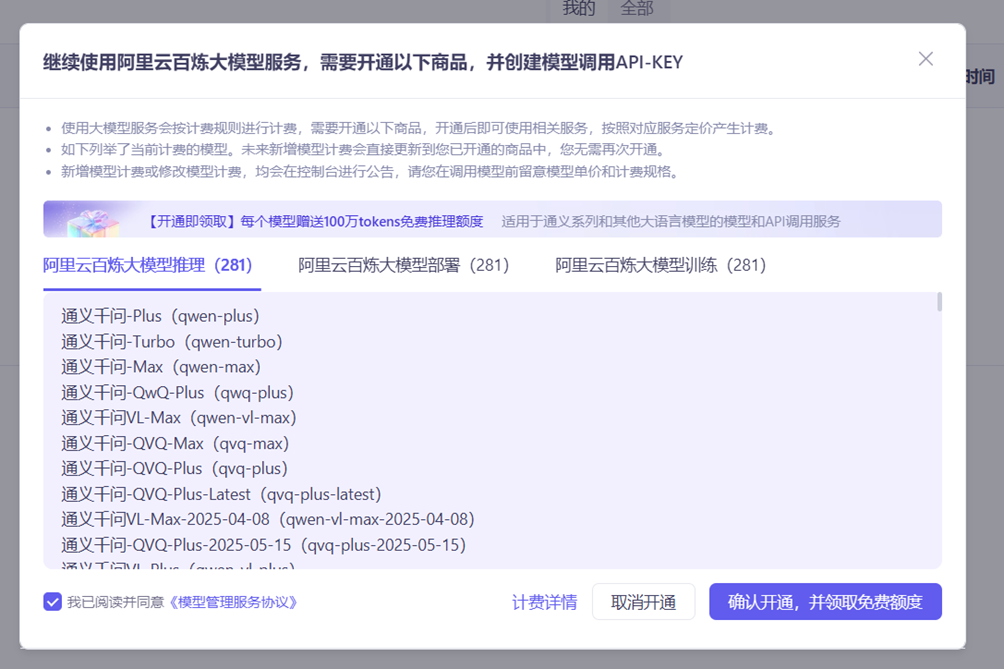
(2)首次扫码登录并开通获取免费tokens
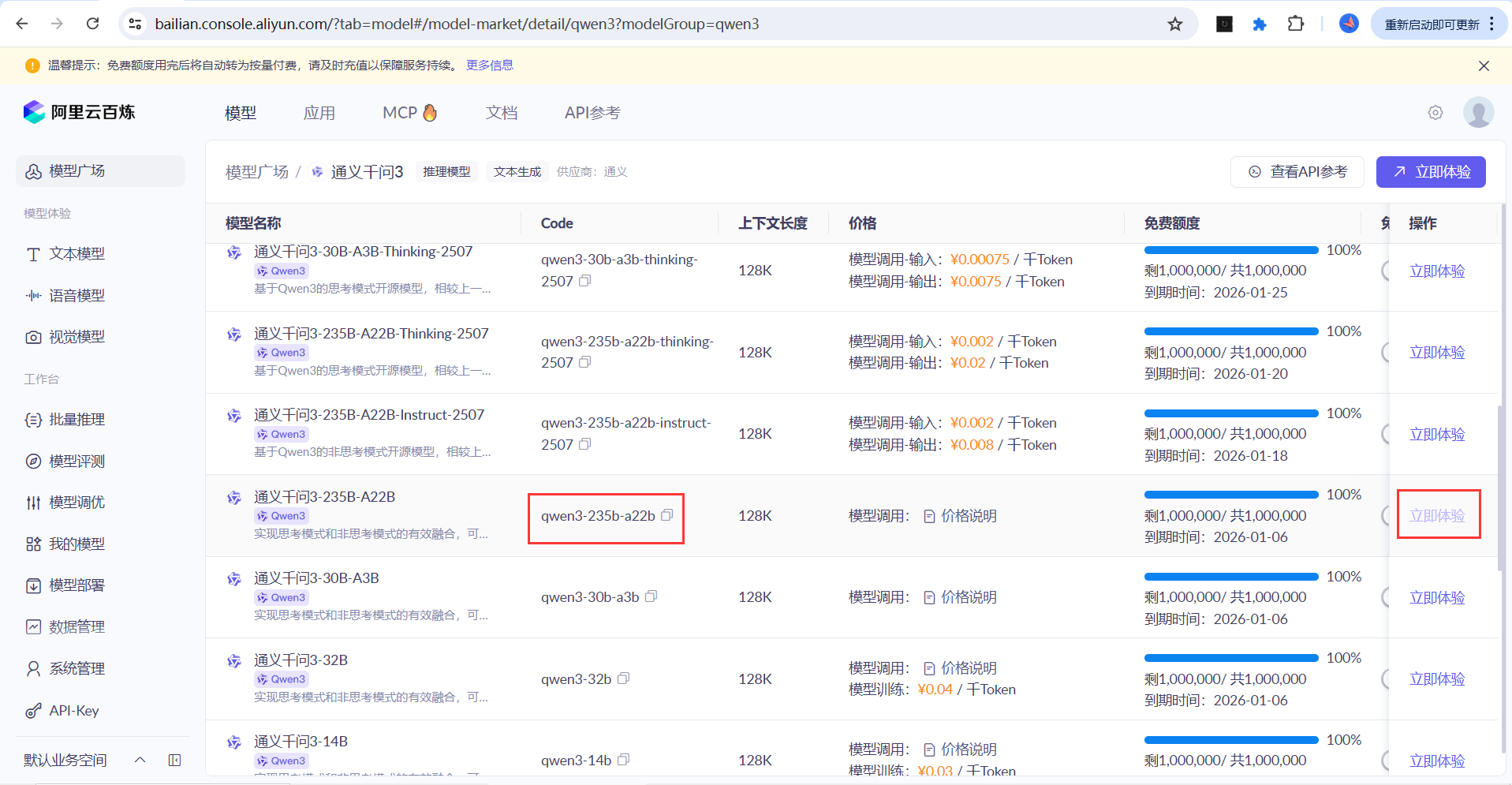
查看可用额度
不开通无法创建API-Key
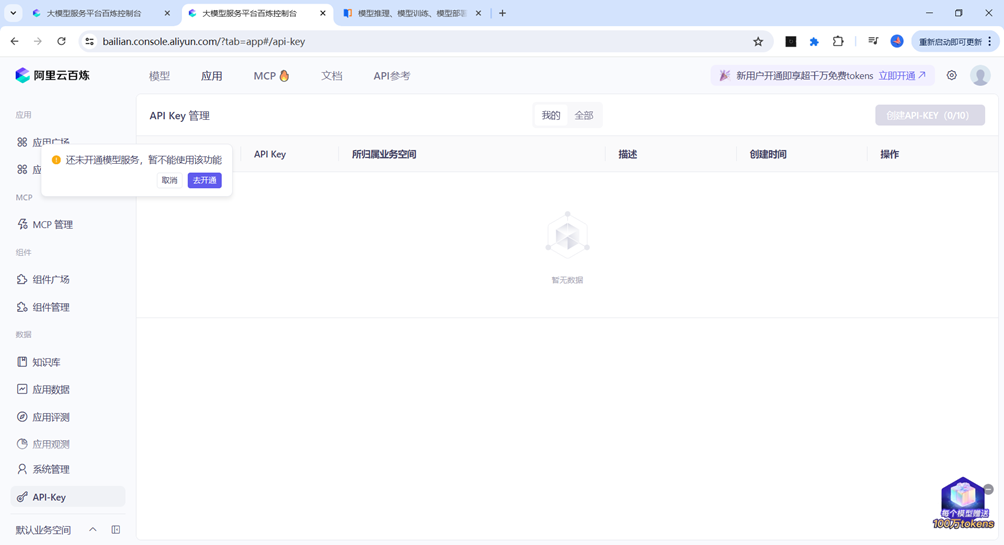
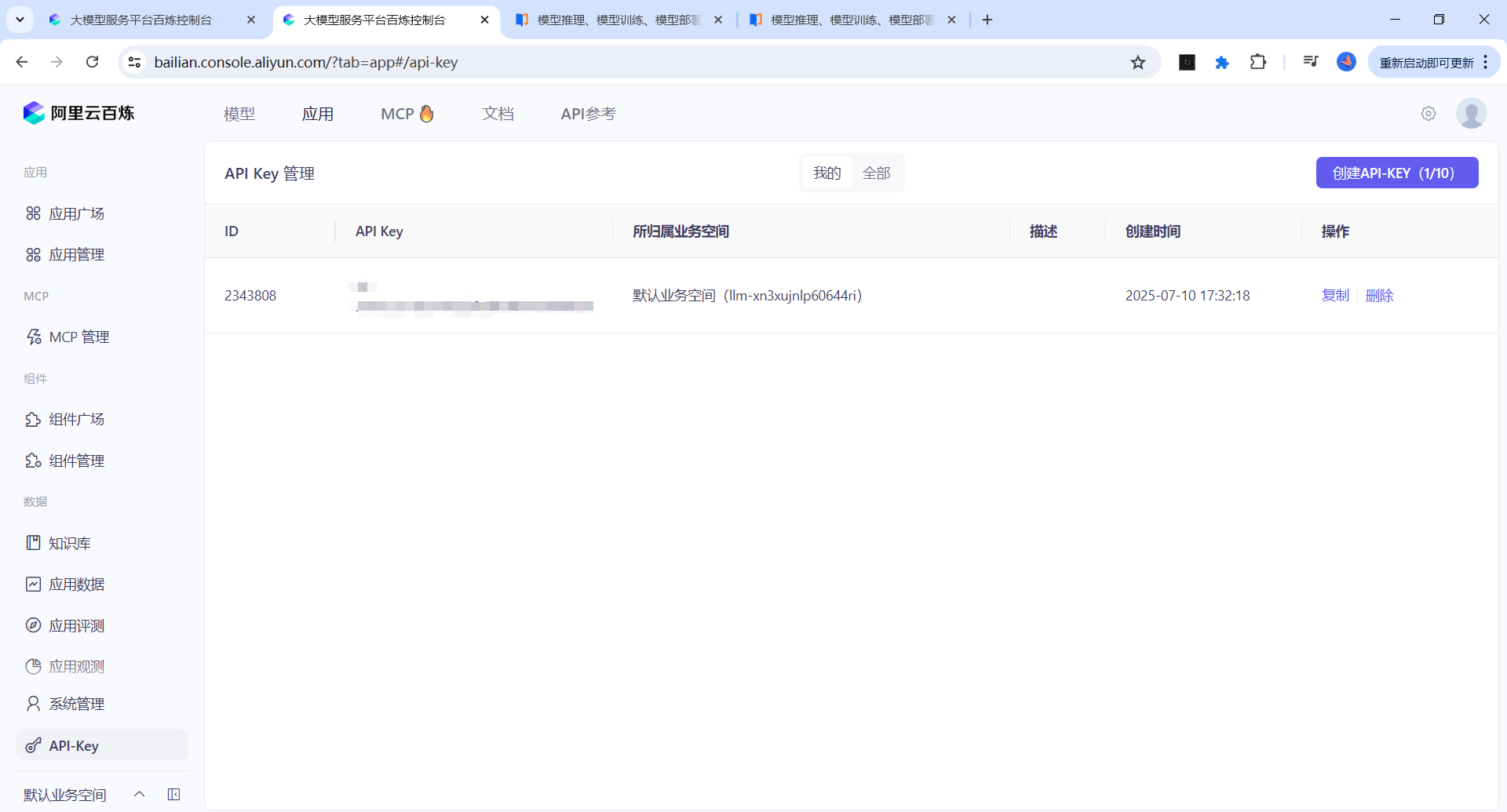
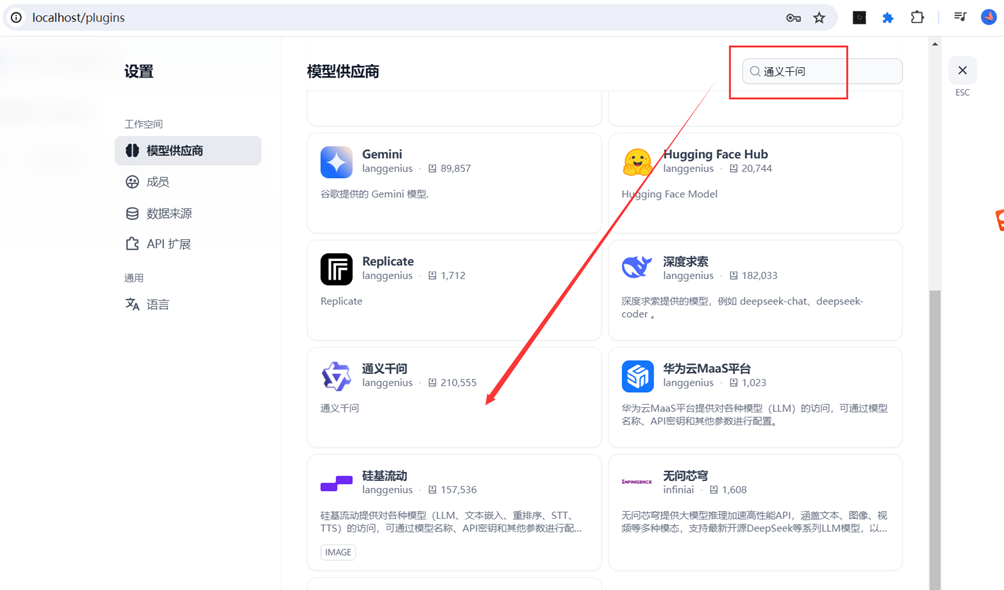
(3)Dify平台安装通义千问插件
注意:Dify官方给的稳定版本是0.0.25,其他版本后期调用模型时。可能会出现“XXX model not exist”的问题。
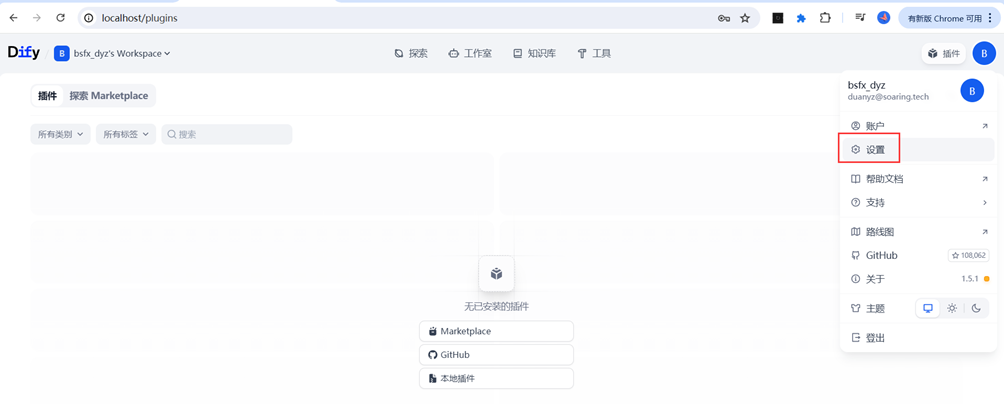
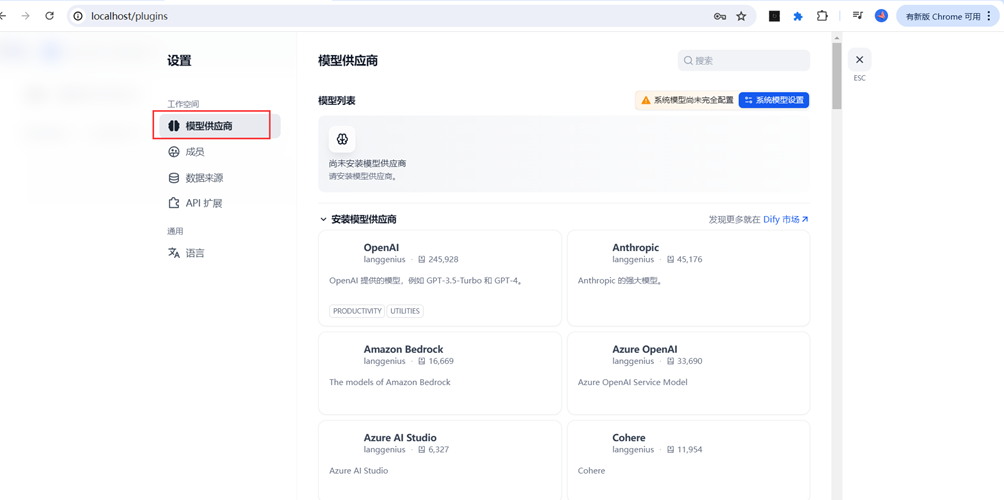
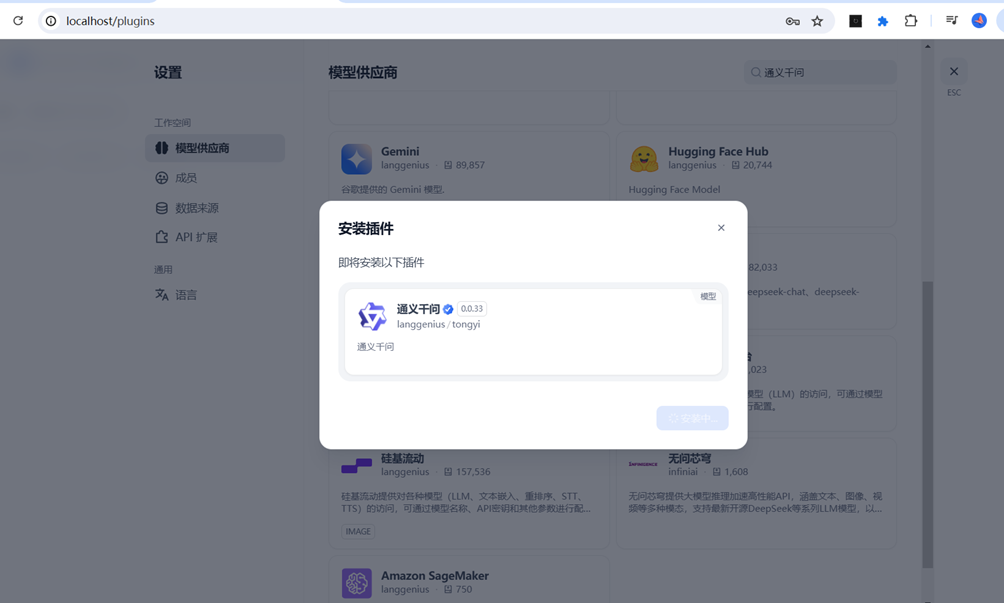
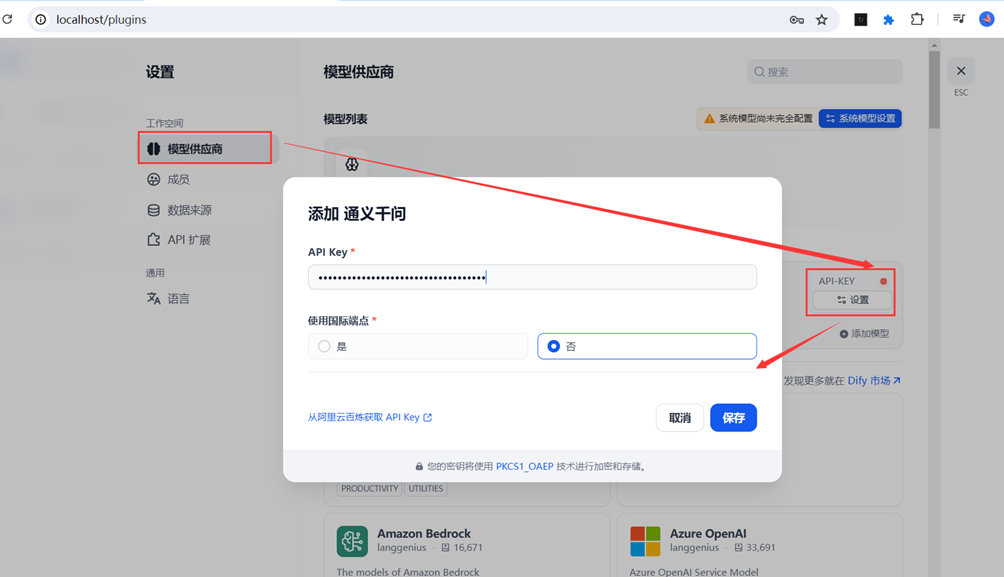
安装成功后设置API-Key
四、其他问题及解决办法
1.如果Dify工作流调用模型出现“xxx not exist”、“PluginDaemonInternalServerError: no available node, plugin not found ”
e.g Run failed: Model qwen3-235b-a22b not exist
原因:(1)通义千问安装的版本不对,Dify官方给的是0.0.25;
(2)调用的人太多,尽量避开工作时间。(博主亲身经历,全部搭建好了,但是就是报错,检查原因三天都没查出来,偶然在某天下午六点左右调用,成功了)
2.通义千问api-key配置 报错Internal Server Error
网络不好,也可能是版本不对。官方建议0.0.25 https://help.aliyun.com/zh/model-studio/dify
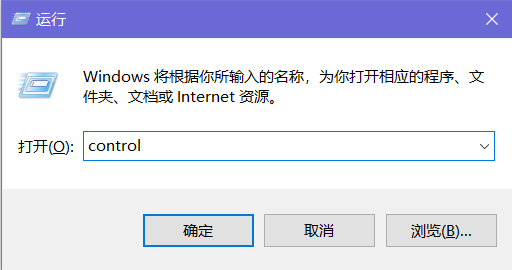
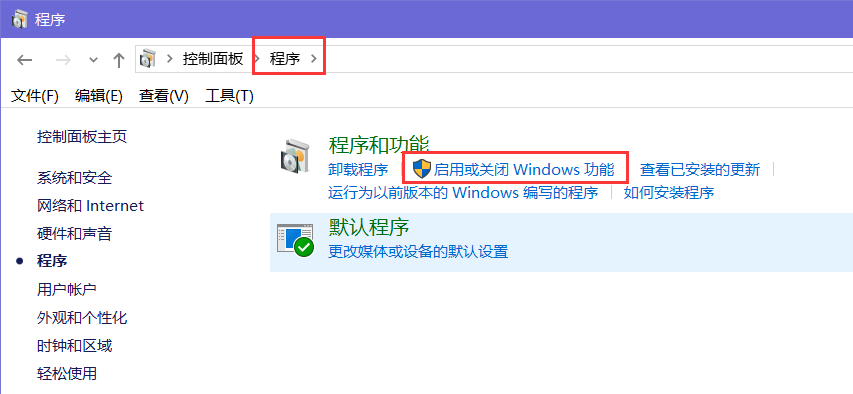
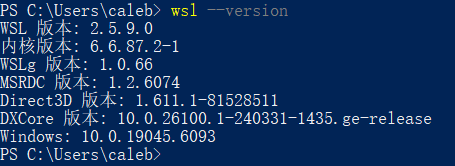
3.打开docker报错
An unexpected error occurred while executing a WSL command.
(1)问题一:
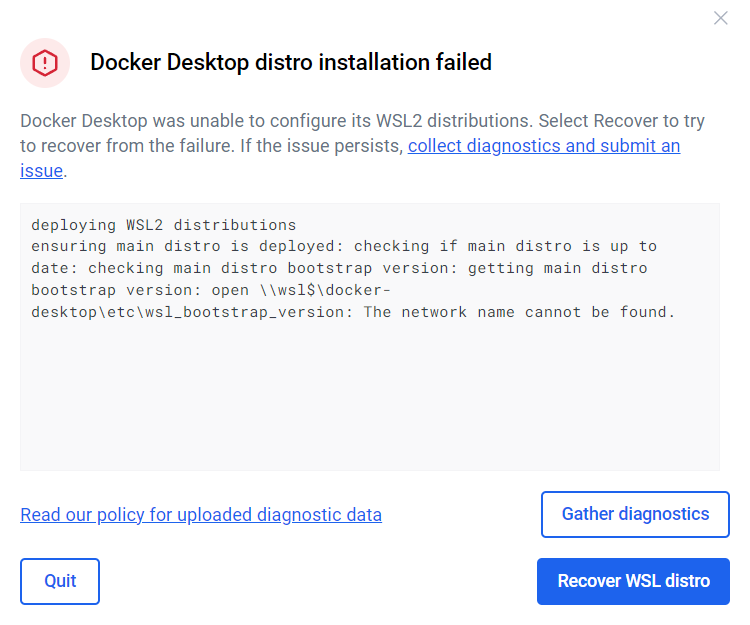
解决办法:进入服务,启动docker
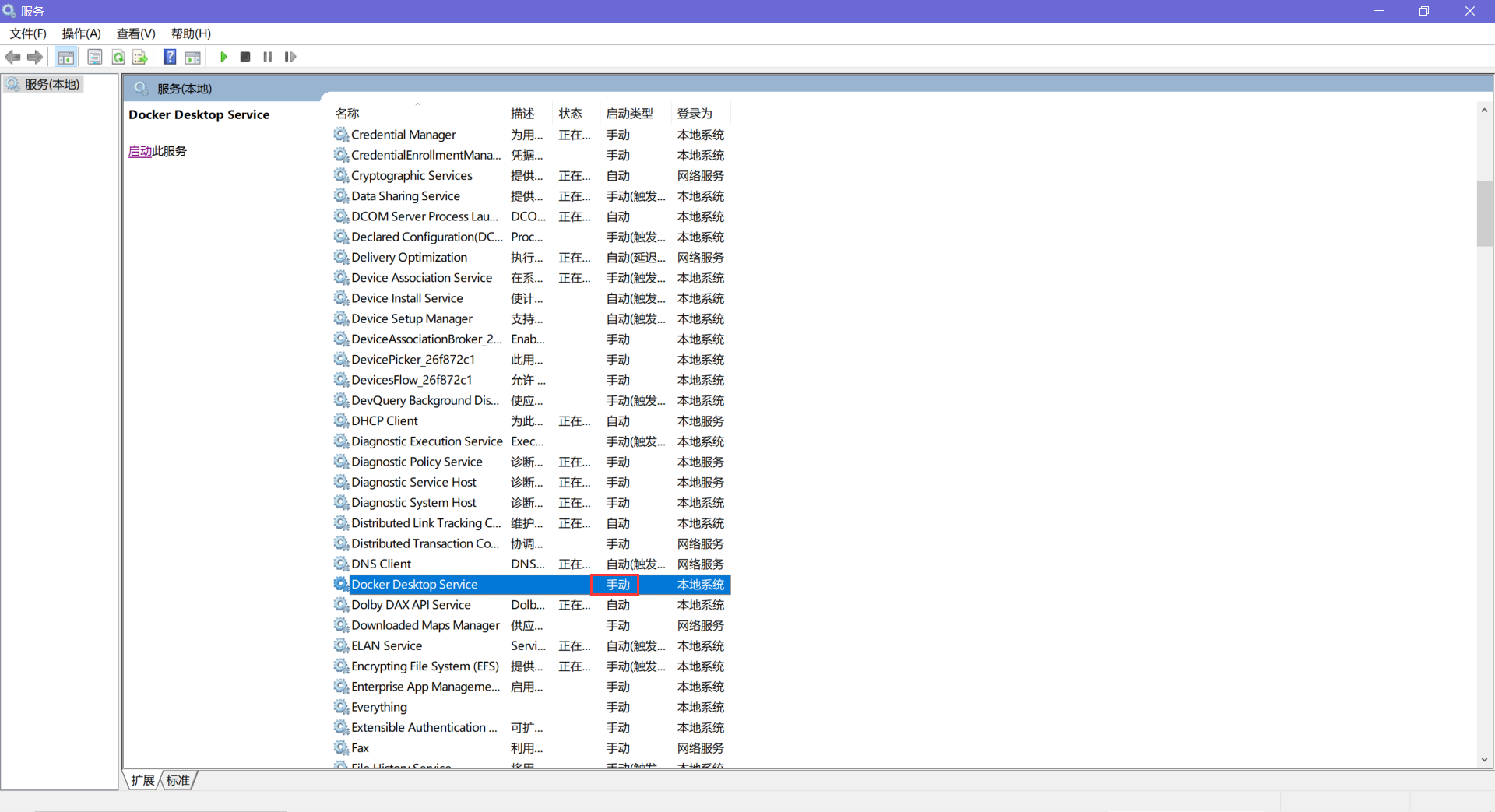
(2)问题二
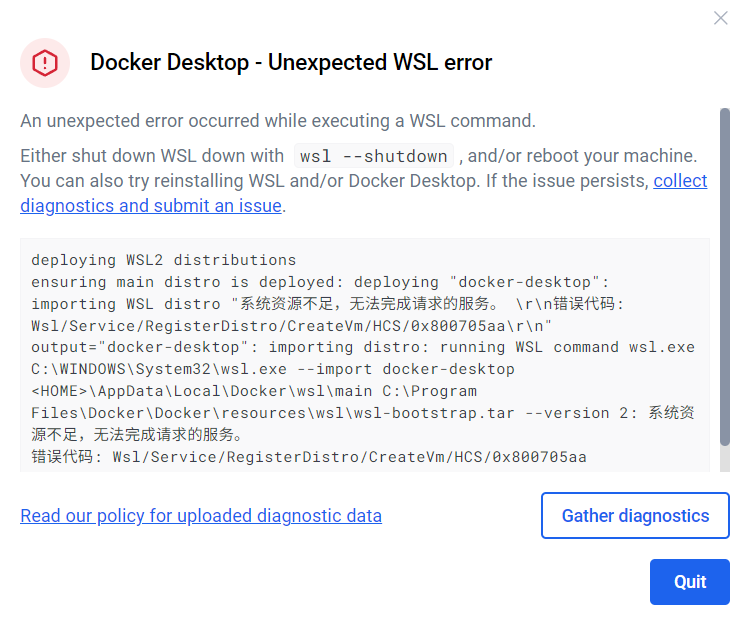
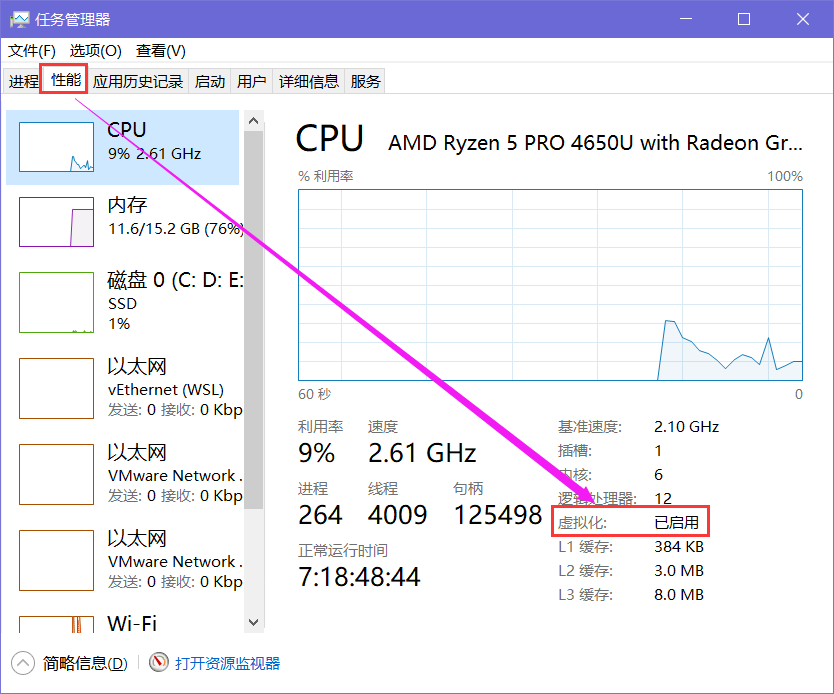
解决办法

欢迎加入DeepSeek 技术社区。在这里,你可以找到志同道合的朋友,共同探索AI技术的奥秘。
更多推荐



 27
27 0
0- 0


 已为社区贡献1条内容

所有评论(0)