Spring AI Alibaba 调用文生语音模型(CosyVoice)
语音合成(Text-to-Speech, TTS)技术通过机器学习将文本转换为自然语音,掌握语言的韵律、语调和发音规则。CosyVoice是阿里开源的多语言、情感丰富的语音生成大模型,支持零样本语音生成和跨语言声音合成。SpringAI是Spring团队推出的AI应用框架,旨在将AI能力集成到Java应用中。SpringAIAlibaba是基于SpringAI的开源项目,适配阿里云大模型服务,帮助
语音合成
语音合成,又称文本转语音(Text-to-Speech,TTS),是将文本转换为自然语音的技术。该技术基于机器学习算法,通过学习大量语音样本,掌握语言的韵律、语调和发音规则,从而在接收到文本输入时生成真人般自然的语音内容。
CosyVoice
CosyVoice 是阿里开源的一款创新的多语言、情感丰富的语音生成大模型,旨在通过先进的 AI 技术生成自然且富有情感的语音。无论是在语音生成的质量,还是在细节控制的精准度上,CosyVoice 都表现卓越,能够应对零样本语音生成、跨语言声音合成以及指令执行等多种任务。
SpringAI
访问地址:Spring AI
Spring AI是一个面向人工智能工程的应用框架,由Spring团队推出,旨在将AI能力集成到Java应用中。Spring AI的核心是解决AI集成的根本挑战,即将企业数据和API与AI模型连接起来。
Spring AI Alibaba
Spring AI Alibaba是一个基于Spring AI构建的开源项目,专门针对阿里云的大模型服务进行适配,是阿里云通义系列模型及服务在Java AI应用开发领域的最佳实践。该项目旨在帮助Java开发者快速构建AI应用,降低技术门槛和成本
开发案例实现
本例演示使用Spring AI Alibaba 调用文生语音模型(CosyVoice)
1、准备工作
环境配置要求
- JDK 17
- SpringBoot 3.4.2
登录阿里云百炼申请API-Key
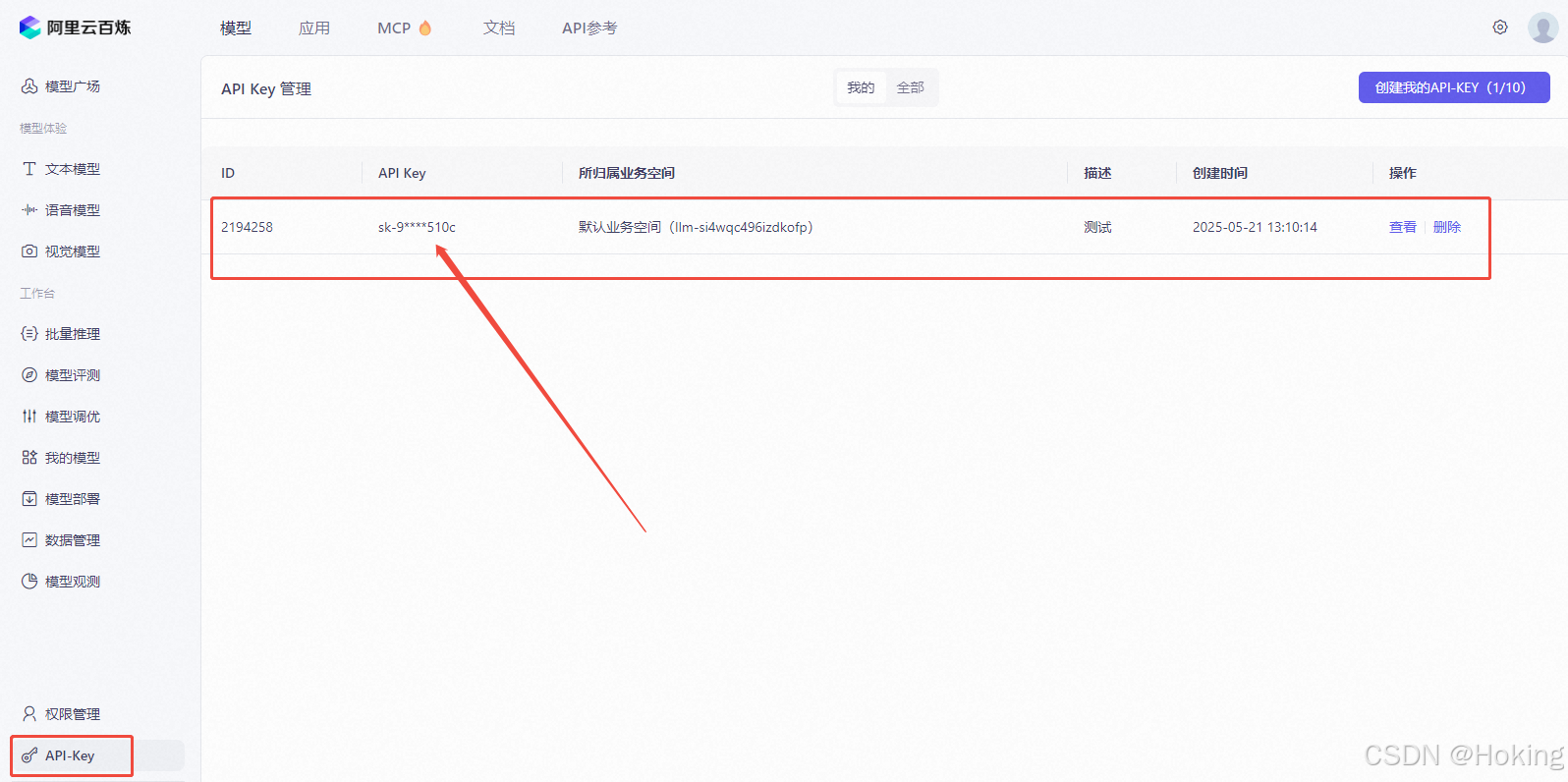 复制下自己创建的API-KEY。
2、创建Springboot项目配置pom.xml
<?xml version="1.0" encoding="UTF-8"?>
<project xmlns="http://maven.apache.org/POM/4.0.0"
         xmlns:xsi="http://www.w3.org/2001/XMLSchema-instance"
         xsi:schemaLocation="http://maven.apache.org/POM/4.0.0 http://maven.apache.org/xsd/maven-4.0.0.xsd">
    <modelVersion>4.0.0</modelVersion>
    <parent>
        <groupId>org.springframework.boot</groupId>
        <artifactId>spring-boot-starter-parent</artifactId>
        <version>3.4.2</version>
        <relativePath/>
    </parent>

    <artifactId>alibaba-dashscope-tts-cosyvoice</artifactId>

    <properties>
        <maven.compiler.source>17</maven.compiler.source>
        <maven.compiler.target>17</maven.compiler.target>
        <project.build.sourceEncoding>UTF-8</project.build.sourceEncoding>
    </properties>

    <dependencies>

        <dependency>
            <groupId>org.springframework.boot</groupId>
            <artifactId>spring-boot-starter-web</artifactId>
        </dependency>

        <dependency>
            <groupId>com.alibaba.cloud.ai</groupId>
            <artifactId>spring-ai-alibaba-starter</artifactId>
            <version>1.0.0-M6.1</version>
        </dependency>

        <dependency>
            <groupId>cn.hutool</groupId>
            <artifactId>hutool-all</artifactId>
            <version>5.8.20</version>
        </dependency>
    </dependencies>

</project>
3、创建业务服务类Service和ServiceImpl
CosyVoiceService
public interface CosyVoiceService {

    /**
     * 文生语音,生成语音文件(mp3格式)
     * @param text
     */
    public void genVoiceFile(String text);
}
CosyVoiceServiceImpl
@Slf4j
@Service
public class CosyVoiceServiceImpl implements CosyVoiceService {

    //模型名称 龙飞
    private static String model = "cosyvoice-v1";
    //音色名称
    private static String voice = "longfei";

    @Autowired
    private SpeechSynthesisModel synthesisModel;

    @Override
    public void genVoiceFile(String text) {

        DashScopeSpeechSynthesisOptions scopeSpeechSynthesisOptions = DashScopeSpeechSynthesisOptions.builder()
                .withModel(model)
                .withVoice(voice)
                .build();
        ByteBuffer byteBuffer = synthesisModel.call(
                        new SpeechSynthesisPrompt("你好啊,今天是小满节气,是中国二十四节气之一。",
                                scopeSpeechSynthesisOptions))
                .getResult()
                .getOutput()
                .getAudio();
        byte[] bytes = byteBuffer.array();
        File file = new File("D:\\audio\\" + UUID.randomUUID().toString(Boolean.TRUE) + ".mp3");
        if (!file.getParentFile().exists()){
            FileUtil.mkParentDirs(file);
        }
        try {
            FileOutputStream fileOutputStream = new FileOutputStream(file);
            fileOutputStream.write(bytes);
            fileOutputStream.flush();
            log.info("创建成功:{}", file.getAbsoluteFile());
        } catch (FileNotFoundException e) {
            throw new RuntimeException(e);
        } catch (IOException e) {
            throw new RuntimeException(e);
        }

    }
}
4、配置application.yml
server:
  port: 9021
spring:
  ai:
    dashscope:
      api-key: sk-{your-spi-key}
      chat:
        options:
          #模型名称
          model: cosyvoice-v1
5、运行服务并进行测试验证
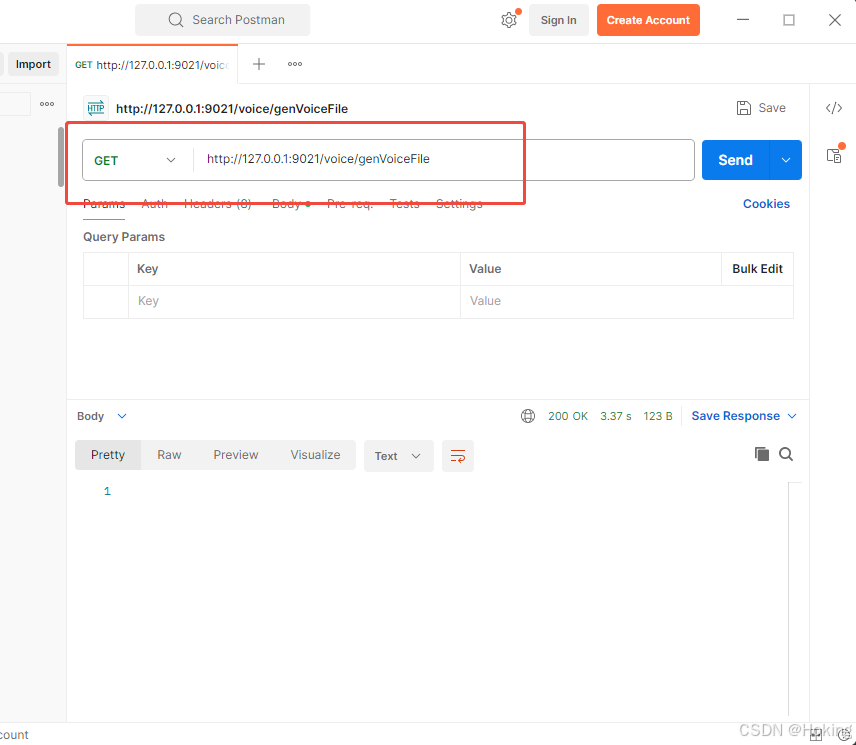
6、验证生成的mp3文件
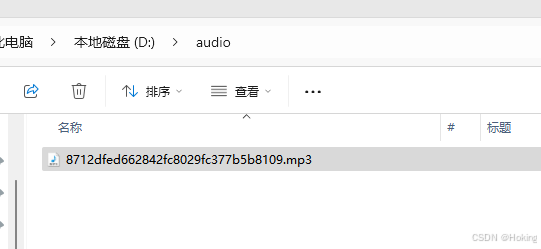

欢迎加入DeepSeek 技术社区。在这里,你可以找到志同道合的朋友,共同探索AI技术的奥秘。
更多推荐


 10
10 0
0- 0


 已为社区贡献2条内容

所有评论(0)