使用nginx反向代理chatgptapi
【代码】使用nginx反向代理chatgptapi。
·
一.准备
- 1.服务器
非内地服务,经测试香港效果较佳,以下结果仅供参考截止到2023/8/29非大陆服务器感觉:U云和racknerd比较划算,另外aws绑定信用卡后可获得12月免费试用时长 - 2.域名
阿里云,cloudflare等
二.配置并重启nginx
1.配置域名DNS解析
1.将域名(二级域名,如:openai.liusq.top)指向购买服务器ip
2.申请免费域名证书
可在阿里云申请免费域名证书: 登录阿里云控制台->数字证书管理服务->申请证书->签发
3.安装并配置nginx
server {
        listen 80;
        listen 443 ssl;
        server_name openai.liusq.top;
        ssl_certificate cert/openai.liusq.top.pem;
        ssl_certificate_key cert/openai.liusq.top.key;
        ssl_session_cache shared:le_nginx_SSL:1m;
        ssl_session_timeout 1440m;
        ssl_protocols TLSv1 TLSv1.1 TLSv1.2 TLSv1.3;
        ssl_prefer_server_ciphers on;
        ssl_ciphers TLS13-AES-256-GCM-SHA384:TLS13-CHACHA20-POLY1305-SHA256:TLS13-AES-128-GCM-SHA256:TLS13-AES-128-CCM-8-SHA256:TLS13-AES-128-CCM-SHA256:EECDH+CHACHA20:EECDH+CHACHA20-draft:EECDH+ECDSA+AES128:EECDH+aRSA+AES128:RSA+AES128:EECDH+ECDSA+AES256:EECDH+aRSA+AES256:RSA+AES256:EECDH+ECDSA+3DES:EECDH+aRSA+3DES:RSA+3DES:!MD5;
        location / {
            proxy_pass  https://api.openai.com/;
            proxy_ssl_server_name on;
            proxy_set_header Host api.openai.com;
            proxy_set_header Connection '';
            proxy_http_version 1.1;
            chunked_transfer_encoding off;
            proxy_buffering off;
            proxy_cache off;
            proxy_set_header X-Forwarded-For $remote_addr;
            proxy_set_header X-Forwarded-Proto $scheme;
        }
}
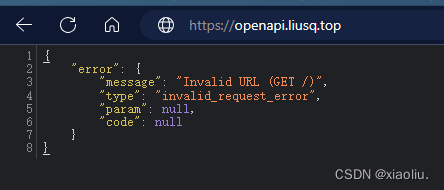
3.测试-浏览器访问
个人公众号:SRE实践

欢迎加入DeepSeek 技术社区。在这里,你可以找到志同道合的朋友,共同探索AI技术的奥秘。
更多推荐


 0
0 0
0- 0


 已为社区贡献1条内容

所有评论(0)