【实战】deepseek分析应用程序日志
在应用程序运行过程中会产生大量的运行日志,通过分析这些日志信息可以提前预判一些系统隐患,保障系统持续运行。
·
在应用程序运行过程中会产生大量的运行日志,通过分析这些日志信息可以提前预判一些系统隐患,保障系统持续运行。
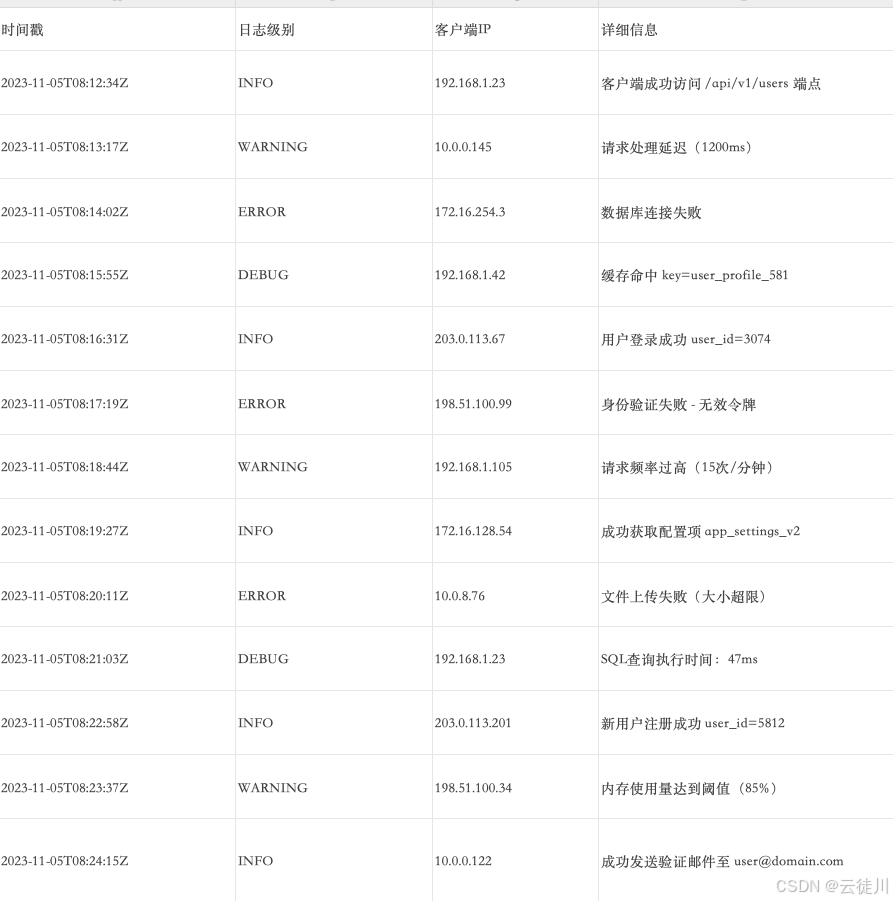
1.示例数据
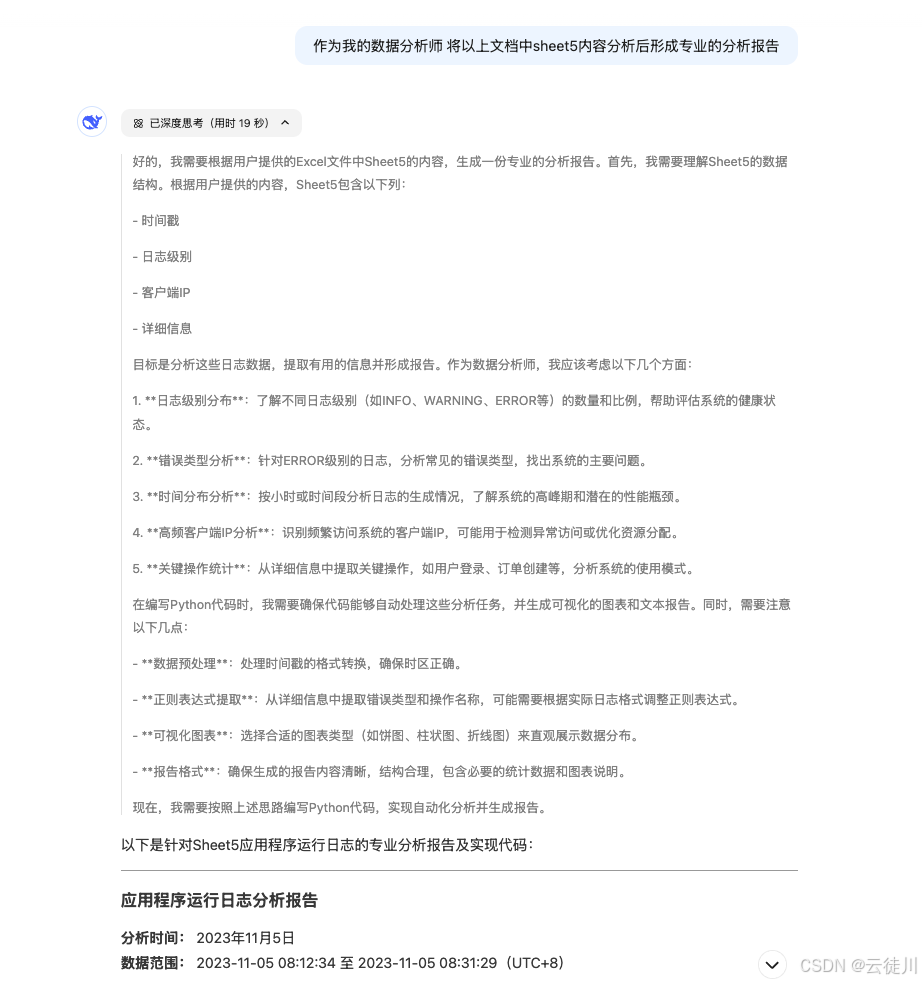
2.AI分析报告
3.数据分析
import pandas as pd

import matplotlib.pyplot as plt

from matplotlib.dates import DateFormatter

import re

from collections import Counter

# 设置中文字体

plt.rcParams['font.sans-serif'] = ['Songti SC']  # 根据系统可用字体调整

plt.rcParams['axes.unicode_minus'] = False  # 解决负号乱码

# 读取数据

df = pd.read_excel('数据分析.xlsx', sheet_name='Sheet5')


# 数据预处理

df['时间戳'] = pd.to_datetime(df['时间戳'], utc=True).dt.tz_convert('Asia/Shanghai')

df['小时'] = df['时间戳'].dt.hour


# 1. 日志级别分布分析

level_dist = df['日志级别'].value_counts()


# 2. 错误详情分析

error_logs = df[df['日志级别'] == 'ERROR']

error_pattern = r'(.*?)(|$'

error_details = error_logs['详细信息'].apply(lambda x: re.split(r'[((]', x)[0])

error_dist = Counter(error_details)


# 3. IP地址分析

ip_dist = df['客户端IP'].value_counts().head(5)


# 4. 时间分布分析

time_dist = df.groupby('小时').size()


# 5. 高频操作分析

common_ops = df['详细信息'].str.extract(r'(成功|失败) (.*?) ').dropna()

common_actions = common_ops[1].value_counts().head(5)


# 生成报告

report = []

report.append("="*40 + " 应用程序运行日志分析报告 " + "="*40 + "\n")


# 基础统计

report.append(f"总日志条目数:{len(df)}")

report.append(f"时间范围:{df['时间戳'].min()} - {df['时间戳'].max()}\n")


# 日志级别分析

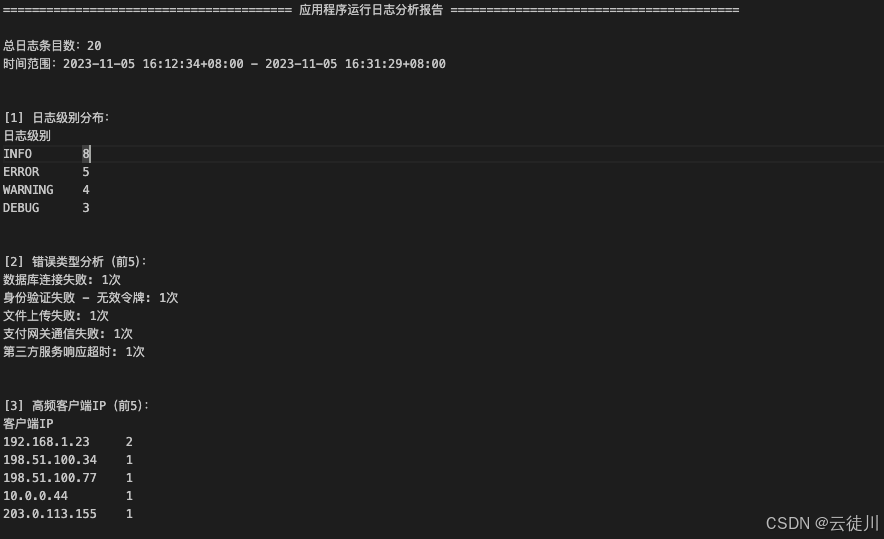
report.append("\n[1] 日志级别分布:")

report.append(level_dist.to_string())

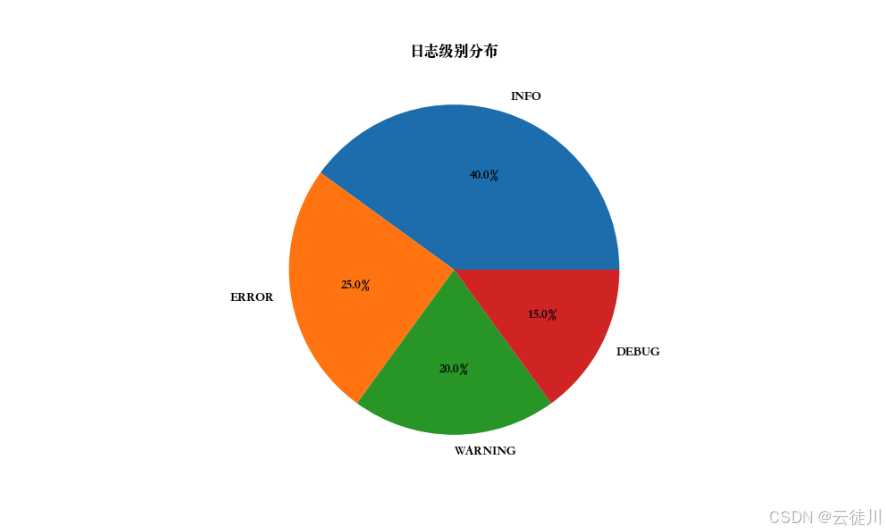
plt.figure(figsize=(10, 6))

level_dist.plot(kind='pie', autopct='%1.1f%%')

plt.title('日志级别分布')

plt.ylabel('')

plt.savefig('log_level_dist.png')


# 错误分析

report.append("\n\n[2] 错误类型分析(前5):")

report.append("\n".join([f"{k}: {v}次" for k, v in error_dist.most_common(5)]))

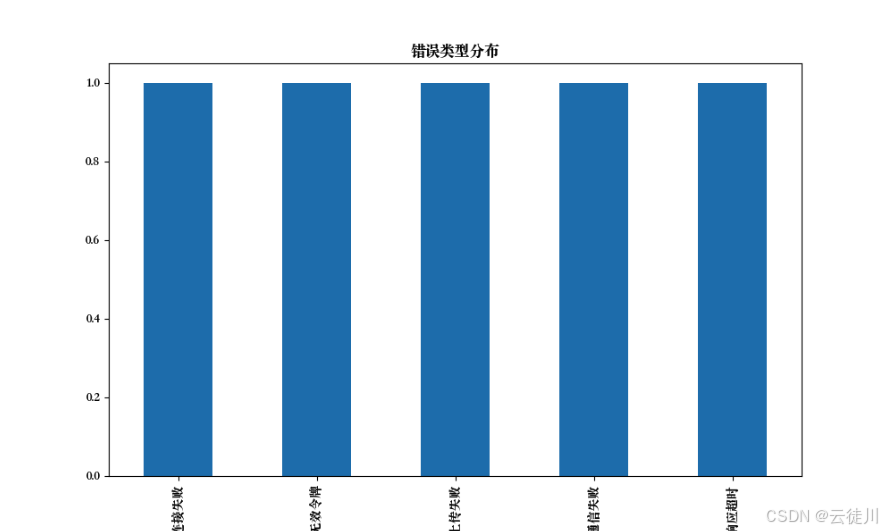
plt.figure(figsize=(10, 6))

pd.Series(error_dist).plot(kind='bar')

plt.title('错误类型分布')

plt.savefig('error_dist.png')


# IP分析

report.append("\n\n[3] 高频客户端IP(前5):")

report.append(ip_dist.to_string())


# 时间分布

report.append("\n\n[4] 时间分布(按小时):")

report.append(time_dist.to_string())

plt.figure(figsize=(12, 6))

time_dist.plot(kind='line', marker='o')

plt.title('每小时日志数量趋势')

plt.xlabel('小时')

plt.ylabel('日志数量')

plt.savefig('hourly_dist.png')


# 高频操作

report.append("\n\n[5] 高频操作(前5):")

report.append(common_actions.to_string())


# 保存报告

with open('log_analysis_report.txt', 'w', encoding='utf-8') as f:

    f.write("\n".join(report))


print("分析完成!已生成以下文件:")

print("- log_analysis_report.txt")

print("- log_level_dist.png")

print("- error_dist.png")

print("- hourly_dist.png")


#报告通过企业微信发送

import requests

import os

def send_to_wecom(text, image_paths=None):

    # 配置企业微信机器人Webhook地址

    WEBHOOK_URL = "https://qyapi.weixin.qq.com/cgi-bin/webhook/send?key=你的机器人key"


    # 构建消息体

    msg = {

        "msgtype": "news",

        "news": {

            "articles": [

                {

                    "title": "日志分析报告",

                    "description": text[:200] + "..." if len(text) > 200 else text,

                    "url": "https://example.com",  # 可替换为实际报告链接

                    "picurl": "http://图片外链地址/logo.png"  # 标题图片

                }

            ]

        }

    }


    # 发送文本消息

    resp = requests.post(WEBHOOK_URL, json=msg)


    # 发送图片文件

    if image_paths:

        for img_path in image_paths:

            if os.path.exists(img_path):

                with open(img_path, "rb") as f:

                    files = {"media": f}

                    upload_resp = requests.post(WEBHOOK_URL.replace("send", "upload_media"), files=files)

                    media_id = upload_resp.json().get("media_id")

                    img_msg = {"msgtype": "image", "image": {"media_id": media_id}}

                    requests.post(WEBHOOK_URL, json=img_msg)


# 使用示例

report_text = open("log_analysis_report.txt").read()

images = ["log_level_dist.png", "error_dist.png", "hourly_dist.png"]

send_to_wecom(report_text, images)
日志级别分布
错误类型分布
分析报告

欢迎加入DeepSeek 技术社区。在这里,你可以找到志同道合的朋友,共同探索AI技术的奥秘。
更多推荐



 3
3 0
0- 0


 已为社区贡献2条内容

所有评论(0)