极简版DeepSeek知识库搭建方案,只需5步即可运行 2
✅ 切换小模型:修改`config.yaml`中model_name为"deepseek-7b-chat"✅ 安装完整依赖:`pip install python-magic python-docx`详细教程:https://pan.quark.cn/s/0c54472847fc。✅ 调整文档分块大小:在build_kb.py中添加。query = input("你的问题:")[系统返回PDF文档
详细教程:https://pan.quark.cn/s/0c54472847fc
步骤4:启动问答系统
# chat.py
from deepseek import Deepseek
from langchain.chains import RetrievalQA
model = Deepseek()
vector_db = FAISS.load_local("database", HuggingFaceEmbeddings())
qa = RetrievalQA.from_chain_type(
llm=model,
retriever=vector_db.as_retriever(),
chain_type="stuff"
)
while True:
query = input("你的问题:")
print(qa.run(query))
运行问答:
python chat.py
步骤5:测试验证
# 示例问题
你的问题:公司年假制度是怎样的?
[系统自动检索知识库并生成回答]
你的问题:报销流程需要哪些步骤?
[系统返回PDF文档中的具体流程]
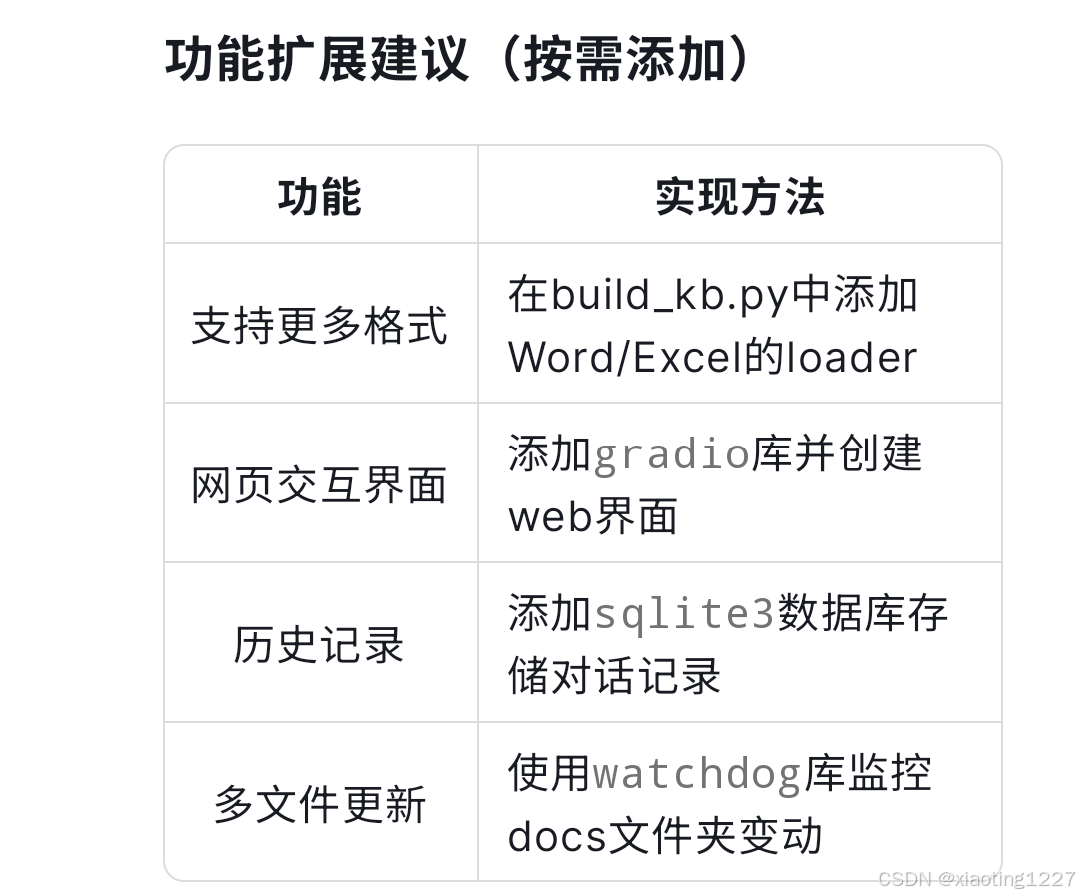
# 扩展示例:添加Gradio界面
import gradio as gr
def answer(question):
return qa.run(question)
gr.Interface(
fn=answer,
inputs="text",
outputs="text"
).launch()
常见问题速查
1. 文档解析失败
✅ 确保PDF是可复制文本格式(非扫描件)
✅ 安装完整依赖:`pip install python-magic python-docx`
2. 显存不足
✅ 切换小模型:修改`config.yaml`中model_name为"deepseek-7b-chat"
3. 回答不准确
✅ 调整文档分块大小:在build_kb.py中添加
`text_splitter = RecursiveCharacterTextSplitter(chunk_size=500)`
此方案可在普通笔记本电脑(8GB内存)运行,适合个人知识管理、小型团队文档检索等场景。需要进阶功能时再逐步添加复杂模块。

欢迎加入DeepSeek 技术社区。在这里,你可以找到志同道合的朋友,共同探索AI技术的奥秘。
更多推荐


 6
6 0
0- 0


 已为社区贡献3条内容

所有评论(0)