DeepSeek 接入 word
5.保存VB脚本并关闭窗口;再依次点击:【文件】>【更多...】>【选项】>【自定义功能区】,选择这里的“宏”,即可看到刚才创建的宏命令。按如下操作启用宏命令:【文件】>【更多...】>【选项】>【信任中心】>【信任中心设置】>【宏设置】,点选【启用所有宏】。打开Word文档,依次点击:【文件】>【更多...】>【选项】>【自定义功能区】,勾选【开发工具】。2. 进入后选择菜单【插入】>【模块】,
·

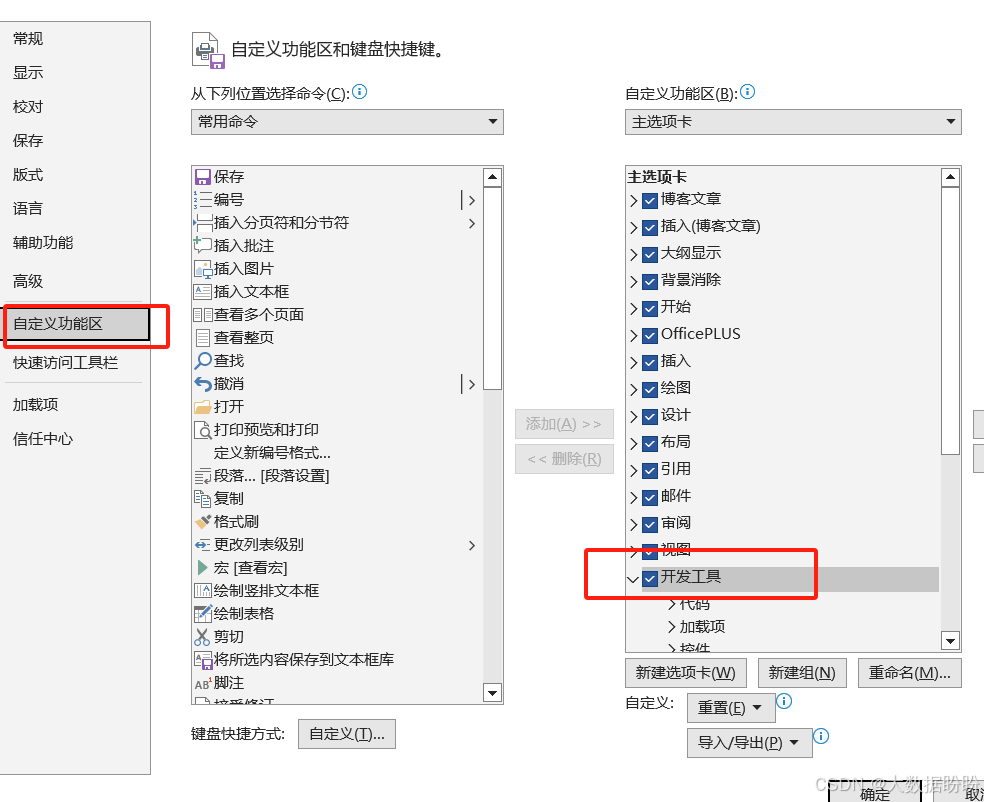
第一步:启动开发工具
打开Word文档,依次点击:【文件】>【更多...】>【选项】>【自定义功能区】,勾选【开发工具】。
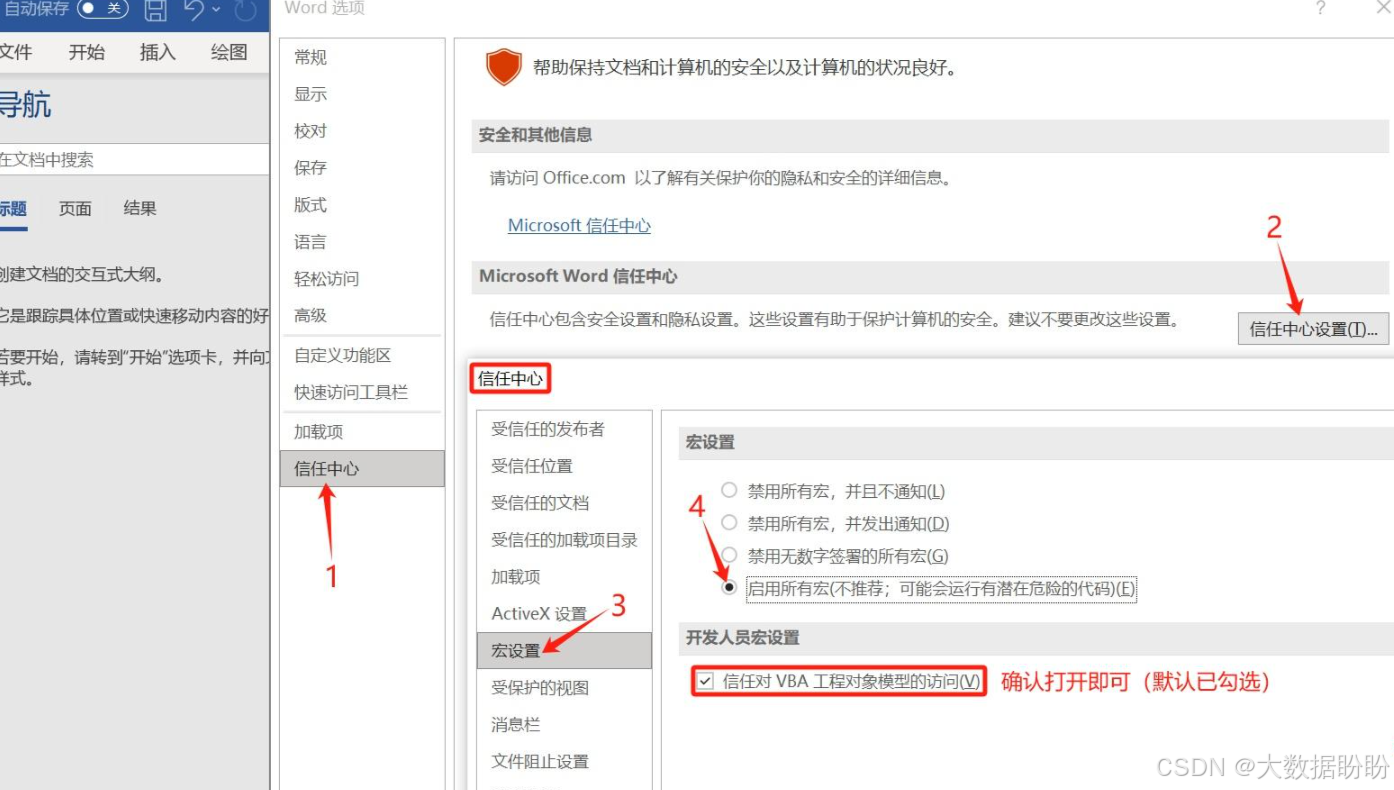
第二步:启用宏命令
按如下操作启用宏命令:【文件】>【更多...】>【选项】>【信任中心】>【信任中心设置】>【宏设置】,点选【启用所有宏】。
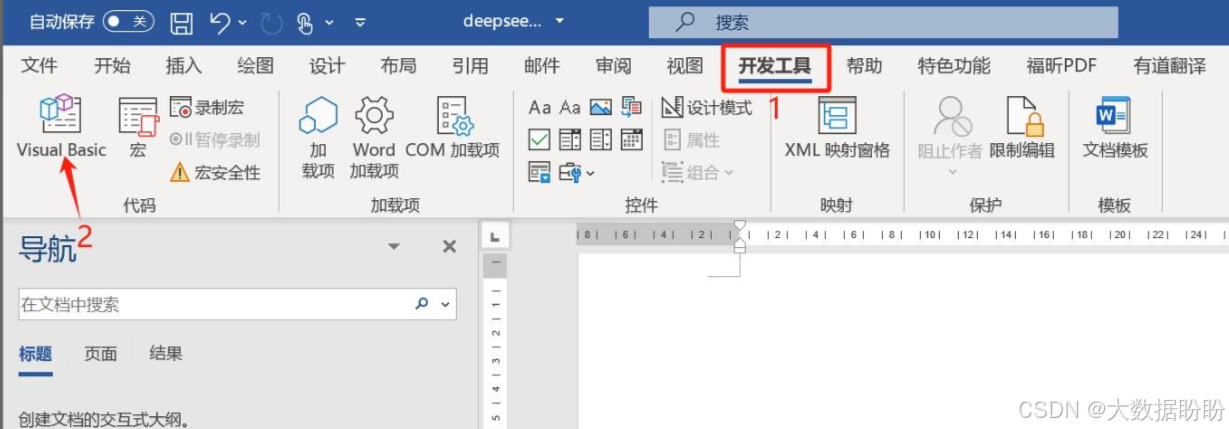
第三步:创建VB宏命令
- 点击菜单【开发工具】下的VB编辑器【Visual Basic】。
2. 进入后选择菜单【插入】>【模块】,命名为“DeepSeek”。
3. 复制下面的代码到DeepSeek模块中
' 需要开启以下引用:
' Microsoft XML, v6.0 (或其他版本)
' 工具 -> 引用 -> 勾选 Microsoft XML, v6.0

Sub CallDeepSeekAPI()
    Dim apiKey As String
    Dim apiUrl As String
    Dim httpRequest As New MSXML2.XMLHTTP60
    Dim response As String
    Dim jsonBody As String
    Dim result As String

    ' 配置API信息
    apiKey = "sk-ece2826f9ebd409c91715151f5bb1e50"
    apiUrl = "https://api.deepseek.com/v1"

    ' 构建请求体
    jsonBody = "{"
    jsonBody = jsonBody & """model"": ""deepseek-chat"","
    jsonBody = jsonBody & """messages"": [{"
    jsonBody = jsonBody & """role"": ""user"","
    jsonBody = jsonBody & """content"": ""请帮我生成一段测试文本"""
    jsonBody = jsonBody & "}],"
    jsonBody = jsonBody & """temperature"": 0.7"
    jsonBody = jsonBody & "}"

    On Error GoTo ErrorHandler

    ' 发送请求
    With httpRequest
        .Open "POST", apiUrl, False
        .setRequestHeader "Content-Type", "application/json"
        .setRequestHeader "Authorization", "Bearer " & apiKey
        .send jsonBody

        ' 检查响应状态
        If .Status = 200 Then
            response = .responseText
            ' 解析响应(这里需要根据实际返回格式调整)
            result = ParseJSONResponse(response)

            ' 将结果插入文档
            Selection.TypeText Text:=result
            Selection.TypeParagraph
        Else
            MsgBox "API请求失败: " & .Status & " - " & .StatusText
        End If
    End With

    Exit Sub

ErrorHandler:
    MsgBox "发生错误: " & Err.Description
End Sub

Function ParseJSONResponse(response As String) As String
    ' 简单JSON解析示例,实际使用时建议使用JSON解析库
    Dim startPos As Long
    Dim endPos As Long

    ' 查找content字段的位置(根据实际响应格式调整)
    startPos = InStr(response, """content"":""") + 11
    endPos = InStr(startPos, response, """,")

    If startPos > 11 And endPos > startPos Then
        ParseJSONResponse = Mid(response, startPos, endPos - startPos)
    Else
        ParseJSONResponse = "无法解析响应"
    End If
End Func
修改api信息为自己的
4. 其中的 API Key, 申请地址:DeepSeek 开放平台
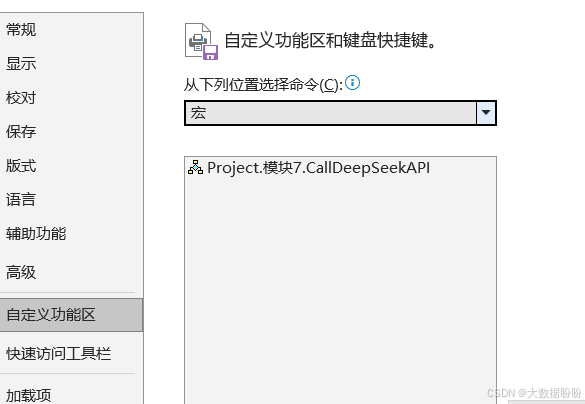
5.保存VB脚本并关闭窗口;再依次点击:【文件】>【更多...】>【选项】>【自定义功能区】,选择这里的“宏”,即可看到刚才创建的宏命令。
6
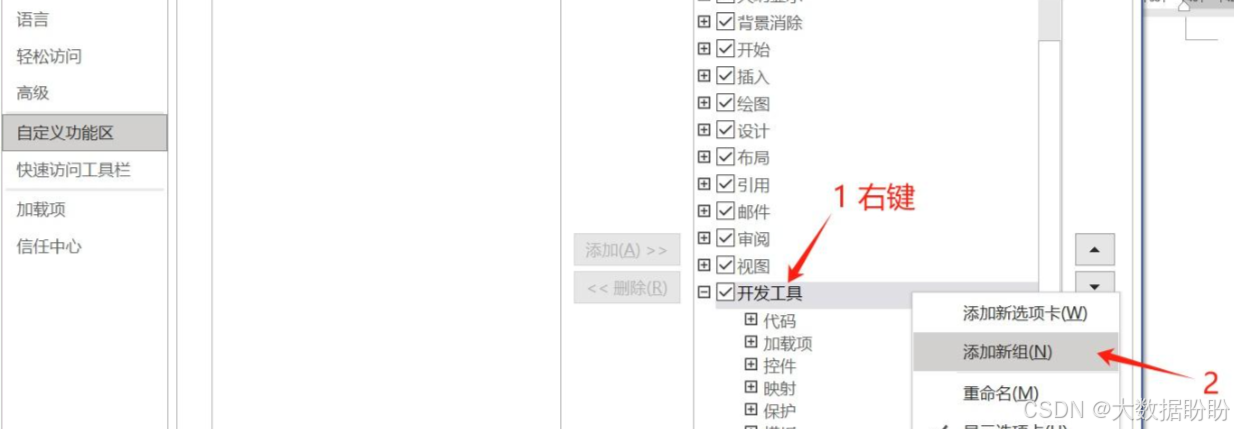
第四步:新建宏命令组
- 在右侧继续右键【开发工具】,在它下面【添加新组】,并可重命名这个组。
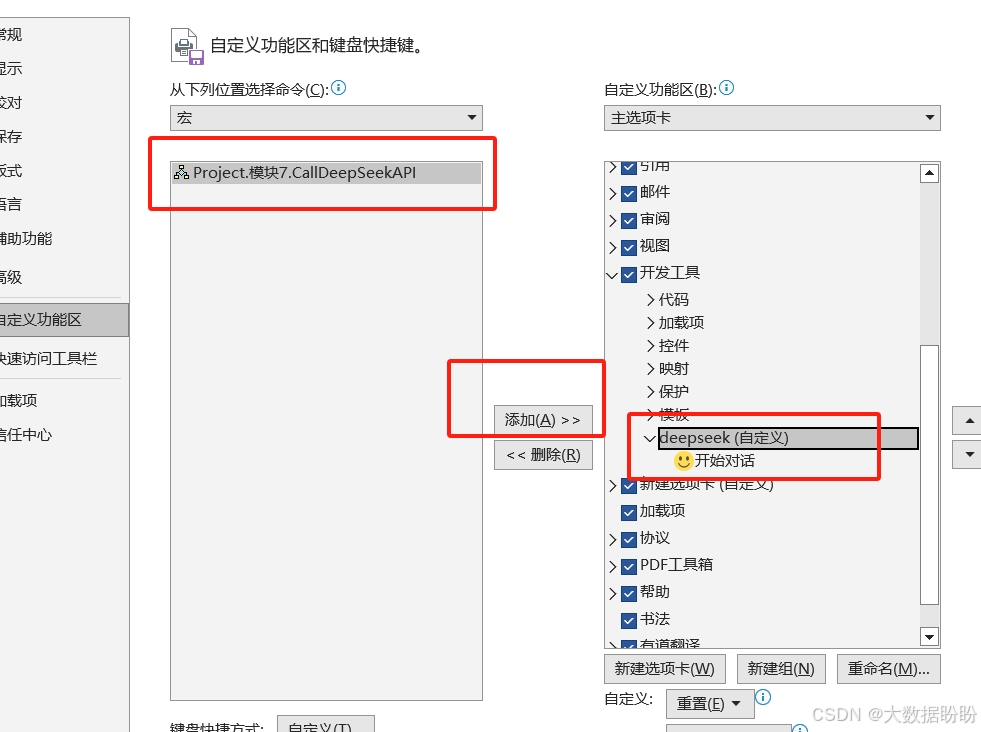
2. 将创建的宏命令添加到这个组下面。
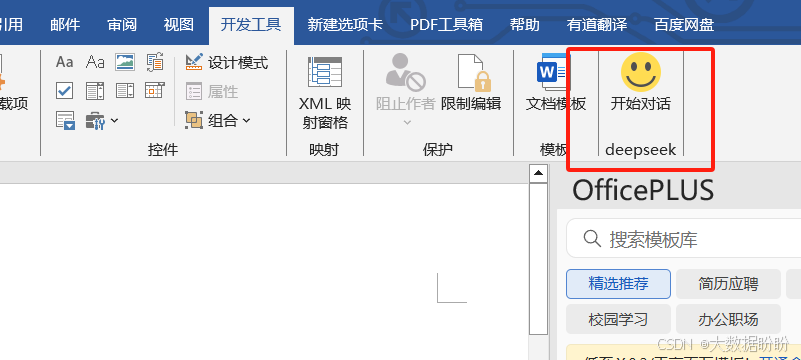
在菜单【开发工具】中就可以看到这个按钮:

欢迎加入DeepSeek 技术社区。在这里,你可以找到志同道合的朋友,共同探索AI技术的奥秘。
更多推荐


 4
4 0
0- 0


 已为社区贡献2条内容

所有评论(0)